Why Lead Capture Page Design Determines Whether You Get Leads or Lose Them
Lead capture page design is the practice of building a focused, standalone web page whose sole job is to exchange something valuable for a visitor’s contact information.
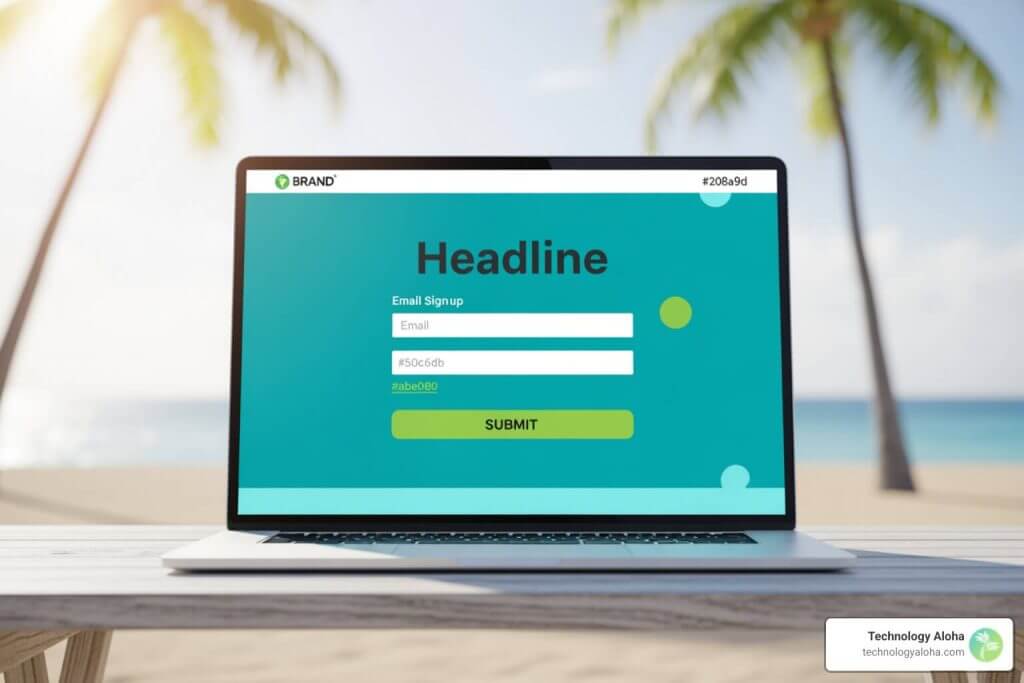
Done right, it turns traffic into leads. Done wrong, it sends people straight to your competitors.
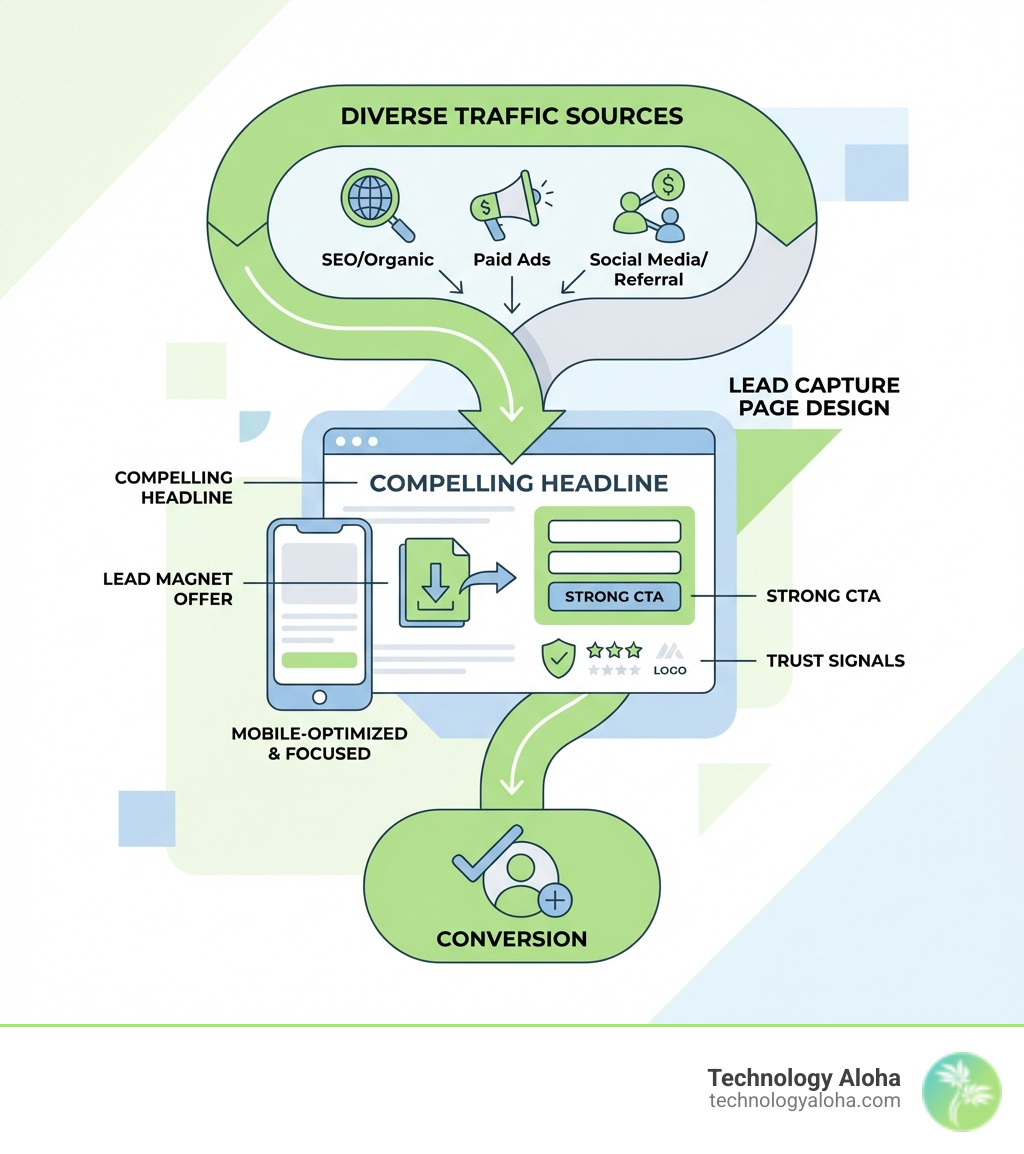
Here’s what a high-converting lead capture page needs:
- A single, clear goal — one offer, one action, no distractions
- A compelling headline — matched to the ad or link that brought the visitor there
- A lead magnet — something worth trading an email address for (a guide, checklist, webinar, etc.)
- A short form — ask only what you actually need
- Social proof — testimonials, logos, or subscriber counts that build trust fast
- A strong CTA — one button, benefit-led, impossible to miss
- Mobile optimization — over 53% of web traffic comes from mobile devices
Lead generation is the top priority for 50% of marketers—yet most small business websites still send paid traffic to a homepage full of navigation links, competing messages, and zero urgency. That’s not a strategy. That’s a leaky bucket.
A well-designed lead capture page fixes that. It removes friction, builds trust quickly, and gives visitors one clear reason to say yes.
This guide walks you through every design decision that moves the needle—from form length to headline copy to what happens after someone clicks submit.
The Anatomy of Effective Lead Capture Page Design
Effective lead capture page design is not about making a page look “pretty.” It is about engineering a path of least resistance. When a visitor lands on your page, they should not have to think. They should only have to react to a clear, compelling offer.
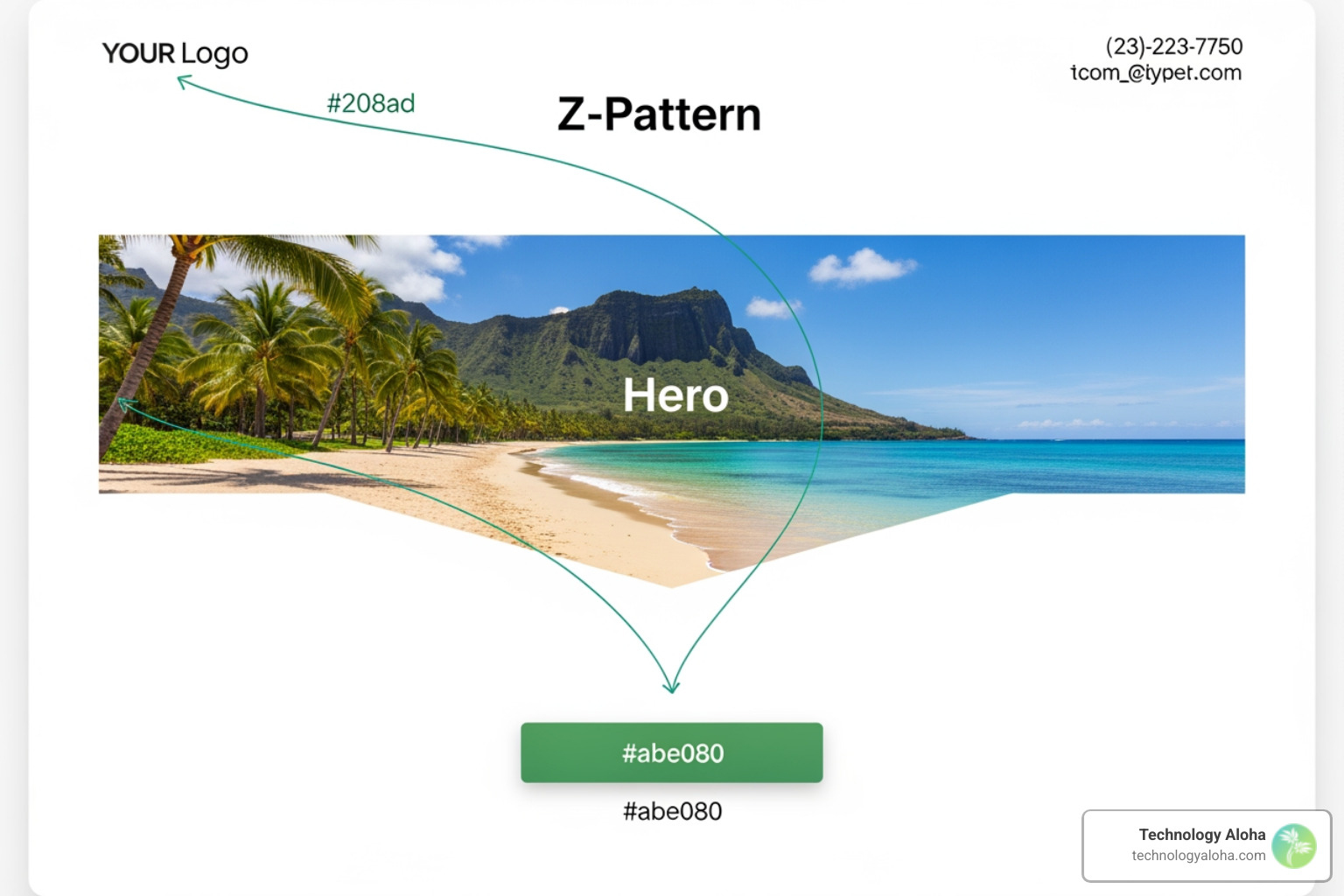
At Technology Aloha, we believe that the structure of your page should follow a logical visual hierarchy. Most users do not read every word on a page; they scan. By using a Z-pattern layout—where the eye moves from the top-left logo to the top-right contact info, then down through the hero image to the lead form—you guide the visitor’s gaze exactly where you want it. This structured approach is a cornerstone of The Complete Guide to High-Conversion Websites.
Crafting a Lead Capture Page Design That Matches Ad Intent
One of the fastest ways to kill your conversion rate is “message mismatch.” If your Facebook ad promises a “Free Guide to Maui Real Estate” and your landing page headline says “Welcome to Our Agency,” you have failed. The visitor feels misled and bounces immediately.
Headline synchronization is non-negotiable. The exact phrase used in your ad or email should appear as the H1 on your landing page. This creates instant cognitive ease. Research shows that sending targeted ads to relevant, personalized landing pages can lead to 34% higher conversions with personalized landing pages. Your page must be the logical conclusion of the promise made in your marketing materials.
Essential Elements for Visual Hierarchy
Visual hierarchy is the arrangement of elements in a way that implies importance. In lead capture page design, we use several tools to achieve this:
- Directional Cues: Use arrows, lines, or even images of people looking toward your form. These subtle cues tell the brain, “Look over here.”
- Encapsulation: Put your form in a box or a contrasting color block. This separates it from the rest of the page and makes it the focal point.
- Color Contrast: Your Call to Action (CTA) button should not “blend in.” If your page is mostly #208a9d (our signature teal), your button should be a high-contrast color like #abe080 (our bright green).
By mastering these elements, you can implement 8 Web Design Tips That Make You Look Like a Pro and ensure your leads don’t get lost in the shuffle.
Psychology and Conversion-Centered Design Principles
Conversion-Centered Design (CCD) is a discipline specifically tailored to the psychology of persuasion. We aren’t just designing for eyes; we are designing for the human brain, which is inherently skeptical and easily distracted.
The average attention span is now roughly eight seconds. To combat this, your design must be scannable. Use the F-pattern for text-heavy sections, but keep copy to a minimum. Use bold subheaders and bullet points to highlight benefits. Understanding these psychological triggers is part of what we cover in 7 Website Psychology Tips That Surprise Even the Experts.
Building Trust with Social Proof
Trust is the currency of the internet. Before a visitor gives you their email address—and certainly before they give you their phone number—they need to know you aren’t a “living lead generation form” asking intrusive questions without credibility.
Social proof is the most effective way to build this trust. A Bright Local survey found that 91% of consumers are more likely to buy when they read positive reviews. On your lead capture page, this can take several forms:
- Testimonials: Short, punchy quotes from happy clients.
- Partner Logos: If you’ve worked with recognizable brands, show their logos.
- Registrant Counts: “Join 5,000+ other business owners” creates a “herd effect” that validates the offer.
For instance, the Marie Forleo’s B-School social proof example shows how integrating reviews directly into a clean design can reinforce the scale and value of an offer.
Creating Urgency and Scarcity
Urgency moves people from “I’ll do this later” to “I need to do this now.” In lead capture page design, you can create urgency through:
- Limited-Time Offers: “This guide is free for the next 24 hours.”
- Scarcity: “Only 10 spots left for this webinar.”
- Loss Aversion: Highlight what they lose by not acting (e.g., “Stop wasting $500 a month on bad ads”).
However, use these sparingly. Fake urgency is easy to spot and destroys trust. When choosing your words, refer to our guide on Website Call-to-Action Buttons: The Best and Worst Words to Use to ensure your language encourages action without being manipulative.
Optimizing Forms for Frictionless Data Collection
The form is the “moment of truth.” It is where most visitors drop off. Our goal in lead capture page design is to make the form feel like a small ask for a big reward.
The golden rule of forms is to minimize friction. Data shows that reducing a form from 4 fields to 3 can increase conversion rate by almost 50%. If you only need an email to deliver a PDF, don’t ask for a phone number. You can find more ways to streamline this process in our article on how to Increase Your Website’s Conversions with These 5 Tips.
Advanced Lead Capture Page Design for Mobile Users
With 62.45% of global internet traffic is mobile, your mobile form design cannot be an afterthought. Thumb-friendly design is critical.
- Tap Targets: Ensure buttons are at least 44×44 pixels so they are easy to click.
- Single-Column Layouts: Never make a mobile user scroll horizontally or zoom in to fill out a field.
- Auto-fill: Use proper HTML tags so browsers can auto-fill names and emails, saving the user the hassle of typing on a tiny keyboard.
The Power of Multi-Step Forms
Sometimes, you need more data to qualify a lead. In these cases, a single long form is intimidating. The solution is a multi-step form. By breaking the questions into smaller chunks—starting with the easiest, least sensitive info—you gain “micro-commitments” from the user.
Surprisingly, multi-step forms can increase conversions by 300%. A progress bar at the top of the form reduces cognitive load by showing the user exactly how close they are to the finish line.
High-Value Lead Magnets and Compelling Copy
A lead capture page is a trade. You are trading your knowledge or a discount for their data. If the “reward” isn’t high-value, the trade won’t happen.
In the B2B world, 82% of buyers rely heavily on whitepapers to make purchasing decisions. If you are targeting consumers, a simple checklist or a discount code might be more effective. Regardless of the offer, your copy must be sharp. Learn the nuances in How to Write the Best Copy for Your Website.
Selecting the Right Reward for Your Audience
Different audiences require different magnets:
- Top of Funnel (Strangers): Checklists, e-books, or infographics. These are low-commitment and easy to consume.
- Middle of Funnel (Prospects): Webinars, case studies, or free trials.
- Bottom of Funnel (Ready to Buy): Consultations, coupons, or quotes.
A great example of a high-value magnet is Nathalie Lussier’s free challenge strategy, which helped her grow her list to over 55,000 subscribers by providing consistent value over several days.
Writing Action-Oriented Microcopy
Microcopy refers to the small bits of text on buttons, form labels, and error messages. These small words have a massive impact. Instead of a button that says “Submit”—which sounds like giving up—use “Get My Free Guide” or “Start My Trial.”
Personalization is key here. Personalized CTAs convert 202% more than non-personalized CTAs. Use first-person phrasing like “Send me my checklist” to make the user feel in control of the transaction.
Measuring Success and A/B Testing Strategies
You cannot improve what you do not measure. In lead capture page design, we look at two primary KPIs: Conversion Rate (the percentage of visitors who fill out the form) and Bounce Rate (those who leave without doing anything).
To ensure your data is valid, you must use a sample size calculator for valid results. Testing a page with only ten visitors won’t tell you anything—you need a significant volume of traffic to draw conclusions.
Key Performance Indicators for Lead Capture
Beyond the basic conversion rate, we track:
- Cost Per Lead (CPL): How much are you spending on ads to get one email?
- Lead Quality: Are these people actually interested in your services, or just the freebie?
- Traffic Source: Does your traffic from LinkedIn convert better than traffic from Google?
This data helps refine the User Experience (UX): What It Is and Why It’s Important for Your Website’s Growth.
Elements to Test for Maximum Lift
If your page isn’t converting, don’t change everything at once. Test one element at a time (A/B testing):
- The Headline: Try a “How-to” headline vs. a “Benefit” headline.
- The CTA Button: Test different colors and copy.
- The Form Length: Does removing the “Company Name” field increase sign-ups?
When running these tests, your statistical significance should be over 95% to ensure the results aren’t just due to chance.
| Feature | Single-Step Form | Multi-Step Form |
|---|---|---|
| Completion Rate | Moderate | High (up to 300% increase) |
| Friction | High (looks long) | Low (looks short) |
| Best For | Simple Newsletter Signups | Complex Quotes/Assessments |
Driving Traffic and Post-Conversion Excellence
A perfect lead capture page design is useless if no one sees it. You need a multi-channel traffic strategy. While SEO provides long-term “free” traffic, PPC (Pay-Per-Click) and social ads provide immediate results.
Email marketing remains one of the most powerful tools in your arsenal. In fact, for every $1 you spend on email marketing you can earn around $36 in return. Sending your current list to a new lead capture page for a specific offer is a great way to re-engage prospects.
Multi-Channel Traffic Strategies
We recommend a blend of sources to ensure a steady flow of leads:
- Search Ads: Capture people looking for specific solutions.
- Social Ads: Target people based on their interests or job titles.
- Retargeting: Show ads to people who visited your page but didn’t convert.
Ensuring your page has Must-Have Website Features Your Company Needs will help maximize the ROI of this traffic.
The Post-Conversion Experience
The relationship doesn’t end when they click “Submit.” In fact, it’s just beginning. A common mistake is “ghosting” your lead after they sign up.
Your post-conversion workflow should include:
- A Thank-You Page: Confirm the submission and tell them what to do next. You might even offer a secondary, low-stakes “upsell.”
- A Follow-Up Email: Deliver the lead magnet immediately.
- Lead Routing: Ensure the lead goes directly into your CRM so your sales team can follow up while the lead is still “warm.”
These are The 3 Pages You Absolutely Need When Building Your Website to ensure a professional first impression.
Frequently Asked Questions about Lead Capture Page Design
How many form fields should I include for the best conversion rate?
The general rule is “as few as possible.” For a simple newsletter or e-book, just an email address is often enough. However, if you are qualifying leads for a high-ticket service, more fields (like budget or company size) can actually improve lead quality, even if the total number of sign-ups decreases.
What is the difference between a landing page and a lead capture page?
All lead capture pages are landing pages, but not all landing pages are lead capture pages. A landing page is any standalone page designed for a specific campaign. A lead capture page is a specific type of landing page with the primary goal of collecting contact information via a form.
How does progressive profiling improve the user experience?
Progressive profiling is a technique where you only ask for a few pieces of information at a time. If a user returns to your site to download a second guide, your form “remembers” them and asks for different information (like their job title) instead of asking for their email again. This builds a detailed lead profile over time without overwhelming the user.
Conclusion
At Technology Aloha, we know that great lead capture page design is the bridge between a visitor’s interest and your business’s growth. By combining data-driven insights with cohesive branding and strategic positioning, we help businesses in Kahului, Maui, and beyond turn their websites into high-performing lead machines.
Don’t let your marketing budget go to waste on pages that don’t convert. Use the principles of CCD, visual hierarchy, and social proof to build trust and drive action.
Ready to stop losing leads and start growing? Start building your high-conversion lead capture page today with Technology Aloha.