Why Website Speed Matters for Conversions and Search Engine Optimization
When a visitor lands on your website, their patience is measured in milliseconds. If your page takes five seconds to load, more than half of your mobile audience has already hit the back button. Speed is not a luxury feature or a technical line item reserved for developers—it is the foundation of user experience, organic discoverability, and donor action.

Every extra second of latency erodes trust. Amazon famously calculated that every 100 milliseconds of added latency cost them 1% in sales. For a community-focused organization or a local Hawaii nonprofit, the cost is equally high: lost donations, uncompleted volunteer sign-ups, and frustrated community members unable to access critical services. If visitors leave before reading your message, your design investment is wasted. For an in-depth look at bridging the gap between site visits and supporter action, see our guide on Why Your Website Isn’t Converting and How to Fix It.
Google enforces this reality through its search algorithm. Speed and page experience are direct ranking factors. Slow pages suffer from inflated bounce rates, which tell search engines that your site fails to satisfy search intent. However, running a quick test and focusing exclusively on a single lab metric can be misleading. To learn how synthetic testing differs from real-world user performance, read Why Your Google Pagespeed Insights Score Is Lying to You.
Core Metrics for Measuring Website Speed
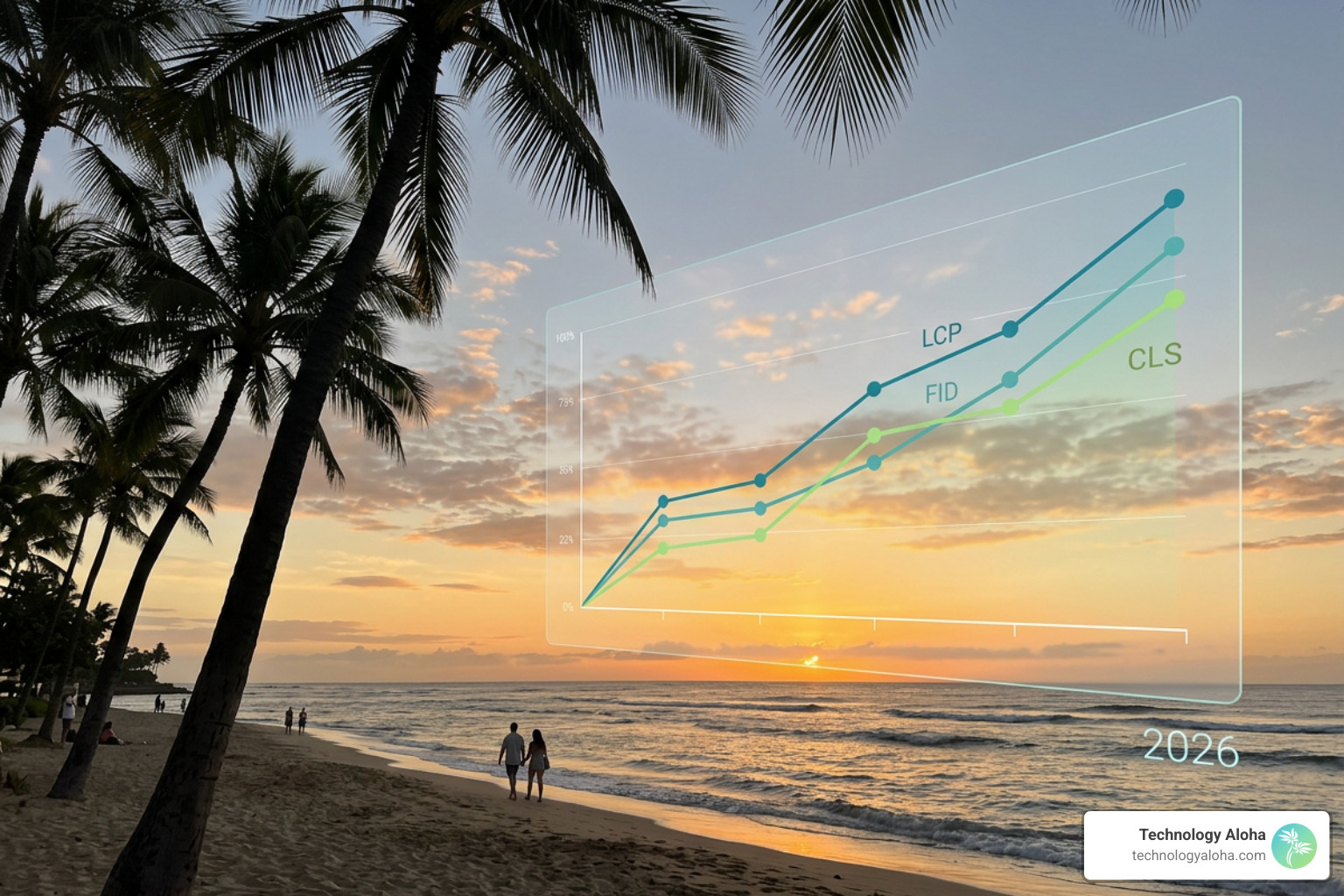
To optimize website speed, you must measure what actually happens while a browser renders your page. Google categorizes performance through Core Web Vitals—three specific metrics that quantify loading speed, interactivity, and visual stability:
- Largest Contentful Paint (LCP): Measures how long it takes to render the main content block (such as a hero image or primary heading) on the screen. Target: under 2.5 seconds.
- Interaction to Next Paint (INP): Measures overall page responsiveness by tracking the time between a user interaction (like clicking a button or tapping a menu) and the visual update on screen. INP replaced First Input Delay (FID) in March 2024. Target: under 200 milliseconds.
- Cumulative Layout Shift (CLS): Measures visual stability by calculating how much unexpected layout movement occurs during loading. Target: under 0.1.
- Time to First Byte (TTFB): Measures server response latency—the time between a request and the arrival of the first byte of data. Target: under 800 milliseconds.
For actionable steps on hitting these exact thresholds across complex site layouts, review our resource on The Most Effective Ways to Improve Core Web Vitals.
Performance Audit Tools to Evaluate Website Speed
Diagnosing bottlenecks requires testing your platform using both synthetic lab environments and real user metrics (RUM). Synthetic tests run under standardized network and hardware conditions, while real user data (collected via the Chrome User Experience Report, or CrUX) reflects actual visitor experiences across varying mobile devices and cellular connections.
Here are the gold-standard tools we rely on to evaluate site performance:
- PageSpeed Insights: Google’s free utility combining synthetic Lighthouse audits with 28-day historical CrUX real-user data.
- GTmetrix: A robust testing suite that offers visual waterfall charts, simulated mobile device profiles, and multi-location testing across global servers.
- WebPageTest: An advanced, open-source performance testing engine that captures step-by-step video of rendering while breaking down low-level network operations like DNS resolution, TCP connections, and TLS handshakes.
Primary Factors That Slow Down Web Performance
Websites slow down when browsers are forced to execute heavy tasks before displaying content. The primary culprit is sheer page weight—large files, complex scripts, and excessive network requests that overwhelm network connections and device processors.
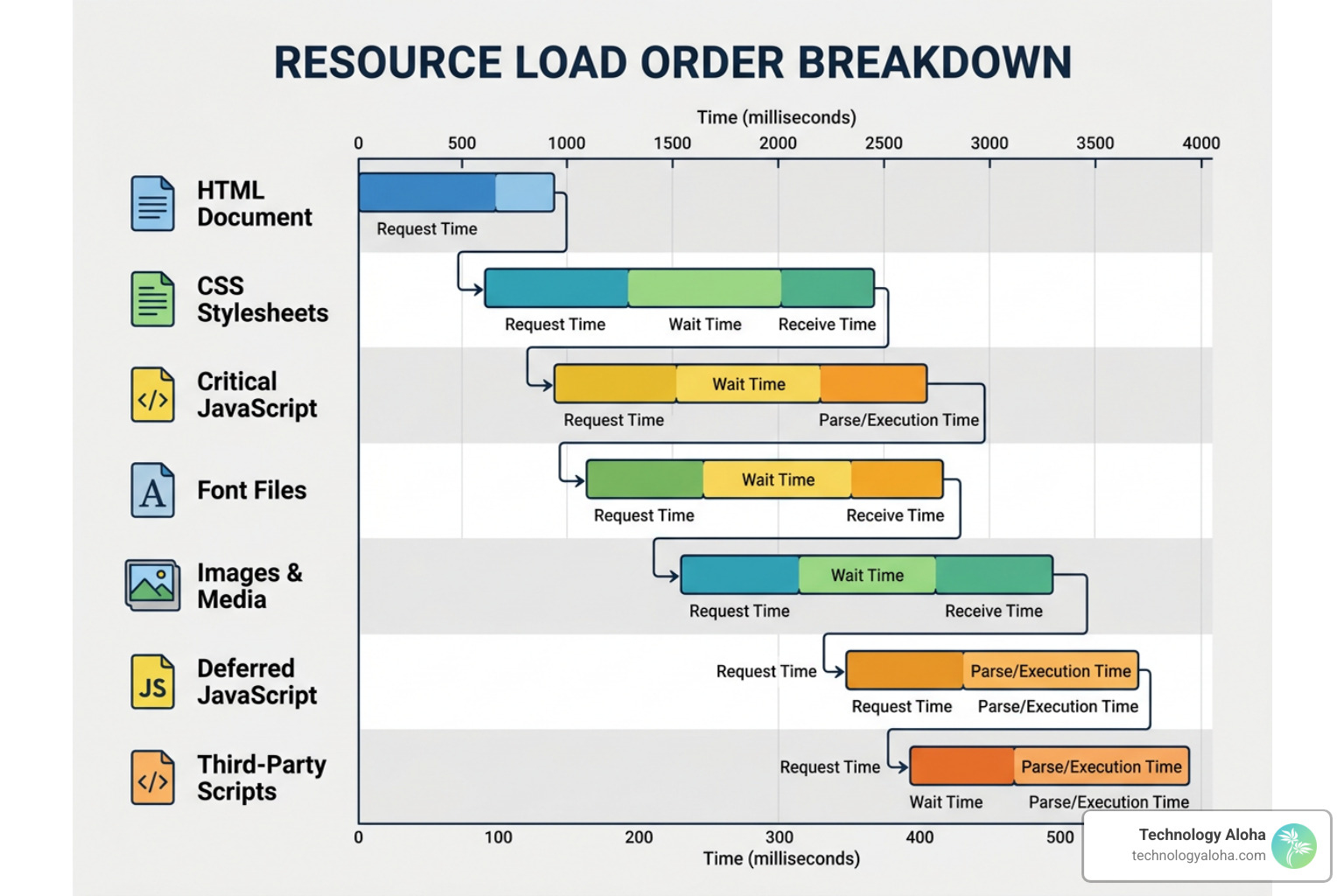
When a browser requests a web page, it downloads assets sequentially or in parallel based on browser rules. Common obstacles include:
- Uncompressed and Oversized Media: Serving high-resolution raw images or self-hosting background video files creates immense bandwidth strain.
- Heavy Third-Party Scripts: Analytics trackers, embedded social widgets, chat utilities, and advertising scripts execute on the main browser thread, blocking interactive elements.
- Render-Blocking CSS and JavaScript: External stylesheets and scripts loaded in the page header tell the browser to pause rendering until those assets finish downloading and parsing.
- Unoptimized Server Latency: Slow database queries, uncached pages, and poor hosting infrastructure increase TTFB.
To audit these issues systematically on CMS platforms, follow The Ultimate Checklist to Speed Up Page Load Time WordPress.
Step-by-Step Technical Optimizations for Fast Page Loading
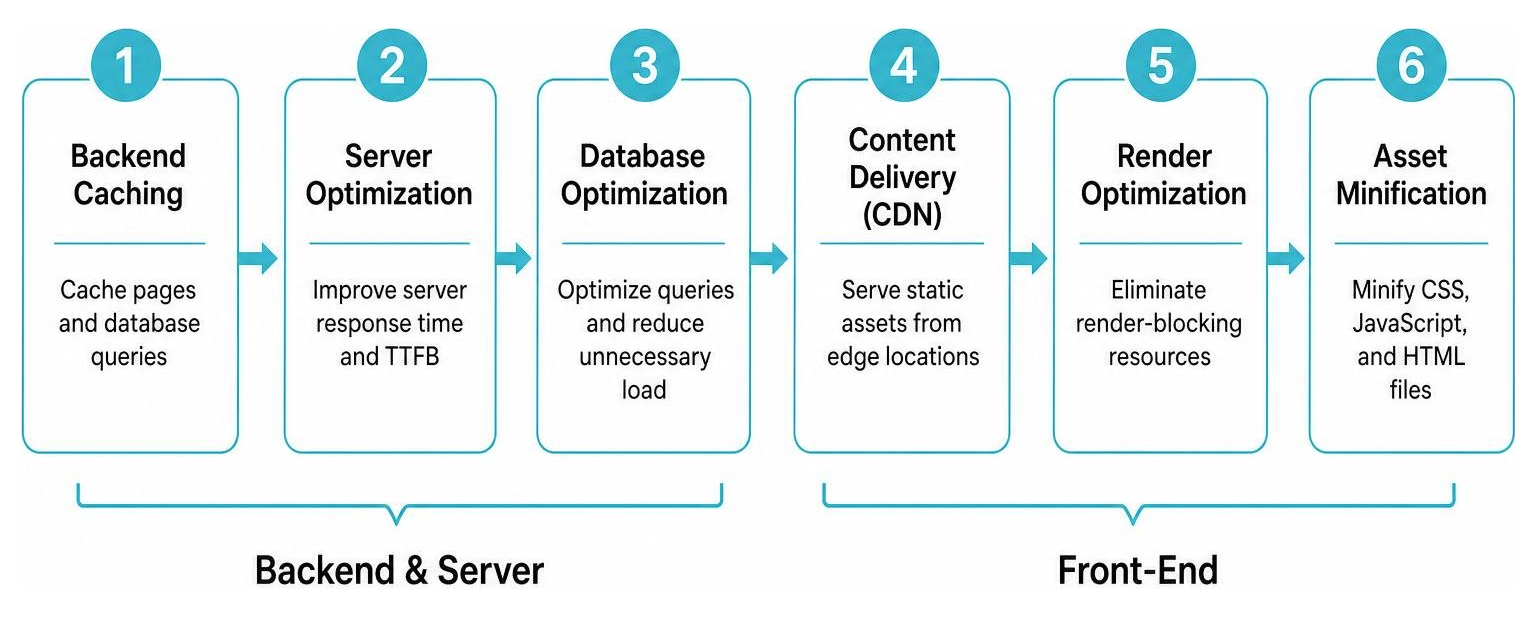
Eliminating load friction requires systematic engineering across your server, backend database, and front-end code assets.
Optimizing Media Assets and Visual Content
Images often account for more than half of a web page’s total byte weight. A single multi-megabyte hero banner can delay LCP by several seconds. Fortunately, image optimization tools can shrink file sizes by 50% to 90% without visible degradation.
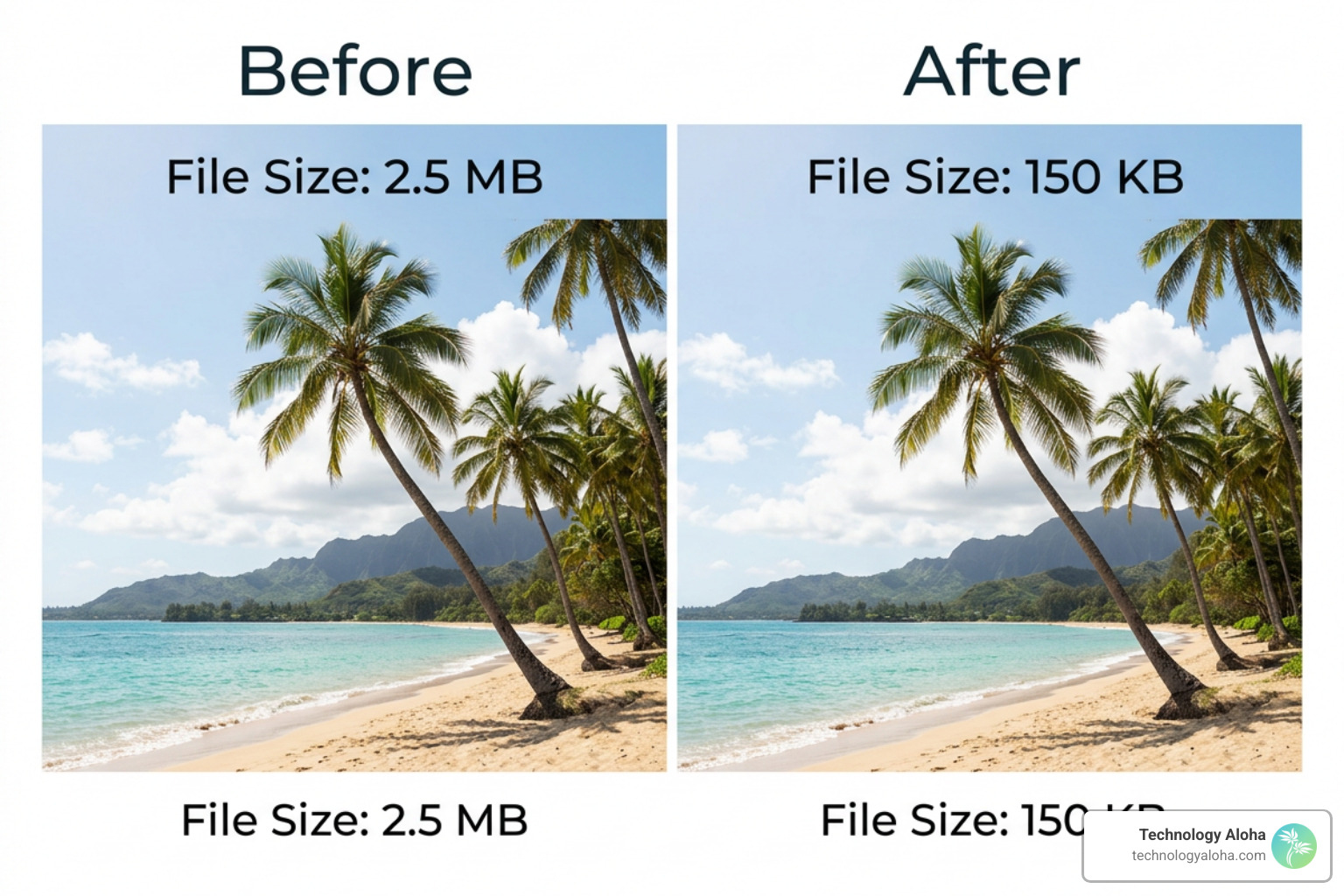
- Convert to Next-Gen Formats: Replace legacy JPEG and PNG formats with modern WebP or AVIF compression. Modern formats deliver superior quality at dramatically smaller file sizes.
- Use SVG for Vector Artwork: Brand logos, icons, and geometric graphic elements should always be served as SVG files, which are lightweight and scale crisply across display resolutions.
- Implement Responsive Images: Use the standard HTML
srcsetandsizesattributes so mobile devices download smaller, dimensionally appropriate images rather than desktop-sized files. - Enforce Lazy Loading: Add
loading="lazy"to all images below the fold so browsers defer loading them until the user scrolls near them. - Set Explicit Image Dimensions: Specify
widthandheightattributes directly on
Server-Level Performance: Caching, CDNs, and Compression
Sending uncompressed files across physical distances creates preventable network latency. Server-level optimizations cut transfer times and lower backend processing burdens.
- Enable GZIP or Brotli Compression: Text-based resources (HTML, CSS, JavaScript) should be compressed before network transmission. Enabling GZIP or Brotli reduces data transfer sizes by 60% to 80%.
- Deploy a Content Delivery Network (CDN): Physical distance creates network latency. A CDN caches your static assets across a network of global edge servers. When a user in Kahului, HI accesses your platform, assets load from a nearby edge server rather than traveling across mainland data centers.
- Configure Robust Browser Caching: Define explicit
Cache-Controlresponse headers for static files (images, CSS, JS), instructing browsers to store assets locally for up to one year for versioned resources. - Upgrade to Modern Protocols: Ensure your web server supports HTTP/2 or HTTP/3 to enable multiplexing—allowing multiple requests and responses to download simultaneously over a single connection.
For a comprehensive checklist of server and asset tuning steps, read our guide on 23 Techniques for Website Performance Optimization.
Eliminating Render-Blocking Resources and Code Bloat
Front-end code optimization focuses on clearing the browser’s main thread so rendering happens smoothly without freezing the screen.
- Minify Code Files: Process all CSS and JavaScript files through minification tools like
cssnanoorterserto strip out whitespace, developer comments, and redundant formatting. - Defer Non-Critical Scripts: Apply the
deferorasyncattributes to non-essential JavaScript files. This tells the browser to continue parsing HTML while scripts download in the background. - Inline Critical CSS: Extract the minimal CSS required to display above-the-fold content and embed it directly inside the HTML
. Load remaining full stylesheets asynchronously. - Audit Third-Party Scripts: Remove inactive tracking pixels, unused social widgets, and redundant marketing scripts. Third-party integrations are frequently the primary source of unhandled mobile interaction latency.
If you are running open-source management tools, apply these tailored steps in Stop the Lag with These WordPress Speed Optimization Tips.
Long-Term Speed Monitoring and Common Optimization Pitfalls
Optimizing website speed is an ongoing maintenance discipline, not a one-time project. New content publishes, plugins update, and third-party scripts introduce code updates that can silently erode hard-won performance gains.
Establishing strict performance budgets ensures long-term speed retention. Set hard limits for total page weight (e.g., maximum 1.5MB per page), maximum HTTP requests (e.g., under 50 requests), and strict Core Web Vitals thresholds. Continuous synthetic monitoring paired with quarterly real-user metric reviews protects your site from silent performance regression.
| Optimization Mistake | Technical Impact | Correct Solution |
|---|---|---|
| Self-hosting large MP4 media files | Consumes server bandwidth, severely delays initial page rendering | Host video externally on dedicated streaming networks and embed via lazy-loaded iFrames |
| Installing multiple plugins for single features | Injects duplicate JavaScript libraries and bloated CSS dependencies | Audit active extensions regularly; consolidate redundant utilities into native code |
| Scaling images using CSS dimensions | Downloads multi-megapixel images while displaying them at small thumbnail dimensions | Resize assets to exact display dimensions server-side and serve via responsive srcset |
| Over-relying on client-side JavaScript rendering | Freezes browser main thread on mobile hardware, spiking INP latency | Shift content rendering to server-side generation or static generation |
To explore how sustainable infrastructure aligns with modern search engine standards, explore How to Build a Website That Google Actually Likes.
Frequently Asked Questions About Web Performance
What is a good target response time for Time to First Byte (TTFB)?
A good Time to First Byte (TTFB) is under 800 milliseconds. TTFB measures the time from when a user requests a URL until the first byte of data arrives from the web server. High TTFB indicates server-side performance issues, such as slow database queries, lack of dynamic page caching, unoptimized server software, or poor hosting infrastructure. Target a TTFB close to 200–400ms for static pages by implementing full-page server caching and edge CDN distribution.
How do third-party scripts affect mobile page load speeds?
Third-party scripts—such as analytics trackers, live chat widgets, advertisement networks, and heatmaps—must download, parse, and execute on the visitor’s hardware. On mobile devices with less powerful CPU hardware and variable cellular connections, heavy third-party scripts freeze the browser main thread. This causes severe interaction lag, delays LCP, and increases INP scores. Mitigate this by deferring script execution until after main page content loads or loading third-party tools via server-side tag management.
Why is Interaction to Next Paint (INP) critical for user experience?
Interaction to Next Paint (INP) measures page interactivity by evaluating the latency of every user tap, click, or keyboard press throughout a visit. Unlike initial loading metrics, INP evaluates how responsive the interface feels while users actively navigate drop-down menus, click form buttons, or scroll interactive components. An INP under 200 milliseconds ensures your application reacts instantly, preventing user frustration caused by unrecorded taps or visual freezing.
Sustainable Web Performance with Technology Aloha
Achieving long-term website speed requires more than quick fixes or temporary plugins—it requires clean digital infrastructure built for accessibility, reliability, and impact.
At Technology Aloha, we build digital infrastructure for food banks, community nonprofits, and mission-driven organizations. Based in Kahului, HI, we specialize in building high-conversion, accessible platforms that remove donation friction and ensure community members access vital services without delay. Fast loading times mean more community support, higher search visibility, and lower donor drop-off.
Ready to eliminate site lag and build a platform that serves your mission reliably? Explore our specialized solutions for Website Speed Optimization and let us help you maximize your digital impact.