The Strategic Importance of Core Web Vitals Optimization
Core Web vitals optimization is the process of improving three specific browser metrics—Largest Contentful Paint (LCP), Interaction to Next Paint (INP), and Cumulative Layout Shift (CLS)—to meet Google’s performance thresholds and deliver a faster, more stable user experience.
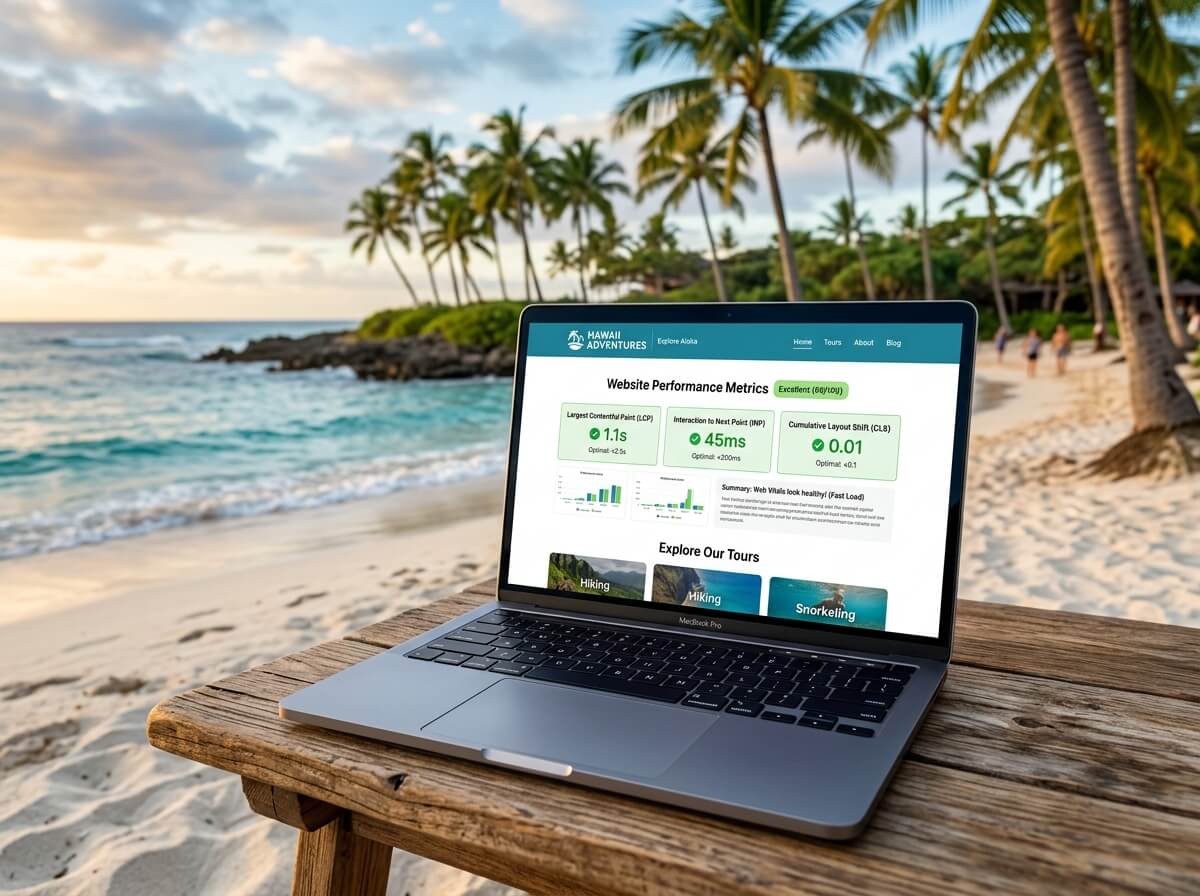
Quick answer — the core targets to hit:
| Metric | What It Measures | Good Score |
|---|---|---|
| LCP | How fast the main content loads | Under 2.5 seconds |
| INP | How quickly the page responds to clicks and taps | Under 200 milliseconds |
| CLS | How much the layout shifts unexpectedly | Below 0.1 |
Google scores your site at the 75th percentile — meaning your ranking reflects the experience of your slowest 25% of visitors, not your average user.
Here is why that matters for your business: when a site meets these thresholds, users are 24% less likely to abandon the page before it finishes loading. A mere 0.1-second improvement in load speed can increase conversion rates by up to 8%.
These are not abstract technical benchmarks. They are direct signals of whether your website is losing customers before they ever see what you offer.
Google has used Core Web Vitals as a ranking factor since June 2021 — first for mobile, then desktop. In 2026, they remain one of the clearest, most actionable levers you have for improving both search visibility and on-site conversions.
This guide covers the most effective, realistic optimizations for each metric — prioritized by impact, not just technical elegance.
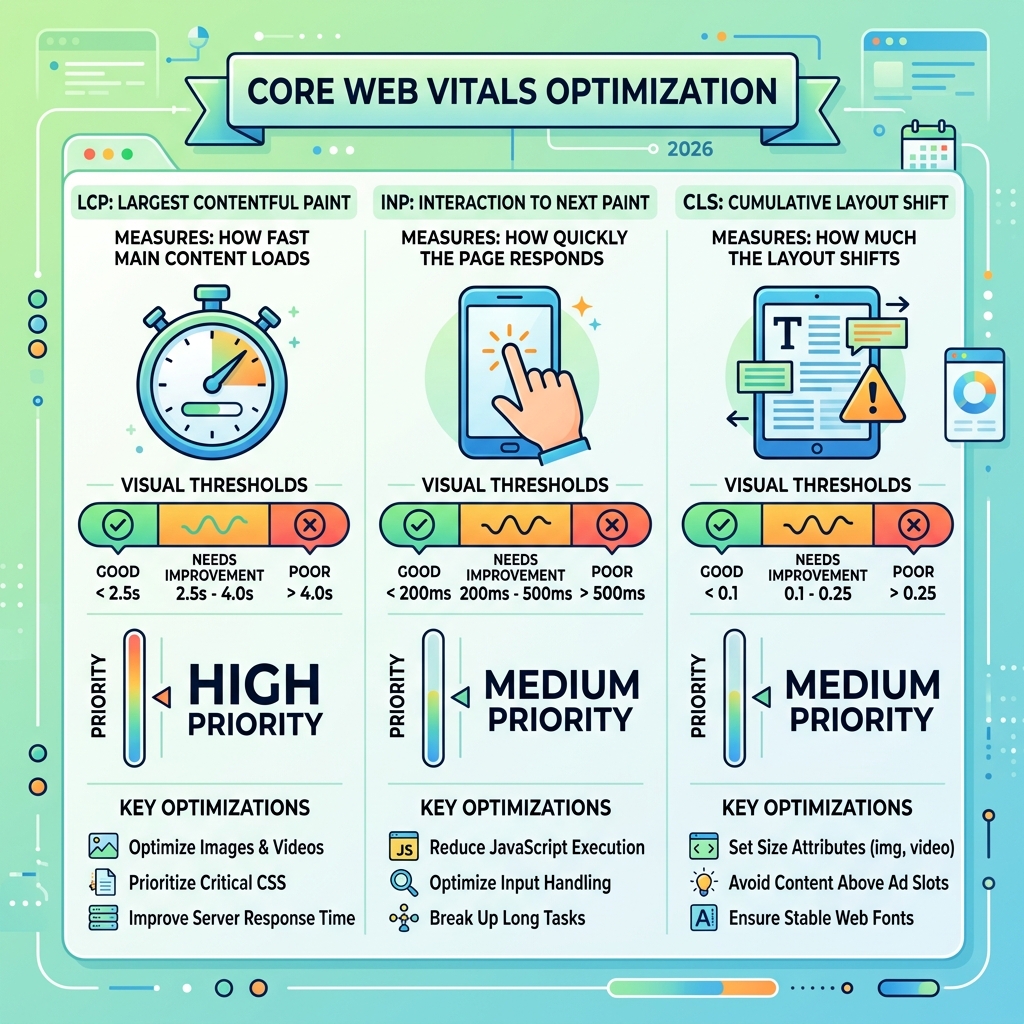
Handy core web vitals optimization terms:
When we talk about core web vitals optimization, we are discussing the foundation of modern search visibility. Google integrates these metrics into its core ranking systems because they represent the “real-world” experience of a human being trying to use your website. If your page takes four seconds to show its main image, or if a button click feels sluggish, users leave. In fact, over 50% of users will abandon a page that takes more than 3 seconds to load.
Google’s focus on the 75th percentile is a strategic choice. It ensures that most of your visitors—including those on older Android devices or slower 4G connections in areas like Kahului—have a “Good” experience. To understand how these signals fit into the broader search landscape, you can explore Understanding Core Web Vitals and Google search results.
At Technology Aloha, we believe that performance is a feature, not a footnote. High-performance builds aren’t just about pleasing a search bot; they are about respecting the user’s time. This is why it is essential to balance SEO and user experience in your web design. A site that ranks #1 but frustrates the user upon arrival is a wasted opportunity.
Measuring Success: Field Data vs. Lab Data in Core Web Vitals Optimization
To improve your scores, you must first understand the difference between the two types of data Google provides.
- Field Data (Real User Monitoring): This comes from the Chrome User Experience Report (CrUX). It captures how actual visitors experienced your site over a rolling 28-day window. This is the data Google uses for ranking purposes.
- Lab Data (Synthetic Testing): This is generated in a controlled environment, like when you run a Lighthouse test or use PageSpeed Insights. It is excellent for debugging but does not always reflect the messy reality of real-world devices and networks.
If your lab data looks green but your Search Console report shows “Poor” or “Needs Improvement,” it means your real-world users are struggling. We recommend prioritizing field data because it accounts for the actual hardware and connection speeds of your audience.
Optimizing Largest Contentful Paint (LCP) for Loading Performance
Largest Contentful Paint (LCP) measures when the largest element in the viewport—usually a hero image or a large block of text—becomes visible. For 73% of mobile pages, the LCP element is an image. If your LCP is over 2.5 seconds, your site feels “slow” to the user, regardless of how fast the background code is running.
Common culprits for poor LCP include slow server response times (TTFB) and render-blocking JavaScript. If you are using a CMS, you might find specific tips in our guide on how to speed up page load time for WordPress.
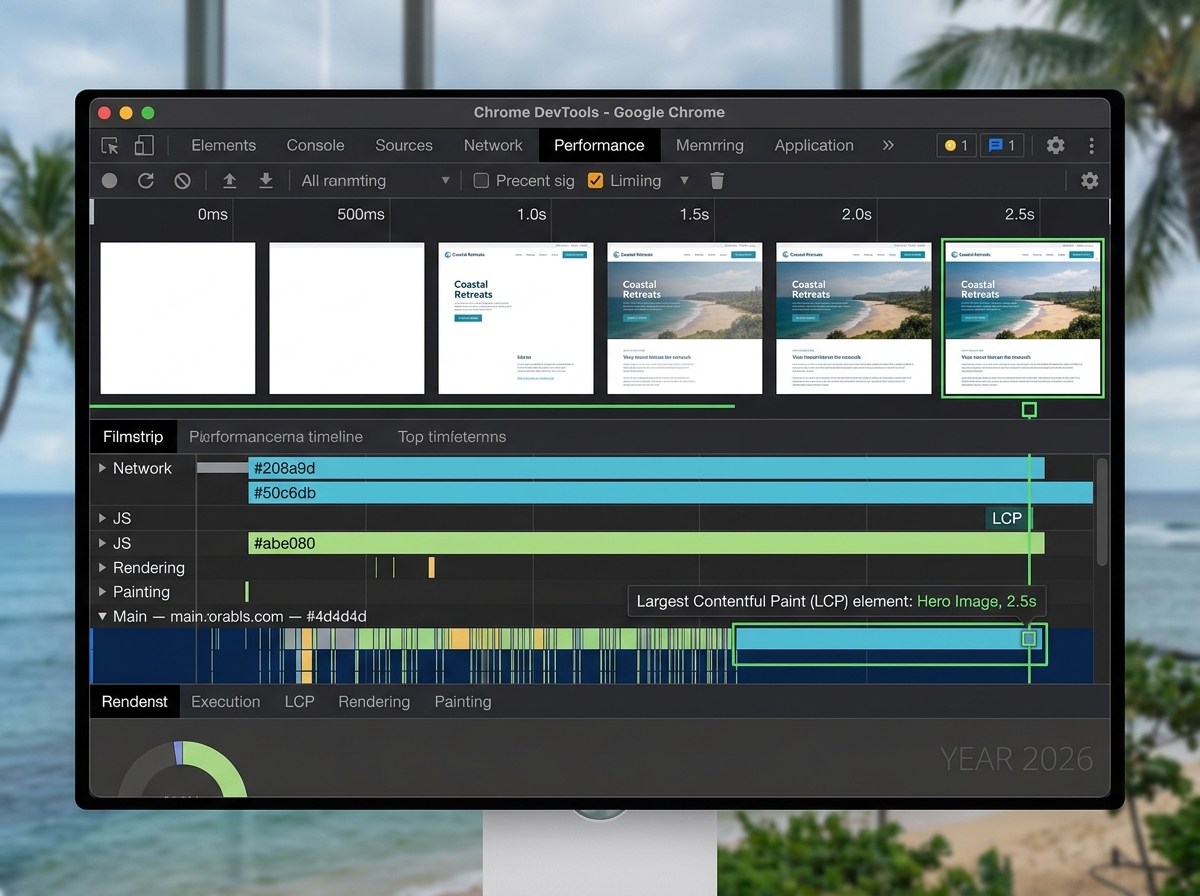
To diagnose your LCP, use the Chrome DevTools “Performance” tab to identify exactly which element is being flagged. You can find a deeper dive into why this specific metric is a cornerstone of performance in this guide to what LCP is and why it matters.
Advanced Technical Tactics for Core Web Vitals Optimization
Once you’ve identified the LCP element, the goal is to get it to the user’s screen as fast as humanly possible. Here are the most effective levers for 2026:
- Prioritize with
fetchpriority="high": This is perhaps the single most impactful fix for most sites. By adding this attribute to your hero image tag, you tell the browser to move that image to the front of the line. Currently, only 15% of eligible pages use this feature—don’t be part of the other 85%. - Eliminate Lazy Loading for Above-the-Fold Content: Never lazy load your LCP image. Lazy loading tells the browser to wait until the user scrolls, which is the opposite of what you want for a hero image.
- Modern Image Formats: Use AVIF or WebP. AVIF can reduce file sizes by up to 50% compared to JPEG without losing quality.
- Use a Global CDN: Serving your content from a server physically closer to the user reduces Time to First Byte (TTFB). For businesses in Hawaii, this is critical to overcoming the geographic latency of the Pacific.
- Preload Critical Assets: Use
in your HTML head for fonts and LCP images that are discovered late (like those loaded via CSS).
For those interested in the foundational principles of these techniques, High Performance Web Sites by Steve Souders remains a classic resource for understanding how browsers process information.
Improving Interaction to Next Paint (INP) and Responsiveness
In March 2024, Interaction to Next Paint (INP) replaced First Input Delay (FID) as a Core Web Vital. While FID only measured the first interaction, INP measures the responsiveness of all interactions throughout the page’s life. If a user clicks a “Buy Now” button and the page freezes for half a second while processing JavaScript, your INP score will suffer.
A “Good” INP is under 200 milliseconds. When a task exceeds 50 milliseconds, it becomes a “long task” that blocks the main thread. This prevents the browser from responding to user inputs like taps, clicks, or keypresses. Improving this requires a dedicated approach to website speed optimization.
Minimizing Main Thread Blocking for Better Interactivity
The main thread is like a single-lane road. If a massive JavaScript “truck” is blocking the lane, no other “cars” (user interactions) can get through. To fix this, we must break up those long tasks.
- Yield Often: Use the
scheduler.yield()API orsetTimeoutto break long-running JavaScript into smaller chunks. This allows the browser to “pause” the script, handle a user click, and then resume the work. - Remove Unused JavaScript: Use the Coverage tool in Chrome DevTools to find code that isn’t being used. Most sites ship far more JavaScript than they actually need.
- Defer Non-Critical Scripts: Move third-party scripts (like chat widgets or tracking pixels) to the end of the load process or load them asynchronously. No one needs a chat box to work before they can see the headline.
- Optimize Event Handlers: Ensure your click and scroll listeners are lightweight. Avoid heavy calculations or DOM changes directly inside an event handler.
According to Google’s own research on the most effective ways to improve Core Web Vitals, “yielding” to the main thread is one of the most underutilized but powerful ways to improve responsiveness.
Eliminating Cumulative Layout Shift (CLS) for Visual Stability
We have all been there: you are about to click a link, and suddenly the page jumps, causing you to click an ad instead. This is Cumulative Layout Shift (CLS). It is frustrating, it feels unprofessional, and it is a major factor in page abandonment.
CLS measures the sum total of all “unexpected” shifts on a page. To provide a good experience, strive for a CLS score of less than 0.1. Most layout shifts are caused by images without dimensions, late-loading fonts, or dynamic content (like ads) being injected without reserved space.
Ensuring your site is built on a high-performance blueprint from the start is the best way to prevent these issues. For a deep dive into how images specifically impact these scores, see the SnapResizer guide to image optimization.
Preventing Unexpected Shifts from Dynamic Content
To keep your layout stable, the browser needs to know exactly how much space an element will take before it actually loads.
- Explicit Dimensions: Always include
widthandheightattributes on yourtags. This allows the browser to reserve the correct aspect ratio immediately. - CSS
aspect-ratio: Use the CSSaspect-ratioproperty for responsive containers. This ensures that even as the screen size changes, the “box” for the image stays the correct shape. - Reserve Space for Ads and Embeds: If you use third-party ads or iframes, wrap them in a with a set
min-height. This prevents the content below from jumping when the ad finally appears.- Font Loading: Use
font-display: swapto show a system font while your custom web font loads. To go a step further, use CSS font descriptors to match the size of the fallback font to your custom font, minimizing the “jump” during the swap.- Avoid Injecting Content Above Existing Content: Unless it is in response to a user action (like clicking a “read more” button), never drop new elements at the top of the page after it has started rendering.
Frequently Asked Questions about Core Web Vitals
What should I do if a page has ‘insufficient real user data’?
If your page doesn’t have enough traffic for Google to collect CrUX data, you will see this message. In this case, rely on lab data from Lighthouse or PageSpeed Insights as a proxy. You should also look at the data for “similar pages” on your site (like other blog posts or product pages) to see if there are site-wide patterns you can address.
How do Core Web Vitals impact business conversion rates?
They impact conversions directly and indirectly. Directly, a faster site reduces frustration, leading to more completed checkouts and form fills. Indirectly, better scores improve your search rankings, bringing more qualified traffic to your site. Research shows that improving site speed by just 0.1 seconds can boost conversions by up to 8%.
How often should I monitor my Core Web Vitals scores?
We recommend a monthly check-in via Google Search Console. However, if you are actively making changes to your site or running marketing campaigns, you should monitor them weekly. Performance can “drift” over time as new images are uploaded or new scripts are added.
Conclusion
Mastering core web vitals optimization is no longer a luxury for the most technical sites; it is a baseline requirement for any business that wants to grow in 2026. By focusing on the most impactful, realistic fixes—like preloading LCP images, yielding the main thread to improve INP, and setting explicit dimensions to kill CLS—you create a faster, more reliable experience for every visitor.
At Technology Aloha, we specialize in blending these data-driven insights with cohesive branding and user-centric design. We know that for businesses in Hawaii, every millisecond counts when it comes to capturing and keeping a customer’s attention. If you’re ready to turn your website into a high-performance engine for growth, let’s look at your website speed optimization together. Your users—and your bottom line—will thank you.
- Font Loading: Use