Free Web Hosting for Students: Start With the Right Project Type
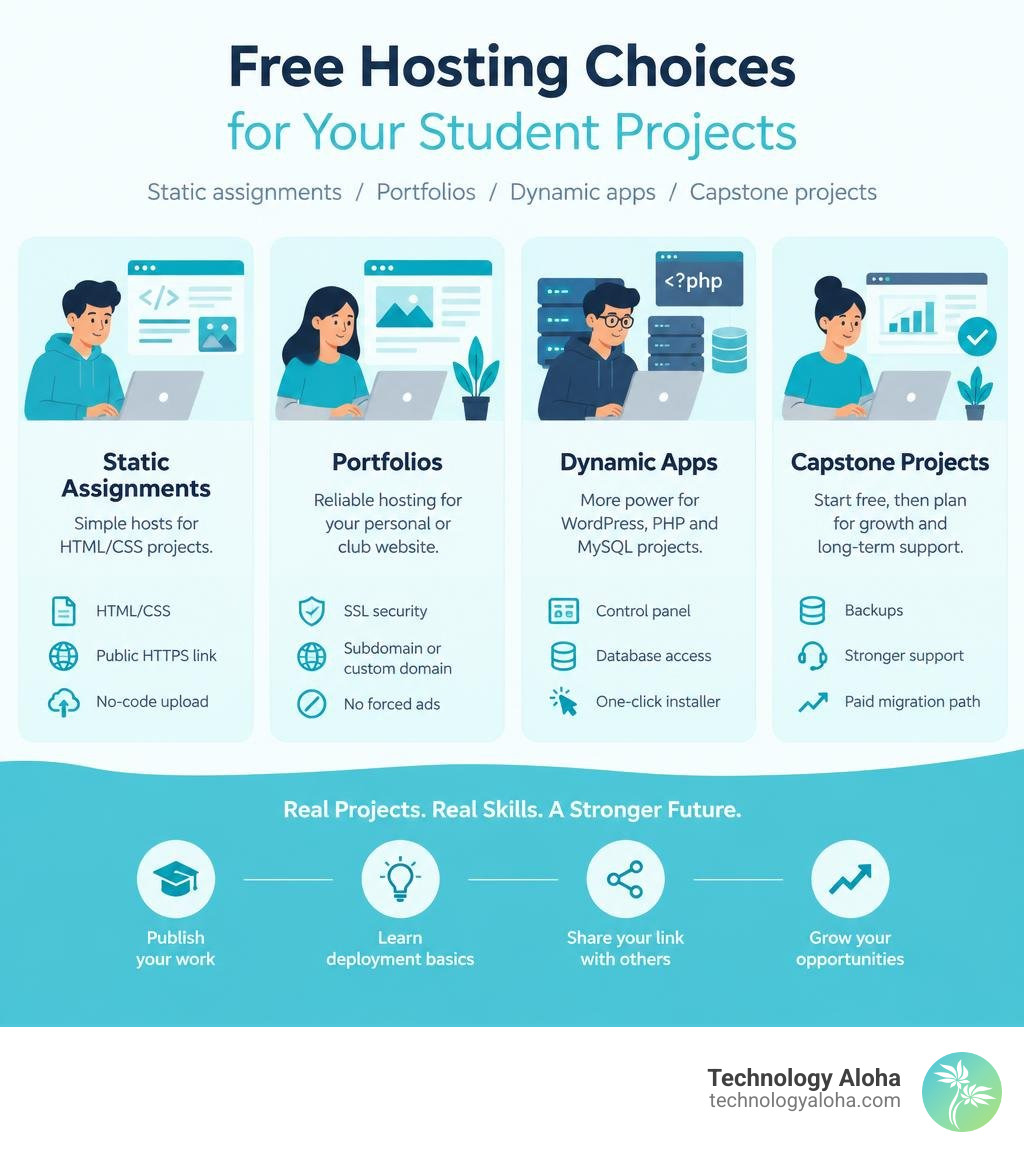
The best free web hosting for students depends on what you need to publish. Choose permanent free shared hosting for a WordPress, PHP, or MySQL project; use a simple static host for a basic HTML/CSS assignment; and consider a verified student program if you need a fuller hosting workspace for a limited period.
A quick way to choose:
- HTML/CSS class assignment: Look for a no-code upload option with a public HTTPS link.
- Portfolio or student club site: Choose free hosting with SSL, a subdomain or custom-domain support, and no forced ads.
- WordPress or PHP/MySQL app: Pick a host with a control panel, database access, and a one-click installer.
- Capstone or growing project: Start free for testing, but plan for backups, stronger support, and a paid migration path.
Free hosting can be a smart launchpad, not a forever infrastructure decision. It helps students publish real work, learn deployment basics, and share a live link with instructors or recruiters. But limits on storage, traffic, support, and server resources matter once a project has real visitors or important data.
This roundup separates genuinely long-term free options from student-only first-year offers and stripped-down static hosting, so you can match the platform to the assignment instead of wrestling an oversized tool into a small job.
Top Platforms Offering Free Web Hosting for Students in 2026
When evaluating free web hosting for students, the landscape in 2026 splits into distinct tiers: permanent free environments, time-limited educational grants, and single-file drop zones. Choosing the wrong category wastes hours configuring database tables for a static flyer or debugging PHP version mismatches right before a midnight deadline.
| Hosting Category / Tier | Storage Allowance | Database Support | Domain Flexibility | Best For |
|---|---|---|---|---|
| Standard Free Shared Tier | 5 GB Disk Space | MySQL Databases Included | Custom Domains & Free Subdomains | Dynamic WordPress blogs & multi-site student experiments |
| NVMe High-Speed Sandbox | 1000 MB NVMe SSD | PHP & MySQL (DirectAdmin) | Free Subdomain or Custom DNS | Long-term portfolios with modern NVMe speeds |
| Academic cPanel Environment | 5 GB Disk Space | MySQL Database Support | Instant Free Subdomain & Custom Domains | Full-featured control panel practice and CMS installations |
| Enterprise Student Grant | Enterprise NVMe Tier | Multiple Databases | Domain Registration Required | First-year intensive projects needing LiteSpeed & SSH |
| University Coursework Plan | Standard Shared Quota | Full MySQL & CMS Access | Custom Domains | One-year university coursework and app building |
| Multi-Domain Educational Tier | Multi-Domain Allowance | MySQL & Script Installers | Up to 5 Sites (2 Domains + 3 Subdomains) | Multi-project portfolios and club management |
| Standalone Static File Tier | 10 MB Standalone File | None (Static HTML only) | Platform Subdomain URL | Single-page assignments submitted directly to professors |
| Multi-Format Portfolio Tier | 50 MB Storage Space | Multi-Format Support | Shareable Portfolio Link | Non-technical students showcasing PDFs and code demos |
Permanent Free Hosting for Long-Term Academic Portfolios
If your goal is building a digital resume or personal portfolio that remains accessible well beyond graduation, permanent free hosting is the most practical route. These platforms monetize through separate premium tiers or control panel ads, ensuring your live site remains unencumbered by unwanted third-party marketing banners.
Established community-tier hosting platforms provide a generous 5 GB disk storage pool, generous bandwidth allocations, and support for multiple MySQL databases. They run modern PHP runtimes and include automated application installers, allowing students to deploy content management systems like WordPress in seconds.
Similarly, modern NVMe sandboxes offer 1000 MB of fast solid-state storage paired with control panels like DirectAdmin. This setup delivers high read-write speeds and hands-on exposure to standard server administration tasks. Because these accounts do not carry arbitrary expiration dates tied to graduation, they serve as excellent sandboxes for hosting personal projects, managing PHP scripts, and testing database configurations across multiple semesters.
First-Year Educational Grants and University Verification Programs
For engineering majors, data science students, and advanced web developers, standard free tiers often lack the computing power required for resource-heavy applications. This is where university verification programs and educational grants excel.
Educational grant programs offer comprehensive, full-featured hosting packages at zero cost during your initial year of study. These initiatives deliver a complete year of standard shared or cloud infrastructure to eligible students enrolled at participating universities. Verified student packages frequently include enterprise-grade LiteSpeed servers running on NVMe SSD infrastructure, backing the setup with SSH access, Git integration, and robust security protocols.
These programs typically require an active institutional email address, such as a .edu address, or a manual review of an enrollment letter. In exchange, students gain access to production-grade server resources, higher PHP memory limits, and professional domain email functionality. The primary trade-off is temporal: after the initial 12-month period concludes, standard renewal fees apply, requiring students to either budget for ongoing service or migrate their sites elsewhere.
Single-Page HTML and Static Deployment Options
Not every class assignment demands a dynamic relational database or a comprehensive server control panel. When an introductory web development course requires submitting a single-page HTML layout or a CSS styling experiment, navigating terminal commands or database wizards creates unnecessary friction.
Dedicated static deployment platforms streamline this workflow entirely. These services allow students to upload a standalone HTML file up to 10 MB in size, immediately generating a public HTTPS link without requiring complex account verification, Git repositories, or payment details. The free tier comfortably supports hundreds of monthly views, making it ideal for sharing project submissions directly with instructors. For broader academic portfolios spanning research papers, design mockups, and client briefs, zero-configuration static tiers offer dedicated space where students across any academic discipline can organize and showcase their work.
Evaluating Infrastructure and Development Requirements
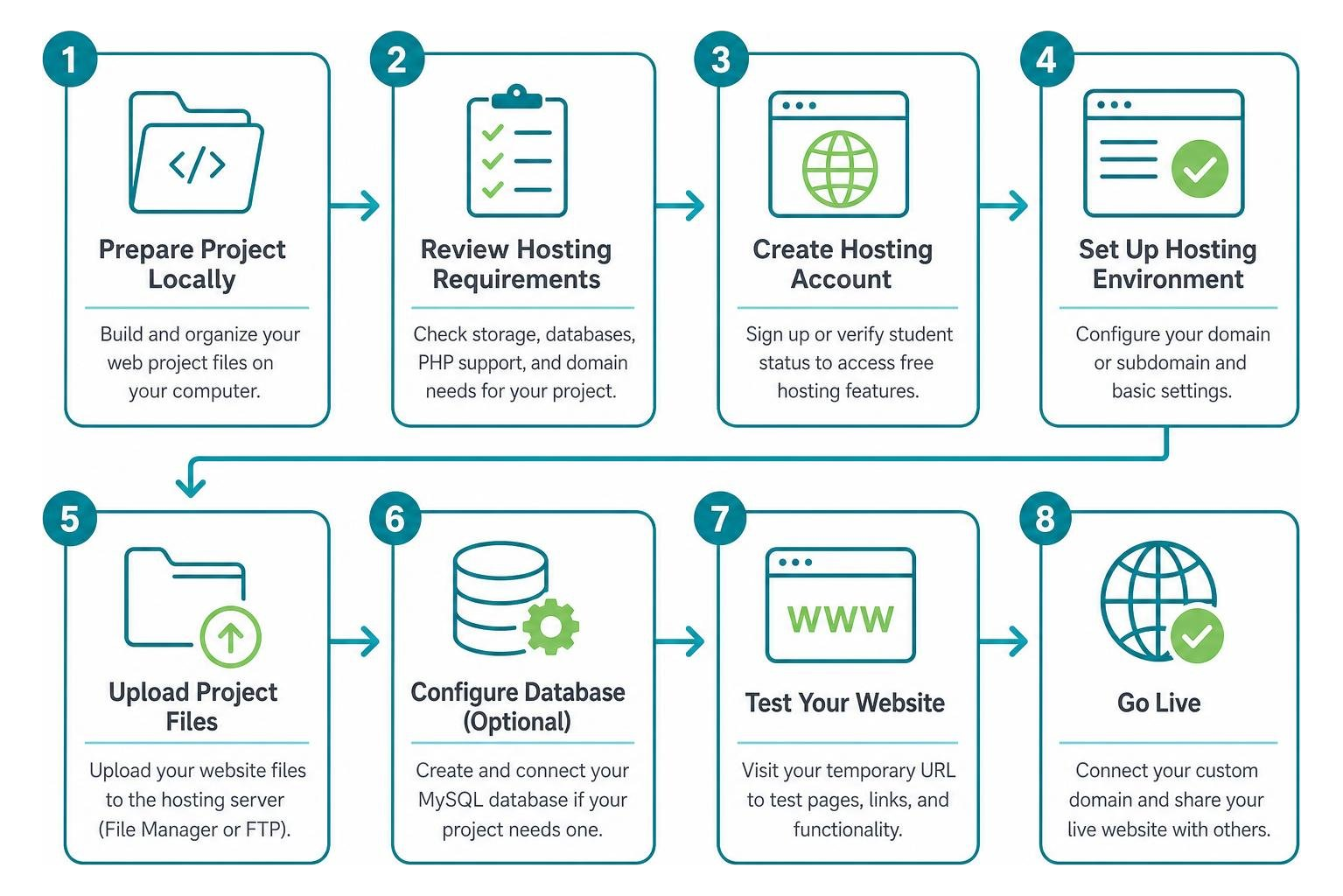
Selecting a hosting provider requires matching server infrastructure with academic learning objectives. A computer science student deploying custom backend endpoints has entirely different hosting needs than a communications major publishing an interactive digital magazine.
When designing sites for academic evaluation or campus organizations, consulting institutional standards is essential. For instance, reviewing University of Hawaii web hosting and publishing guidelines helps clarify data governance, accessibility baselines, and institutional compliance. Aligning these technical requirements with established Web Design principles ensures your project functions reliably across modern mobile viewports and evaluation environments.
Essential Features in Free Web Hosting for Students
To gain meaningful web development experience, prioritize hosting environments that mirror real-world production stacks:
- Automated SSL/TLS Provisioning: Modern browsers flag unencrypted HTTP sites as insecure. Free hosting must include automated Let’s Encrypt SSL certificates to ensure seamless access for evaluators.
- Modern Runtime Support: Verify that the server environment supports recent language releases, such as PHP 8.2 or MariaDB 11.4, preventing compatibility issues with modern software packages.
- Standard Control Panel Access: Interacting with DirectAdmin or cPanel provides invaluable operational experience in managing DNS records, FTP credentials, and file directories.
- Custom Domain Mapping: While a free subdomain is convenient for coursework, the ability to bind a custom apex domain, such as a .com or .org, allows you to present a polished personal brand to hiring managers.

Static Site Generators vs Dynamic CMS Platforms
Understanding the architectural distinction between static and dynamic sites prevents unnecessary server overhead:
Static architectures deliver pre-rendered files directly to the browser, eliminating server-side script execution and database queries. This makes static delivery exceptionally fast, secure, and resilient under traffic. Conversely, dynamic content management systems like WordPress execute database transactions on every page request, demanding higher server memory and processing power.
Technical Limitations and Long-Term Migration Strategies
While free student hosting offers an accessible starting point, zero-cost platforms enforce strict resource governance to prevent server abuse. Understanding these thresholds prevents unexpected site suspensions during finals week.
Free accounts frequently face stringent CPU execution throttles, tight inode allocations, which limit total file counts, and restricted database connections. When traffic surges, such as when an academic project is featured on a campus bulletin, free servers may respond with 508 Resource Limit errors.
To maintain optimal load times within restrictive server budgets, students must practice proactive Website Speed Optimization by compressing image assets, pruning unneeded database tables, and minimizing external render-blocking scripts.
Furthermore, free hosting environments rarely include automated offsite snapshots. Implementing structured Website Maintenance protocols, such as exporting monthly database dumps and storing codebase archives in external repositories, safeguards academic coursework against accidental deletions or unannounced server reorganizations.
Frequently Asked Questions About Student Hosting
Is Free Web Hosting for Students Sufficient for Capstone Projects?
Free web hosting can support the initial development and proof-of-concept stages of a capstone project. However, dynamic platforms requiring sustained user authentication, concurrent database connections, or high-definition media delivery often exceed the strict resource thresholds enforced by free shared hosts. For mission-critical capstone demonstrations or client presentations, staging on a dedicated or high-tier educational grant environment ensures reliable uptime.
Do Students Need a School Email to Access Free Hosting?
No. While specialized educational developer programs require academic verification via an institutional .edu email or student ID card to unlock enterprise features, many general-purpose free hosts do not. Standard free shared hosts and instant static deployment tools permit registration using any standard email address, offering immediate access without verifying academic enrollment status.
What Are the Main Differences Between Free and Paid Student Hosting?
The primary distinctions lie in resource allocations, service reliability, and technical support. Free hosting tiers generally include shared CPU resources, strict bandwidth or view caps, unindexed search settings, and community-only forum assistance. Paid hosting environments deliver contractual uptime Service Level Agreements, isolated server resources, automated daily backups, root or SSH terminal access, and 24/7 technical help desks to troubleshoot server errors.
Conclusion
Navigating the various web hosting options available to college students is an empowering step toward establishing a resilient digital presence. Whether you deploy a quick static assignment through a drag-and-drop tool or configure a dynamic WordPress database on an ad-free shared server, leveraging these free platforms equips you with practical technical skills that extend far beyond the classroom.
As academic experiments evolve into functional applications, community initiatives, or professional ventures, digital infrastructure demands inevitably expand. At Technology Aloha, we understand how thoughtful digital design and reliable infrastructure empower organizations to thrive. For students, educators, and community leaders preparing to transition academic concepts into high-impact digital real estate, exploring Technology Aloha’s Web Services provides the strategic roadmap needed for sustainable, long-term online growth.