What Is User Centric Website Design? (And Why It Changes Everything)
User centric website design is the practice of building websites around the needs, goals, and behaviors of real users—not around what a business assumes users want.
Quick answer:
User centric website design means every decision—layout, navigation, content, speed—is made by first asking: What does the user need here, and what gets in their way?
Here’s what that looks like in practice:
- Know your users — Research who they are, what they want, and how they behave online
- Design for their goals — Structure pages around what users came to do, not what you want to say
- Test with real people — Prototype early, test often, fix what breaks
- Iterate continuously — Launch, measure, improve—repeat
- Remove friction — Every extra click, slow load, or confusing label costs you users
This is not a new idea. It has roots in formal disciplines like Human-Centered Design (HCD), defined by ISO 9241-210:2019 as a systematic approach to improving usability, effectiveness, and human well-being in interactive systems. But for most small businesses, the gap between knowing it matters and actually doing it is enormous.
The stakes are real. Research shows that a well-designed user interface can increase conversion rates by up to 200%—and a stronger overall UX can push that figure to 400%. Meanwhile, 88% of users say they won’t return to a site after a bad experience.
Your website isn’t a brochure. It’s a tool. And tools either work for the person using them—or they don’t.
This guide walks you through exactly how to make yours work.
Defining User Centric Website Design and Its Core Principles
Traditional web design is often an exercise in ego. A company wants to show off its history, its awards, and its complex internal structure. We call this “brochureware.” It’s static, it’s one-sided, and it’s usually boring. User centric website design flips the script. It treats the website as a service—a platform where a user arrives with a specific problem and expects a specific solution.
The foundation of this approach is Human-Centered Design (HCD). According to the ISO 9241-210:2019 standards, HCD is an approach to systems development that aims to make interactive systems more usable by focusing on the use of the system and applying human factors, ergonomics, and usability knowledge and techniques. In simpler terms: we design for humans, not for bots or boardrooms.
To do this effectively, we must employ Systems Thinking. This means we don’t look at a “Contact Us” page in isolation. We look at the entire ecosystem—how a user finds the site, what their mental state is when they arrive, and what happens after they click “submit.” Understanding the psychology of web design allows us to anticipate these needs before the user even voices them.
The Evolution of User Centric Website Design
The term “User-Centered Design” was popularized by Don Norman in the 1980s. Norman, a cognitive scientist, argued that products should be easy to use and understand. Over time, he actually began to prefer the term “Human-Centered Design” because “user” can feel dehumanizing. Humans have emotions, distractions, and bad days; “users” are just data points.
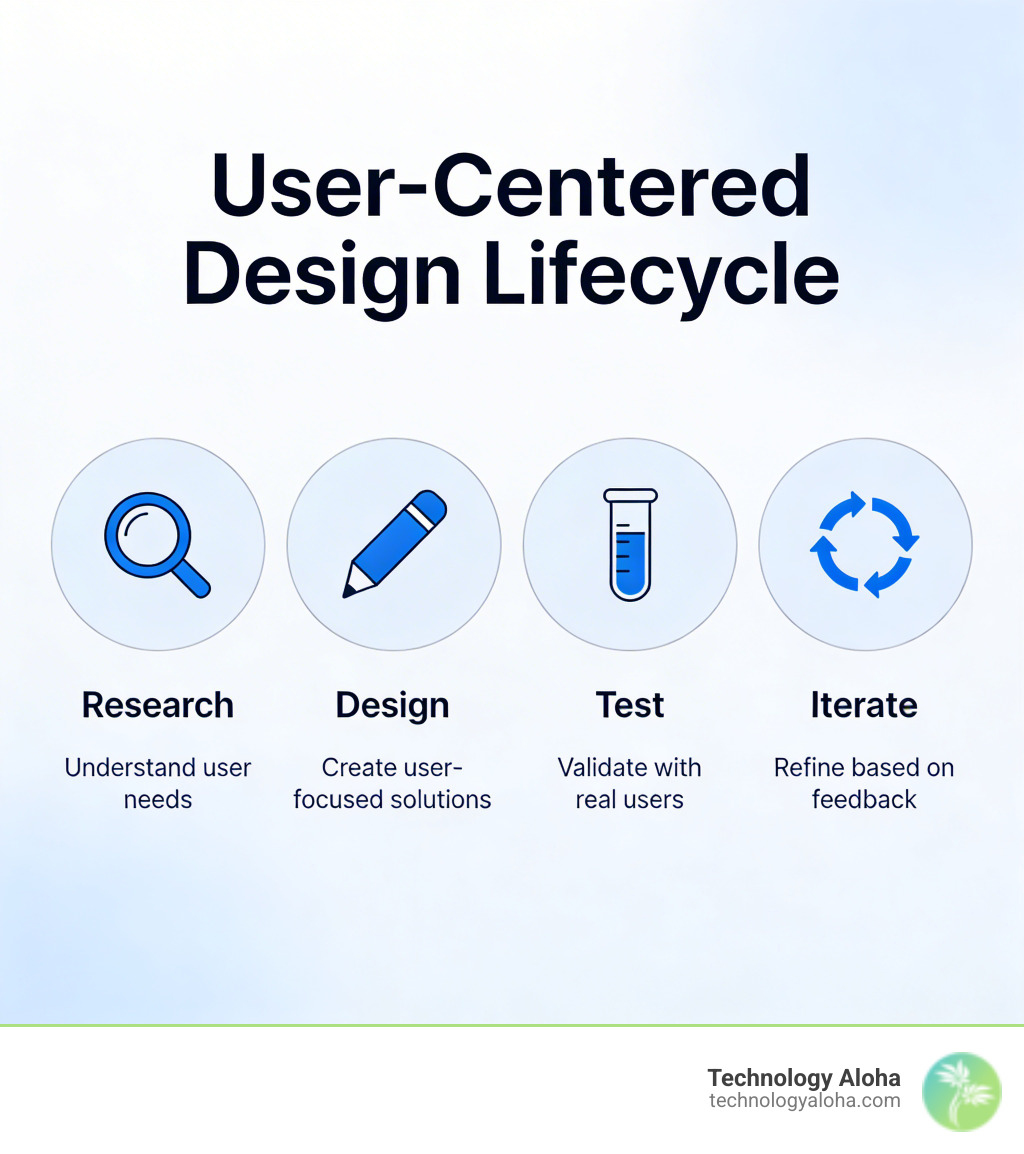
In the context of modern web design, this evolution has led us toward Behavioral Design. This isn’t just about where a button goes; it’s about understanding the “why” behind the click. By mastering the UCD process, businesses can move from making guesses to making data-backed decisions that foster genuine empathy for the person on the other side of the screen.
Core Elements: Visibility and Legibility
A user-centric site must be “obvious.” If a user has to think about how to use your site, you’ve already lost. This brings us to two critical pillars: Visibility and Legibility.
- Visibility and Affordance: An “affordance” is a visual clue that tells you how to use something. A physical button affords pushing; a digital button should look pressable. If your links don’t look like links, users won’t click them.
- Legibility and Language: Use jargon-free language. Most people don’t read websites; they scan them. If your content is a wall of text filled with industry buzzwords, users will bounce. We focus on clear visual hierarchies—using size, color, and contrast to guide the eye to the most important information first.
These website psychology impacts are the difference between a site that feels like a chore and one that feels like a conversation.
The Business Case: Why User Experience Dictates Success
If you think user centric website design is a “nice-to-have” luxury, the numbers suggest otherwise. We aren’t just talking about aesthetics; we’re talking about revenue.
- The 400% Rule: A better user experience design can yield conversion rates of up to 400%.
- The 3-Second Rule: 53% of mobile visitors will leave a page if it takes longer than three seconds to load.
- The First Impression: 38% of people will stop engaging with a website if the layout is unattractive.
When you ignore user-centricity, you are essentially leaving a “Closed” sign on your digital front door for half your potential customers. Balancing SEO and UX is no longer optional. Google’s algorithms now prioritize “Core Web Vitals,” which are essentially metrics for how much a user enjoys being on your site.
Impact of User Centric Website Design on SEO and Retention
Search engines have become incredibly sophisticated. They don’t just look for keywords; they look for signals of “dwell time” and “engagement.” If a user clicks your link in search results but hits the “back” button immediately because your site is confusing, Google notices. That high bounce rate tells the search engine that your page wasn’t helpful, and your rankings will suffer.
Conversely, a site built with UX and growth in mind keeps people around. They click through more pages, they sign up for newsletters, and they eventually convert. This builds brand loyalty—the ultimate goal of any digital presence.
Minimizing User Effort and Friction
Friction is anything that slows a user down. It could be a long form with 20 required fields, a “mystery meat” navigation menu that doesn’t explain where links go, or a content structure that is five layers deep.
To minimize effort, we recommend:
- Flat Content Structure: Users should be able to find what they need in 2–3 clicks.
- Conventional Navigation: Don’t get “creative” with your menu placement. Put it where people expect it to be.
- Simple CTAs: Your Call to Action should be one clear, standout button. Don’t give them five choices; give them the right choice.
Applying these 7 website psychology tips helps strip away the barriers between your user and their goal.
Research and Implementation: From Personas to Prototypes
You cannot design for a user you don’t understand. The implementation phase of user centric website design begins with deep research. We don’t guess what your customers want; we ask them.
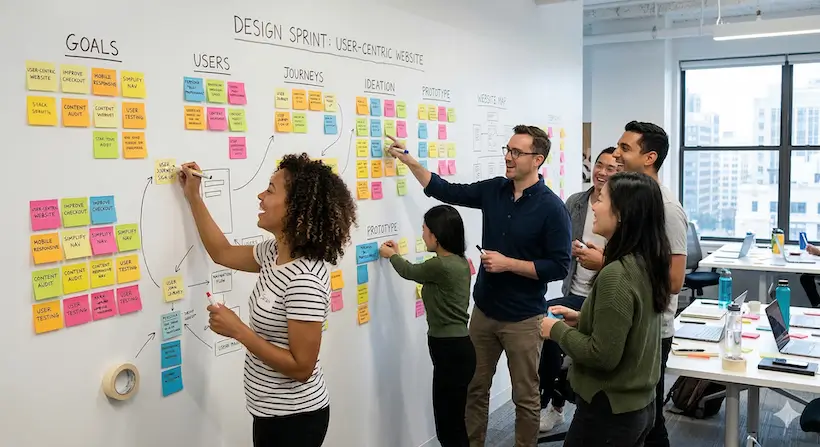
A common framework we use is the Google Ventures Design Sprint. It’s a five-day process for answering critical business questions through design, prototyping, and testing ideas with customers. It looks like this:
- Monday: Unpack the problem and pick a focus.
- Tuesday: Sketch competing solutions.
- Wednesday: Decide on the best solution.
- Thursday: Build a realistic prototype.
- Friday: Test with real humans.
Understanding the Target Audience
To build a site that resonates, we create User Personas—fictional characters that represent your different audience segments. We back these up with Empathy Maps (what they see, hear, think, and feel) and Journey Maps (the step-by-step path they take to solve a problem).
We gather this data through:
- Stakeholder Interviews: Talking to the people in your company who interact with customers daily.
- Surveys and Focus Groups: Getting direct feedback from the target demographic.
- Qualitative Data: Looking at the “Jobs to be Done.” What is the specific “job” the user is hiring your website to do?
This focus on human-centered content ensures that your copy speaks to the user, not at them.
Usability Testing and Iterative Development
The biggest mistake a business can make is launching a website and “setting it and forgetting it.” User-centric design is iterative.
During development, we use “think aloud” protocols. We sit a user in front of a prototype and ask them to complete a task (like “buy a gift card”) while narrating their thought process. If they struggle to find the “buy” button, we don’t tell them where it is; we move the button in the next iteration.
Rapid prototyping allows us to fail fast and cheap. It is much easier to move a button on a wireframe than it is to rewrite thousands of lines of code after the site is live.
Technical Pillars: Accessibility, Responsiveness, and Performance
A website that only works for some people isn’t user-centric; it’s exclusive. In Hawaii, where our community is diverse and technology access varies, ensuring your site is accessible to everyone is a core value.
Responsive vs. Adaptive Design
We often get asked the difference between these two. Here is a quick breakdown:
| Feature | Responsive Design | Adaptive Design |
|---|---|---|
| How it works | Fluid grid that “flows” to fit any screen size. | Multiple fixed layouts for specific screen sizes (mobile, tablet, desktop). |
| User Experience | Seamless transition across all devices. | Optimized specifically for the device being used. |
| Maintenance | Easier (one site to update). | Harder (multiple layouts to manage). |
| Load Speed | Can be slower if not optimized. | Often faster as it only loads what’s needed. |
For most businesses, responsive design is the gold standard because it ensures a consistent experience whether someone is browsing from a laptop in Kahului or a phone at the beach.
Modern UI Trends and CMS Support
The tools we use to build sites have evolved to support user-centricity. For example, the Drupal CMS now features the Olivero theme, which was built from the ground up to meet strict WCAG (Web Content Accessibility Guidelines) standards. This ensures that users with visual impairments or those using screen readers can navigate your site just as easily as anyone else.
We also keep an eye on the latest UI/UX trends that enhance—rather than distract from—the user experience:
- Immersive Scrolling: Using depth and motion to tell a story as the user moves down the page.
- Micro-interactions: Small visual cues (like a button changing color when hovered) that provide instant feedback.
- Performance First: We prioritize website speed optimization because, as we noted earlier, speed is the ultimate user-centric feature.
Measuring Success Through Data
How do you know if your user centric website design is working? You look at the data. We use tools like Hotjar to generate heatmaps, which show us exactly where users are clicking—and where they aren’t.
Key metrics include:
- Bounce Rate: Are people leaving immediately?
- Task Completion Rate: Can users actually do what they came to do?
- Retention: Do they come back?
- A/B Testing: We test two versions of a page to see which one performs better for real users.
Frequently Asked Questions about User Centric Design
How does user-centric design differ from traditional web design?
Traditional design is often based on the internal goals of the company (e.g., “We want to show off our new office”). User-centric design is based on the external goals of the user (e.g., “I need to book a service quickly”). It moves from a broadcast model to a service model.
What are the most important metrics for measuring design success?
While traffic is nice, the real indicators of success are conversion rate, average time on page (dwell time), and the “success rate” of specific tasks (like completing a checkout process). If users are spending a long time on a page but not converting, it might mean they are confused, not engaged.
How does accessibility contribute to a user-centric experience?
Accessibility is the floor, not the ceiling. By following WCAG guidelines, you ensure that people with permanent disabilities (like blindness) and those with temporary limitations (like someone browsing in bright sunlight on a Maui beach) can all use your site effectively. It broadens your reach and shows you care about all your customers.
Conclusion
At Technology Aloha, we believe that your website should be your hardest-working employee. By focusing on strategic positioning, cohesive branding, and user centric website design, we help businesses in Hawaii and beyond turn their digital presence into a growth engine.
We don’t just build “pretty” websites. We use data-driven insights to create high-conversion designs that respect your users’ time and solve their problems. When you put your users first, the results—higher engagement, better rankings, and increased revenue—inevitably follow.
Ready to build a site your users will actually love? Work with Technology Aloha and let’s start your journey toward a truly user-centric digital experience.