Why the User Centric Design Process Is the Foundation of Effective Websites
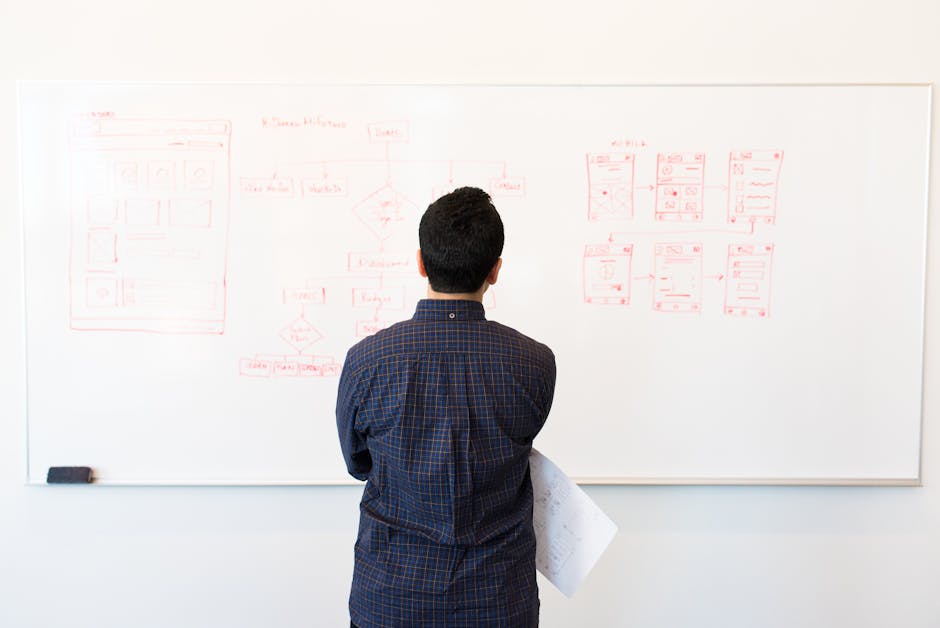
The user centric design process is an iterative framework that puts your target users at the center of every design and development decision — from the first research conversation to post-launch improvements.
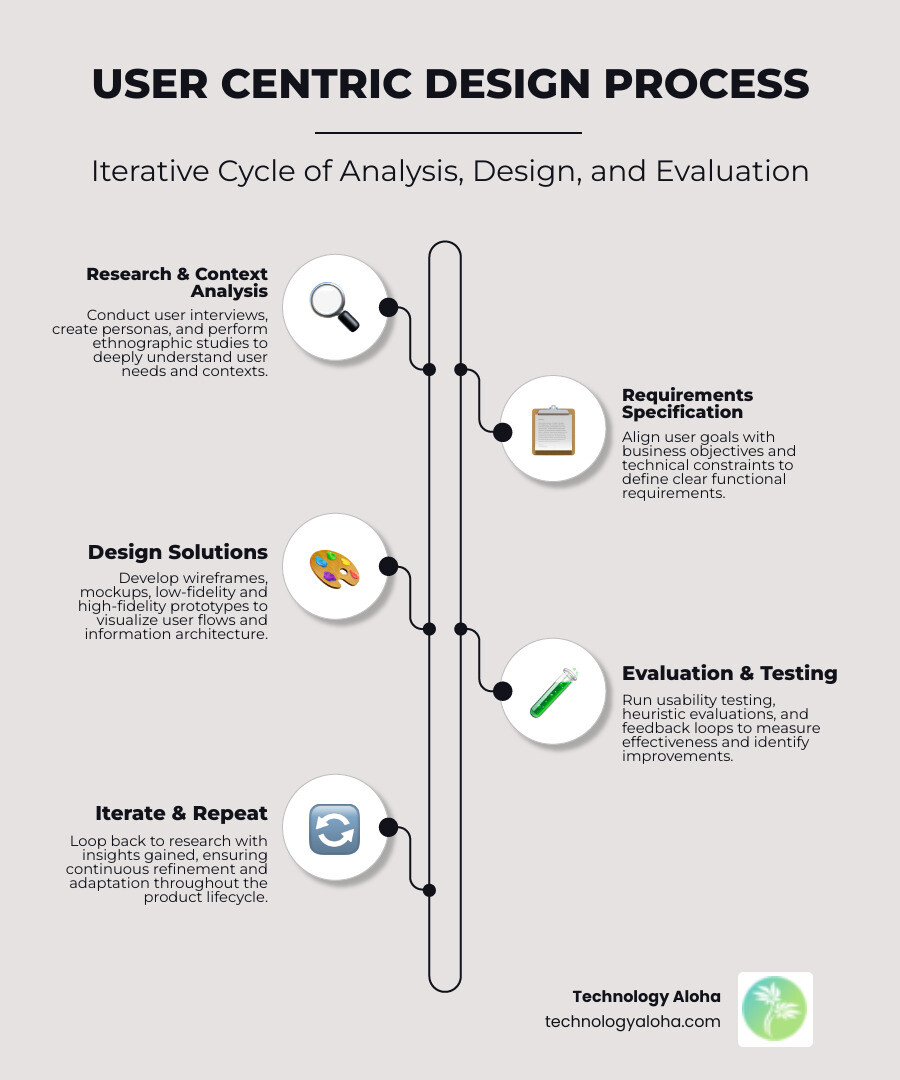
Here’s a quick overview of how it works:
- Research – Identify who your users are, what they need, and the context they work in
- Specify Requirements – Align user needs with your business goals
- Design Solutions – Build wireframes, mockups, and prototypes
- Evaluate and Iterate – Test with real users and refine based on what you learn
Then repeat. The process is cyclical, not linear.
Good design can genuinely change outcomes. Take the LifeStraw — a $3 plastic straw that filters contaminated water and has saved countless lives. It didn’t come from a brilliant engineer’s gut feeling. It came from deeply understanding who needed it, how they’d use it, and what constraints they faced. That’s user-centered thinking in action.
Most small business websites skip this process entirely. Designs get built around what the owner likes, not what the customer needs. The result? High bounce rates, abandoned carts, and websites that look fine but quietly fail to convert.
The good news is that the process isn’t complicated. It’s structured, repeatable, and — when done right — one of the highest-ROI investments a small business can make.
At Technology Aloha, the user centric design process is treated like a disciplined workflow, not a vibe: start with a structured framework, ground decisions in real user evidence, and keep a clear line of sight to measurable outcomes. That approach matters most for small businesses and nonprofits, where a website can’t just look “nice” it has to work by helping people find what they need, trust what they see, and take the next step.
What is the User Centric Design Process?
At its heart, the user centric design process (UCD) is a collection of processes that focus on putting users at the center of product design and development. It is an approach to interactive systems development that aims to make systems usable and useful by focusing on the users, their needs, and requirements.
This isn’t just a “vibe” or a trend; it’s an international standard. ISO 9241-210:2019(en), ISO (the International Organization for Standardization) defines human-centered design as an approach that enhances effectiveness, efficiency, well-being, and accessibility by applying human factors and usability techniques.
While the terms “User-Centered Design” and “Human-Centered Design” (HCD) are often used interchangeably, many experts, including the “Godfather of UX” Don Norman, prefer HCD. Why? Because the word “user” can objectify people, whereas “human” fosters better empathy. Whether we call them users or humans, the goal remains the same: creating products that resonate with real people in the real world.

The terminology has evolved significantly since Rob Kling first coined “user-centered design” in 1977. Later popularized by Don Norman in the 1980s, the process has expanded to include adjacent methodologies like:
- Design Thinking: A broader problem-solving approach that applies design methods to general business or social problems.
- Systems Thinking: A holistic view that explores how different parts of a system (people, technology, environment) connect, rather than looking at them in isolation.
By integrating these perspectives, we ensure that a website isn’t just a pretty interface, but a functional part of a larger business ecosystem.
Core Principles of User-Centered Design
To master the user centric design process, we must adhere to several core principles that guide every click and scroll:
- Early and Frequent Involvement: We don’t wait until the site is finished to ask users what they think. We involve them from the very beginning.
- Empirical Measurement: Decisions are driven by data, not assumptions. If we think a button should be red, we test it to see if users actually click it.
- Iterative Design: We embrace the “fail fast, learn faster” mentality. The design is never truly “done”; it’s constantly refined based on feedback.
- Accessibility and Inclusivity: A user-centric site is for everyone. We prioritize How to make your website accessible from day one, ensuring that users with disabilities have the same high-quality experience as everyone else.
- Consistency and Clarity: We reduce the “mental load” on users by using recognizable patterns and simple language. If a user has to think too hard about how to navigate your site, they’ll leave.
- Data-Driven Decisions: We use a mix of qualitative (interviews) and quantitative (analytics) data to minimize bias and maximize results.
The 4 Essential Phases of the User Centric Design Process
Implementing a user centric design process requires a multidisciplinary approach. It’s not just a job for a “designer”; it involves content creators, developers, and stakeholders. As noted in the Notes on User Centered Design Process (UCD), the process follows well-defined methods for analysis, design, and evaluation.
Phase 1: Context Analysis and User Research in the User Centric Design Process
Before we draw a single line, we have to know who we are drawing it for. This phase is about empathy and discovery. We ask: Who will use this product? What are their goals? In what environment will they be using it?
Key activities in this phase include:
- User Personas: We create archetypes of your ideal users. A persona isn’t just a demographic; it’s a representation of behavior patterns, goals, and frustrations.
- Ethnographic Study: Observing users in their natural environment to see how they actually behave, which is often different from how they say they behave.
- Contextual Inquiry: Interviewing users while they perform tasks to understand their workflow and pain points.
Understanding these elements is vital for user experience (UX) and website growth because it ensures we are solving real problems, not imaginary ones.
Phase 2: Specifying Requirements and Business Goals
Once we understand the user, we have to align their needs with your business objectives. This is where we find the “sweet spot” between what the user wants and what the business needs to succeed.
To do this effectively, we often use the HEART framework, developed by Google researchers, which tracks:
- Happiness: User satisfaction and ease of use.
- Engagement: How often and deeply users interact with the site.
- Adoption: New users starting to use a feature.
- Retention: Existing users coming back.
- Task Success: Efficiency and error rates.
We also address technical constraints and stakeholder expectations. We recommend asking 8 essential questions to ask your web designer to ensure everyone is on the same page regarding functional requirements and project scope.
Phase 3: Creating Design Solutions and Prototyping
This is the “making” phase. We take the requirements and turn them into tangible concepts. We start broad and narrow down:
- Information Architecture (IA): Organizing how content is structured.
- User Flows: Mapping the path a user takes to complete a goal (like buying a product).
- Wireframes: “Blueprints” of the page layout without colors or images.
- Mockups: High-fidelity visual designs.
- Prototypes: Interactive versions of the design that users can actually “click” through.
During this phase, we emphasize why a clean web page layout is important. A cluttered design increases cognitive load, making it harder for users to find what they need.
Phase 4: Evaluation and Iterative Testing
The most important rule of the user centric design process: you are not the user. We must validate our designs with real people.
As outlined in the Handbook of Usability Testing, we use several methods to evaluate success:
- Usability Testing: Watching real users try to complete tasks and noting where they get stuck.
- Heuristic Evaluation: Comparing the design against established usability principles (like Jakob Nielsen’s 10 heuristics).
- Benchmarking: Measuring your site’s performance against competitors or previous versions.
- Feedback Loops: Collecting ongoing insights through surveys and analytics.
If the evaluation shows that users are confused, we go back to Phase 3, tweak the design, and test again. This iteration continues until the product meets the specified requirements.
Key Techniques and Tools for User-Centric Success
To execute the user centric design process effectively, we use a variety of tools to gather both “the what” and “the why.”
| Method | Type | Best For… |
|---|---|---|
| Interviews | Qualitative | Deeply understanding motivations and frustrations. |
| Surveys | Quantitative | Gathering data from a large group of people quickly. |
| Card Sorting | Qualitative | Understanding how users categorize information (IA). |
| A/B Testing | Quantitative | Comparing two versions of a design to see which performs better. |
| Heatmaps | Quantitative | Seeing where users click and scroll most often. |
We also use Journey Mapping and Storyboarding to visualize the emotional highs and lows of a user’s experience. This helps us identify “friction points” where a user might get frustrated. Understanding the psychology of web design allows us to anticipate these needs before they become problems.
Implementing the User Centric Design Process in Agile
In modern development, we don’t have months to spend on each phase. That’s where Design Sprints come in. Popularized by Google Ventures, a Design Sprint is a five-day process for answering critical business questions through design, prototyping, and testing ideas with customers.
The schedule usually looks like this:
- Monday: Unpack the problem and pick a focus.
- Tuesday: Sketch competing solutions.
- Wednesday: Decide on the best solution.
- Thursday: Build a realistic prototype.
- Friday: Test with five real target users.
This rapid prototyping approach is perfect for strategies for a stress-free website redesign because it allows us to validate an MVP (Minimum Viable Product) before investing thousands of dollars in full-scale development.
Why UCD Matters: Benefits and Real-World Examples
The business case for the user centric design process is undeniable. Consider these statistics:
- 60% of users have abandoned carts because of extra costs (like shipping) added during checkout. A user-centric design would reveal this frustration early and suggest displaying those costs upfront.
- 95% of users rely on reviews to learn about products. Designing for this behavior—making reviews prominent and easy to read—is a direct result of UCD.
When you invest in UCD, you get:
- Higher User Satisfaction: When a site works the way people expect, they’re happier.
- Increased Conversions: Reducing friction leads directly to more sales and sign-ups.
- Reduced Support Costs: If a site is intuitive, users don’t need to call your support line to ask how it works.
- Competitive Advantage: In a world of clunky websites, a seamless experience stands out.
Success Stories: From Microsoft to Spotify
Many of the world’s most successful companies have used the user centric design process to turn their fortunes around:
- Microsoft: For years, Microsoft was seen as a company “by technologists, for technologists.” Their UIs were so complex they alienated everyday users. By shifting to a user-centric approach, they modernized their interface (the Fluent Design System), making it accessible and intuitive for everyone.
- Spotify: They use constant A/B testing and user feedback to refine their features. Before launching a major update, they test prototypes to ensure the new features actually improve the listening experience.
- Amazon: They realized users were confused by “shipping speeds.” By switching to specific “delivery dates” (e.g., “Arrives Wednesday”), they reduced user anxiety and increased trust.
Understanding why you need to balance SEO and user experience is also a key part of these success stories. You want people to find your site, but once they arrive, they need to find it usable.
Other companies have seen massive efficiency gains. Klarna scaled their research practice 10x by empowering teams to run frequent user tests. BpiFrance increased their research efficiency to launch products 3x faster by using structured UCD feedback loops.
Want to learn more about our web design services?
Whether you’re just starting out or are ready for a website redesign, we can bring your vision to life with custom web design services.
Overcoming Challenges in User-Centric Implementation
While the benefits are clear, implementing the user centric design process isn’t always easy. We often face several hurdles:
- Resistance to Change: Some stakeholders may feel that “we already know what our users want.” We counter this by showing them real video of a user struggling to use their current site. It’s hard to argue with reality!
- Recruiting Users: Finding the right people to test can be time-consuming. We recommend using specialized platforms or reaching out to your existing loyal customer base.
- Balancing Needs: Sometimes what a user wants (everything for free!) conflicts with what the business needs (to make a profit). We use strategies for stress-free web design to find the “win-win” solutions.
- Ethical Data Privacy: As we collect more user data for personalization, we must ensure we are handling it ethically and transparently to maintain user trust.
Frequently Asked Questions about User Centric Design
What is the difference between UCD and UX?
Think of UCD as the methodology or the “how-to” framework. It is the process we follow. UX (User Experience) is the outcome—it is the actual feeling and experience a person has when using the product. UCD is what we do to ensure the UX is positive.
How does the user centric design process improve business outcomes?
By removing the guesswork. Instead of launching a site and hoping it works, UCD allows us to validate ideas early. This leads to higher conversion rates, increased customer loyalty, and a much faster time-to-market because we aren’t wasting time building features nobody wants.
What are the four aspects of user-centered design?
- User Involvement: Engaging real people throughout the lifecycle.
- Empathy: Deeply understanding the human behind the screen.
- Iteration: Continuously testing and refining.
- Multidisciplinary Approach: Bringing together design, tech, and business goals.
Conclusion
Mastering the user centric design process is the single best way to ensure your digital presence actually grows your business. It moves you away from “I think this looks good” and toward “I know this works for my customers.”
At Technology Aloha, we specialize in this exact intersection. We provide strategic positioning, cohesive branding, and user-centric websites that are built on data-driven insights. Based in Kahului, HI, we understand that for Hawaii businesses and nonprofits to thrive, their websites must be high-conversion tools, not just digital brochures.
Ready to build a website your users will love? We’re here to help you navigate the process from research to launch. Get more info about our user-centric website services and let’s start building something that works.