A – Z Guide to Good Web Page Design
What Makes Good Web Page Design in 2026
Good web page design is the difference between a site that quietly loses customers and one that earns their trust in seconds.
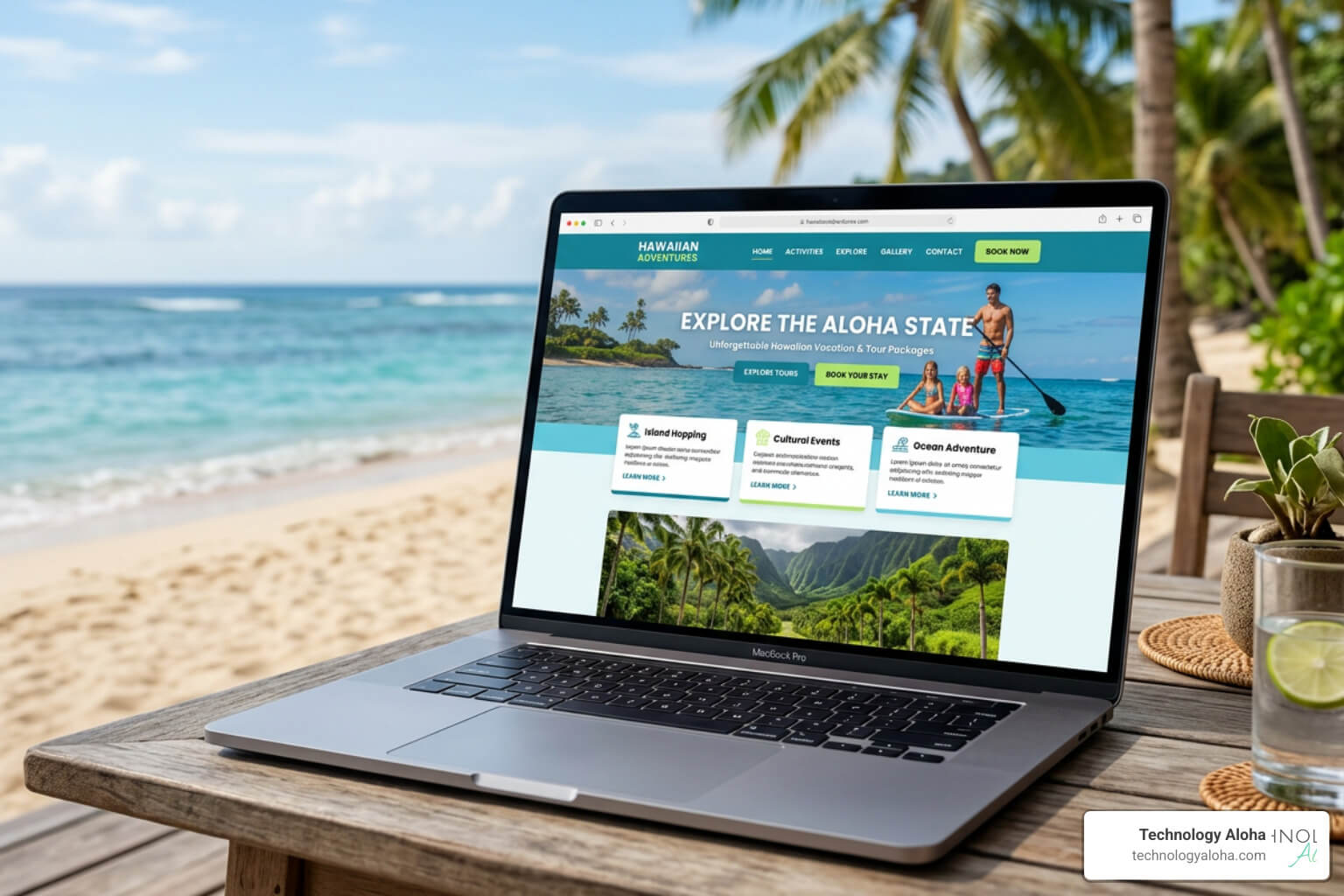
Research shows users form an opinion about your website in as little as 50 milliseconds. That first impression is almost entirely visual — before anyone reads a single word.
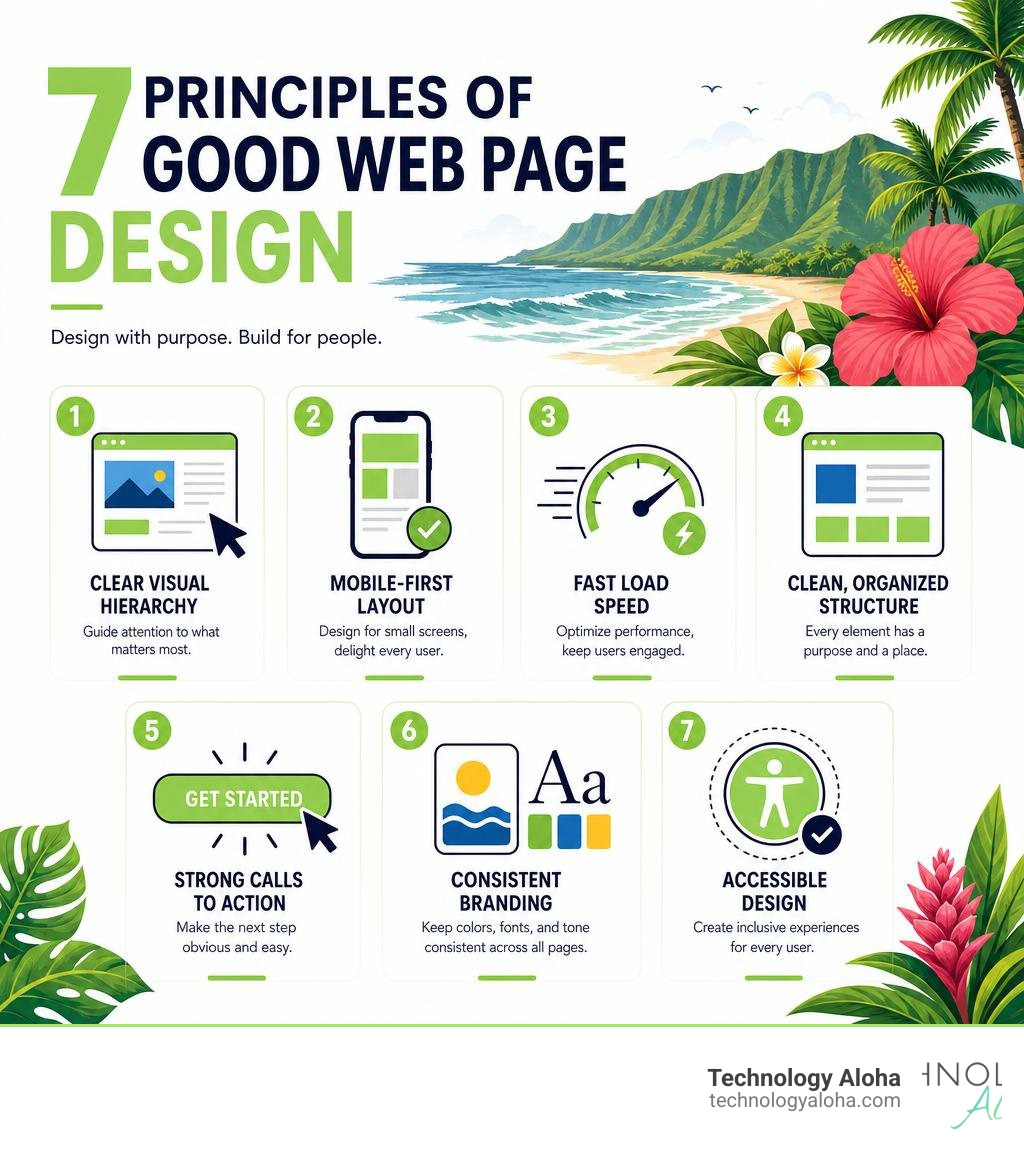
Here are the core qualities that define a well-designed web page:
- Clear visual hierarchy — the most important content catches the eye first
- Mobile-first layout — over 60% of web traffic now comes from mobile devices
- Fast load speed — pages taking longer than 3 seconds lose more than half their visitors
- Clean, organized structure — every element has a purpose and a place
- Strong calls to action — users always know what to do next
- Consistent branding — colors, fonts, and tone match across every page
- Accessible design — readable, navigable, and usable for everyone
Good design is not just about looking polished. It directly affects how long people stay, whether they trust you, and whether they convert into customers.
There’s a concept designers call the Aesthetic Usability Effect — people genuinely believe that beautiful, well-organized tools are easier to use. A clean, thoughtful website signals competence before your copy even gets a chance to.
This guide walks through every element that separates a professional, high-performing site from one that quietly drives people away.
1. The Core Principles of Good Web Page Design
Good web design is not an accident of artistic inspiration. It is a systematic application of layout rules, user psychology, and performance metrics. When we design websites for businesses, we rely on established principles that guide user attention directly to what matters most.
If your website feels chaotic, it is likely because it lacks structural discipline. Many business owners believe they need more features, shinier graphics, or louder calls to action to stand out. In reality, the opposite is true. Stripping away unnecessary noise and organizing what remains is the fastest way to improve performance. For a deeper look at this philosophy, read our guide on Why Simple Website Design Ideas Result in a Minimal Clean and Better Website.
Visual Hierarchy and the F-Pattern
Visual hierarchy is the arrangement of elements in a way that implies importance. The human eye does not read a web page like a book; instead, it scans. In Western cultures, users typically scan screens in an “F” pattern. They look across the top of the page, drop down slightly, scan across a shorter horizontal path, and finally track down the left side of the screen.
To make this scanning behavior work for you, place your most critical information—your unique value proposition and primary call to action—where the eye naturally lands first.
- Primary Elements (The Top of the F): Your logo, primary navigation, and headline.
- Secondary Elements (The Middle Bar of the F): Subheadings, bulleted benefits, or high-contrast button options.
- Supporting Elements (The Vertical Stem): In-depth copy, testimonial blocks, and secondary links.
To implement this structure properly, you must use clean, semantic code. For a technical breakdown of how to organize your page landmarks, consult the MDN guide on Structuring documents – Learn web development | MDN.
Mobile-First Layouts and Core Web Vitals
With over 60% of global web traffic originating from mobile devices, designing for desktop first is a strategic error. Mobile-first design forces you to prioritize. Because screen space is limited, you cannot afford to waste it on decorative fluff. If an element does not serve a clear purpose on a smartphone screen, it does not belong on your desktop site either.
Furthermore, search engines prioritize the mobile experience. Google’s mobile-first indexing means your mobile site is the baseline for your search engine rankings. This is where Core Web Vitals come in:
- Largest Contentful Paint (LCP): Measures loading performance. Your main content must load in under 2.5 seconds.
- Interaction to Next Paint (INP): Measures interactivity. The page must respond to user clicks or taps in under 200 milliseconds.
- Cumulative Layout Shift (CLS): Measures visual stability. Elements should not jump around as the page loads.
To achieve these benchmarks, you must optimize images, reduce render-blocking resources, and write clean CSS. To understand the modern code-level adjustments needed to satisfy these metrics, check out How to Design a Modern Website in 2026: A Developer’s Practical Guide – DEV Community.
2. Clean Design vs. Minimalism: Why Structure Matters
There is a common misconception that “clean design” is synonymous with “minimalism.” This distinction is critical for business websites. Minimalism is an aesthetic of reduction—it is about stripping away elements until only the bare essentials remain. While beautiful, extreme minimalism can sometimes hurt usability by hiding navigation menus or eliminating helpful context.
Clean design, on the other hand, is about organization. A clean website can actually contain a vast amount of complex information, provided that every element is placed with mathematical precision. It is about grid alignment, logical grouping, and predictability. Everything has a place, and there is a place for everything.

When you organize your site using clean design, you reduce the user’s cognitive load, making it easier for them to find what they need and take action. To explore how to build this structure around your audience’s actual needs, see The Ultimate Guide to User Centric Website Design.
Avoiding the AI-Generated Aesthetic in Good Web Page Design
In 2026, the internet is flooded with generic, AI-generated website templates. These sites all look remarkably similar, sharing predictable design tells that users have learned to tune out. If you want your brand to feel authentic and trustworthy, you must avoid these overused patterns:
- The Purple-Gradient Hero: A background that fades from deep purple to neon blue or pink, topped with centered white text.
- The Single-Font Page: Using a single sans-serif font (like Inter) for both headers and body copy.
- Centered Everything: Symmetrical layouts that place every image, text block, and button dead-center, which signals a lack of editorial opinion.
- The Icon-Tile Grid: A block of identical gray boxes with small colored icons explaining basic features.
- The Standard AI Nav: A logo on the far left, four inline links perfectly centered, and a single rounded CTA button on the far right.
To break away from these default aesthetics, you need restraint and intentionality. By introducing subtle asymmetry, thoughtful font pairings, and custom layouts, you show that a real human curated the experience, creating interfaces that resist these generic formulas.
How to Structure Content for Good Web Page Design
To prevent clean designs from looking barren, you must structure your content logically. This starts with semantic HTML tags. Instead of wrapping every layout block in generic
for your introductory branding and navigation.for the primary, unique content of the page.to group related topics together.for self-contained, shareable content blocks.
Beyond the code, use “content chunking” to make text readable. Break long paragraphs into short, two-to-three-sentence blocks. Use bulleted lists, bold lead-ins, and callout boxes to give scanning eyes clear places to rest. For a deep dive into structuring pages for optimal user experience, review Best Practices for User Centric Website Design and UX.
3. Interactive Elements and Motion Design That Convert
Static pages can feel clinical and cold. Adding subtle interactive elements brings a website to life, making the user experience memorable. However, motion must always serve usability. If an animation does not guide the user’s eye or confirm an action, it is merely a distraction that slows down your load times.
The key to successful motion design is the use of micro-interactions. These are small, reactive visual changes that occur when a user interacts with your site—such as a button shifting color when hovered over, or a small checkmark appearing after a form is successfully submitted. These indicators provide immediate feedback, assuring users that the system is working. To see which interactive trends are currently driving results, explore The Top Converting Web Design Trends Your Site Should Invest In.
Balancing Rich Content with Whitespace
Whitespace (or negative space) is the empty area around and between design elements. Many business owners view whitespace as wasted real estate, attempting to fill every pixel with text, badges, or promotions. This is a mistake. Whitespace is active; it defines boundaries, groups related ideas, and gives the user’s eyes room to breathe.
Without adequate whitespace, your website becomes a wall of noise. Users cannot determine what is important, leading to frustration and high bounce rates.
| Design Element | Cluttered Layout | Clean Layout (High Whitespace) |
|---|---|---|
| Visual Focus | Elements compete for attention; no clear starting point. | One dominant element captures the eye immediately. |
| Readability | Tight line spacing and narrow margins tire the eyes. | Generous line heights and wide margins ease scanning. |
| CTA Prominence | Buttons are buried next to paragraphs and images. | Buttons are surrounded by empty space, making them pop. |
| Cognitive Load | High; user must work to find basic information. | Low; information is chunked into logical, digestible sections. |
Typography and Color Psychology
Typography is the voice of your website. To maintain a clean aesthetic, limit your font selection to two families: a distinctive display face for headers to convey personality, and a highly readable sans-serif or serif face for body text. Keep your body text at a minimum of 16px on desktop and 18px on mobile, with a line height of 1.5 to 1.6. Crucially, limit your line length to 50–75 characters per line; any wider, and the eye struggles to track back to the next line.
Color should be used strategically to establish hierarchy. Instead of splashing random colors across your pages, build a palette with a single anchor hue (using modern OKLCH color spaces for uniform brightness), a clean neutral background, and an accent color used exclusively for your primary calls to action. Ensure your text-to-background contrast ratio meets WCAG 2.1 Level AA standards (at least 4.5:1 for normal text) so your site remains readable for everyone.
4. Award-Winning Inspiration: Lessons from the Web’s Best
When looking for inspiration, we can learn a great deal from award-winning sites recognized by platforms like Awwwards, the Webby Awards, and the CSS Design Awards. These websites succeed because they blend beautiful aesthetics with flawless functionality.

Analyzing these high-performing sites helps us understand how to balance creative risk-taking with conversion-focused structures. To learn how to apply these high-level design strategies to your own business, read our Conversion Focused Web Design Ultimate Guide.
Immersive Storytelling and Creative Typography
Award-winning sites use interactive storytelling to keep users engaged. For example:
- RCA Records engaged users by transforming their standard 404 error page into an interactive beat sampler, turning a frustrating mistake into a playful branding moment.
- Unseen Studio used elegant cursor-triggered physics to shift screen perspectives, creating a tactile, immersive experience.
- Spotify Design utilized bold, high-contrast type scales and modular grids to organize massive amounts of educational content without overwhelming the reader.
These examples prove that typography and motion can do more than deliver text—they can shape how a user feels about your brand before they read a single line of copy.
Designing High-Conversion Checkout and Product Pages
Great design must ultimately drive business results. Some of the most successful tech platforms show us how to reduce friction at critical conversion points:
- Airbnb uses smart, auto-filling search forms and category icons to help users find what they need instantly, removing navigation hurdles.
- Dropbox uses simple geometric shapes and clear subheadings to explain complex cloud storage solutions in seconds.
- Superlist combines a highly organized grid with playful micro-interactions to make task management feel satisfying and intuitive.
By simplifying layouts, eliminating unnecessary form fields, and using high-contrast buttons, these companies turn casual visitors into paying customers. To build this level of conversion-focused discipline into your site, check out How to Build a Conversion Focused Web Design That Actually Works.
5. Common Mistakes That Ruin a Professional Aesthetic
Even the most beautiful design concepts can fail in execution. Often, the difference between a professional website and an amateur one comes down to avoiding simple mistakes that clutter the user experience.
One of the most common errors is designing with placeholder text (like Lorem Ipsum). If you do not design with your actual copy in mind, you will end up with awkward text wrapping, broken grids, and misaligned buttons when the real content is added.
To keep your site working as hard as possible, avoid the temptation to add visual distractions. For practical tips on auditing your current layout, see Make Your Website Work Harder with Conversion Focused Design.
Overcoming Structural Flaws in Modern Layouts
To maintain a professional aesthetic, look out for these structural design flaws:
- Broken Grids: Elements that do not align to a consistent vertical or horizontal grid feel messy and disorganized.
- Inconsistent Branding: Using different button styles, varying font sizes, or shifting color palettes across your subpages erodes user trust.
- Desktop-First Bias: Stacking desktop elements on mobile screens without adjusting image ratios or touch-target sizes makes navigation frustrating. Ensure buttons are at least 44×44 pixels on mobile so they are easy to tap.
- Content Carousels: Auto-playing image sliders on homepages are rarely read, slow down page speeds, and perform poorly on mobile devices. Use a static, high-impact hero image instead.
To see how these principles come together to form a highly optimized, high-converting digital presence, read The Complete Guide to High Conversion Websites.
Frequently Asked Questions about Web Design
What is the difference between web design and web development?
Web design focuses on the visual and experiential aspects of a website, including layouts, color palettes, typography, and user interface (UI/UX) design. Web development, on the other hand, involves writing the code (HTML, CSS, JavaScript, and backend languages) that makes those designs function securely and quickly on the web.
How does web design affect SEO?
Web design directly impacts search engine optimization through technical performance and user behavior. Google uses Core Web Vitals (loading speed, interactivity, and visual stability) as ranking factors. Additionally, a clean, responsive layout keeps users on your site longer, reducing bounce rates and signaling to search engines that your content is valuable.
How much does professional web design cost in 2026?
The cost of professional web design varies based on the size and complexity of the project. Simple landing pages or small business websites are more budget-friendly, while custom e-commerce platforms and complex web applications require a larger investment. Rather than viewing web design as an expense, think of it as a business asset that pays for itself by increasing conversion rates and driving growth.
Conclusion
A beautiful website is useless if it does not help you achieve your business goals. At Technology Aloha, we believe that good web page design should be a conversion engine, not just a digital brochure. By combining data-driven insights with cohesive branding, we build high-performance websites that capture attention, build trust, and convert casual visitors into loyal customers.
If you are ready to stop losing customers to a cluttered website, let’s work together to build a clean, modern digital presence that drives real results.