What SEO-Friendly Website Design Actually Means (And Why It Matters)
SEO friendly website design is the practice of building a website so that search engines can find, read, and rank it—while real humans actually enjoy using it.
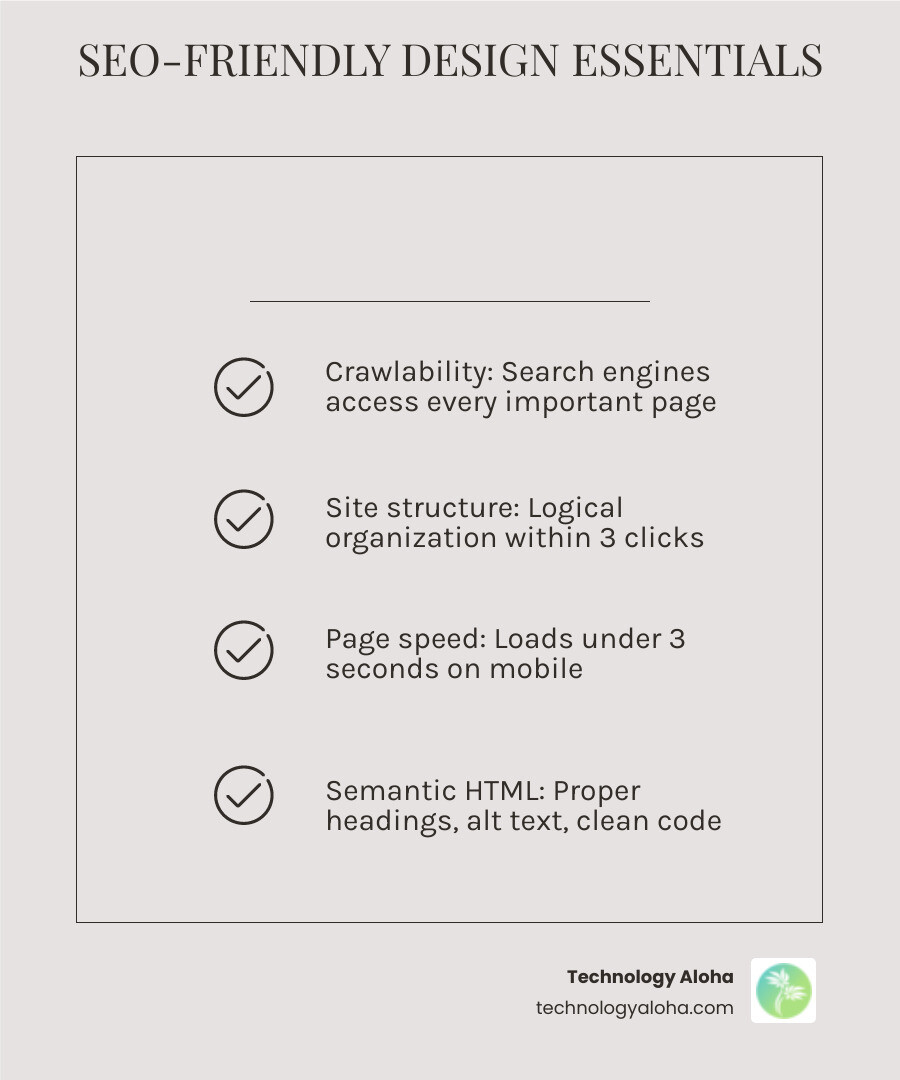
Here is what that looks like in practice:
| Element | What It Means |
|---|---|
| Crawlability | Search engines can access and index every important page |
| Site structure | Pages are organized logically, within 3 clicks of the homepage |
| Page speed | Loads in under 3 seconds—especially on mobile |
| Mobile-first design | Works perfectly on phones before desktops |
| Semantic HTML | Proper heading hierarchy, alt text, and clean code |
| On-page SEO | Optimized titles, meta descriptions, and keyword placement |
| Accessibility | Usable by everyone, including screen readers |
| E-E-A-T signals | Content that demonstrates real expertise and trustworthiness |
Most small business websites have a visibility problem—not a product problem.
The site looks fine. The services are solid. But Google can’t figure out what the business does, who it serves, or whether to trust it. So the site sits on page four, invisible to the people who need it most.
That is a design problem as much as an SEO problem.
Here is the hard truth: 53% of visitors will leave a site that takes longer than three seconds to load. And the average mobile page takes about 15 seconds. That gap is not a minor inconvenience—it is lost revenue.
The good news? SEO and great design are not opposites. When built together from day one, they reinforce each other. A well-structured site is easier to crawl and easier to navigate. Fast load times help rankings and reduce bounce rates. Clear headings help Google understand your content and help readers skim it.
This guide walks through exactly how to build that kind of site—from technical foundations to on-page details to mobile performance.
The Technical Foundation: Architecture and Rendering
Before we pick a color palette or write a single word of copy, we must address the bones of the site. If the technical foundation is cracked, your content will never see the light of day. Google uses “crawlers” to explore the web, and if your site architecture is a maze, those crawlers will give up and leave.
Logical Site Structure and URL Architecture
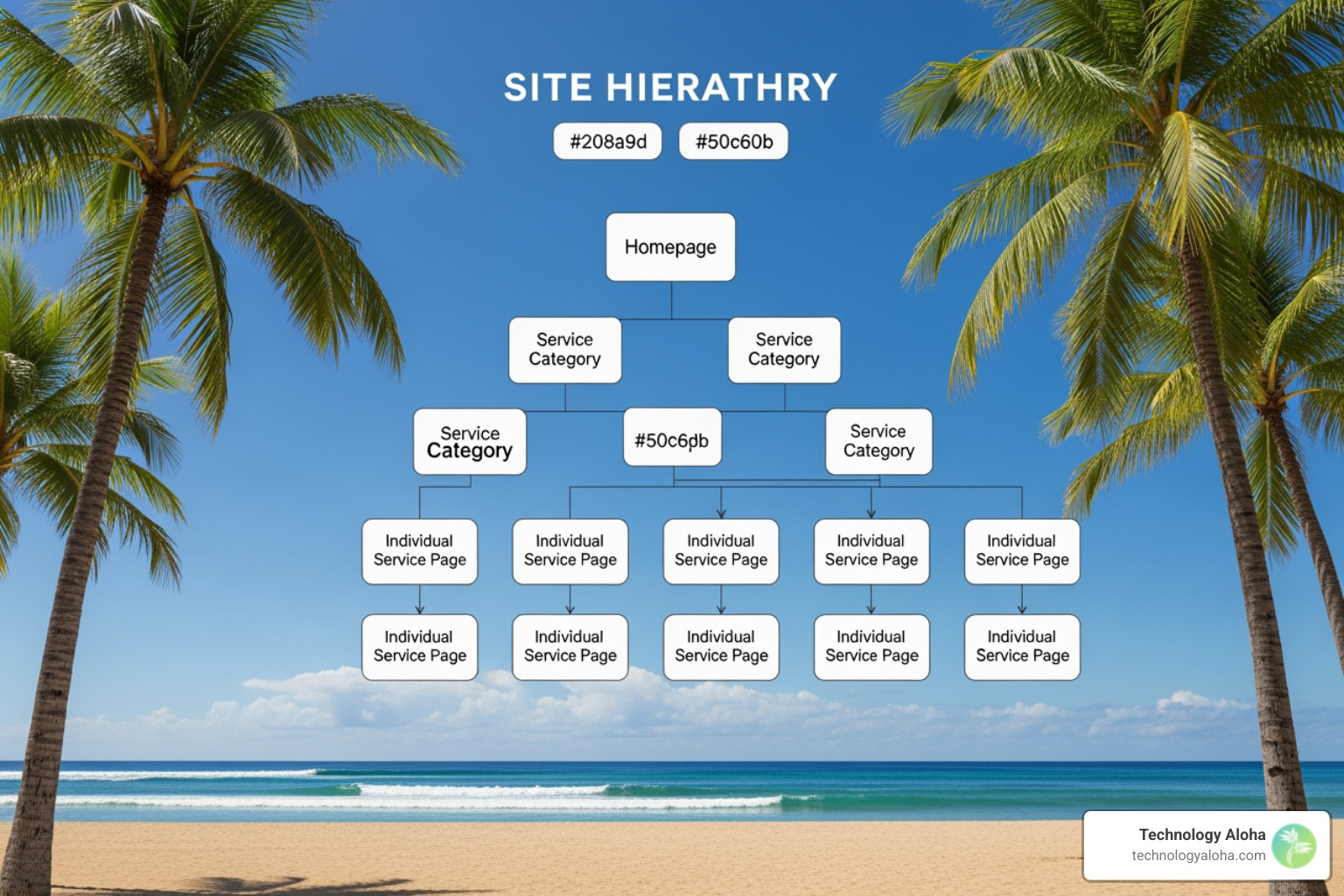
A clean seo friendly website design starts with a flat hierarchy. A good rule of thumb is that no important page should be more than three clicks away from the homepage. This is not just for users; it ensures that “link equity” flows efficiently throughout your site.
Your URL structure should be descriptive and human-readable. Avoid URLs like technologyaloha.com/p=12345. Instead, use technologyaloha.com/services/web-design. Using descriptive URLs helps search engines understand the context of the page before they even “read” the content.
Internal Linking and Crawlability
Internal links are the bridges that connect your pages. When we link from a blog post to a service page, we are telling Google, “This page is important and relevant to this topic.” For a deep dive into how these fundamentals work, check out our guide on SEO: the basics.
Rendering: CSR vs. SSR vs. SSG
For developers, the choice of framework is critical. Heavy client-side rendering (CSR) frameworks like standard Angular or React can be problematic. If the content is hidden behind complex JavaScript, Google might struggle to index it.
| Rendering Method | SEO Impact | Best Use Case |
|---|---|---|
| Client-Side Rendering (CSR) | Risky. Google must execute JS to see content. | Logged-in dashboards, private apps. |
| Server-Side Rendering (SSR) | Excellent. Content is ready for crawlers immediately. | Large, dynamic e-commerce sites. |
| Static Site Generation (SSG) | Superior. Fast, secure, and highly crawlable. | Small business sites, blogs, portfolios. |
We often recommend a combination of HTML/CSS and a Static Site Generator (SSG) for small business websites. This ensures that CSS and content load instantly, giving you a massive head start in the rankings.
Optimizing for Speed and Core Web Vitals
Speed is no longer a “nice to have”—it is a confirmed ranking factor. Google uses a set of metrics called Core Web Vitals to measure the real-world user experience of your page.
The Core Web Vitals You Must Know
- Largest Contentful Paint (LCP): How long it takes for the main content to load. Aim for under 2.5 seconds.
- Cumulative Layout Shift (CLS): Does the content jump around while loading? Aim for a score below 0.1.
- Interaction to Next Paint (INP): How quickly does the page respond when a user clicks a button? Aim for under 200 milliseconds.
Speed Optimization Tactics
If your site feels sluggish, start with your images. Large, unoptimized images are the primary cause of slow load times. We recommend using the WebP or AVIF format and ensuring no image exceeds 250KB. Use “lazy loading” so images only load as the user scrolls down to them.
Minification is another essential step. By stripping out unnecessary characters from your code, you reduce the file size and speed up the browser’s processing time. For more advanced tips, read our resource on website speed optimization.
Remember the statistic: 53% of visitors abandon slow sites that take more than three seconds to load. You can test your current performance for free using Google PageSpeed Insights.
Mastering On-Page SEO Friendly Website Design
Once the technical engine is running, we focus on the content. On-page SEO is about making your pages understandable to both Google and your visitors.
Semantic HTML and Heading Hierarchy
Think of your page like a newspaper. There is one main headline (H1), several section headers (H2), and sub-sections (H3 and H4). Never use more than one H1 tag per page. This hierarchy helps search engines understand the primary topic and the supporting details. For WordPress users, check out our 3 key SEO tips for using wordpress tags the right way.
Meta Tags and Alt Text
Every page needs a unique title tag and meta description. While AI tools can assist in creating effective title tags, they should always be reviewed by a human to ensure they match the searcher’s intent.
Alt text is equally important. It describes your images to search engines and screen readers. Instead of image1.jpg, use “seo friendly website design infographic for small businesses.”
Content Silos and Keyword Placement
A content silo is a method of grouping related content together to establish authority in a specific niche. For example, if you offer “web design,” you might have a silo of pages covering “responsive design,” “e-commerce design,” and “landing page optimization.”
When writing, place your primary keyword in the first 100 words, but do not force it. Google is smart enough to recognize synonyms and context. For a step-by-step guide on writing, see how to format a blog post for SEO.
On-Page Essentials Checklist
- [ ] Primary keyword in the H1 and first paragraph.
- [ ] Descriptive alt text for all images.
- [ ] Internal links to at least 2–3 other relevant pages.
- [ ] External links to authoritative sources.
- [ ] Meta description under 160 characters.
- [ ] Short, descriptive URL slugs.
Mobile-First Indexing and Accessibility
In 2022, mobile devices generated about 58.99% of global website traffic. Because of this, Google now uses mobile-first indexing as its standard. This means Google looks at the mobile version of your site to determine your rankings, even for desktop searches.
Responsive Design vs. Adaptive Design
We always advocate for responsive design. This approach uses a single set of code that fluidly adjusts to any screen size. It is easier to maintain and prevents issues with duplicate content that can occur with separate mobile URLs.
Accessibility is SEO
An accessible website is an optimized website. By following WCAG guidelines, you ensure that people with disabilities can navigate your site. This includes:
- Using high-contrast colors for readability.
- Ensuring all buttons have descriptive labels.
- Using readable and accessible fonts (at least 16px for body text).
E-E-A-T: The Gold Standard for Trust
Google’s Quality Evaluator Guidelines emphasize E-E-A-T: Experience, Expertise, Authoritativeness, and Trustworthiness. Your design should reflect this. Include professional bios, clear contact information, and trust badges or testimonials. If you are struggling to find the middle ground between a pretty site and a functional one, read our guide on why you need to balance SEO and user experience in your web design.
Frequently Asked Questions about SEO Friendly Website Design
How long does it take to see results from an seo friendly website design?
SEO is a marathon, not a sprint. Typically, it takes 6–12 months to see significant movement in organic rankings. While technical changes (like fixing a broken sitemap) can show results in weeks, building authority and ranking for competitive keywords takes time and consistent effort. For a deeper look at the long-term value, see what SEO means and how it can benefit your company.
What tools are best for testing an seo friendly website design?
We rely on three primary tools to audit and improve our sites:
- Google Search Console: The most direct way to see how Google views your site. Use the URL Inspection Tool in Search Console to check for indexing issues.
- Lighthouse: Built into Chrome, this tool provides a detailed report on performance, accessibility, and SEO best practices.
- Google PageSpeed Insights: Essential for measuring Core Web Vitals and finding specific bottlenecks in your load speed.
Which design choices harm search rankings?
Certain “trendy” design choices are actually SEO killers.
- Infinite Scroll: If not implemented with proper pagination, crawlers may never find the content at the bottom of the list.
- Hidden Content: Using tabs or accordions to hide essential text can sometimes lead Google to devalue that content.
- Heavy Media: Autoplay background videos and massive unoptimized images destroy page speed.
- Intrusive Pop-ups: Google penalizes sites that use “interstitials” that block the main content, especially on mobile.
As we always say, SEO is changing, and staying ahead of these pitfalls is key to maintaining your visibility.
How Can Technology Aloha Help You Build an SEO-Friendly Website?
Building a website that Google likes is about more than just checking boxes; it is about creating a high-quality experience for the people you serve. At Technology Aloha, we believe that seo friendly website design should be the standard, not an afterthought.
By combining data-driven insights with cohesive branding, we help businesses in Hawaii and beyond build sites that don’t just look beautiful—they perform. A well-designed site is your most tireless employee, working 24/7 to bring in new leads and build trust with your audience.
If you are ready to stop being invisible and start growing your business, we invite you to explore our web design services. The best time to optimize your site was the day you built it. The second best time is today. Don’t forget to apply content marketing to your SEO strategy for the best long-term results. Let’s build something great together.