Why Online Banner Design and Printing Is Your Fastest Path to Professional Signage
Online banner design and printing lets you create custom, professional-quality banners from your computer—and have them delivered to your door in as little as one to three business days.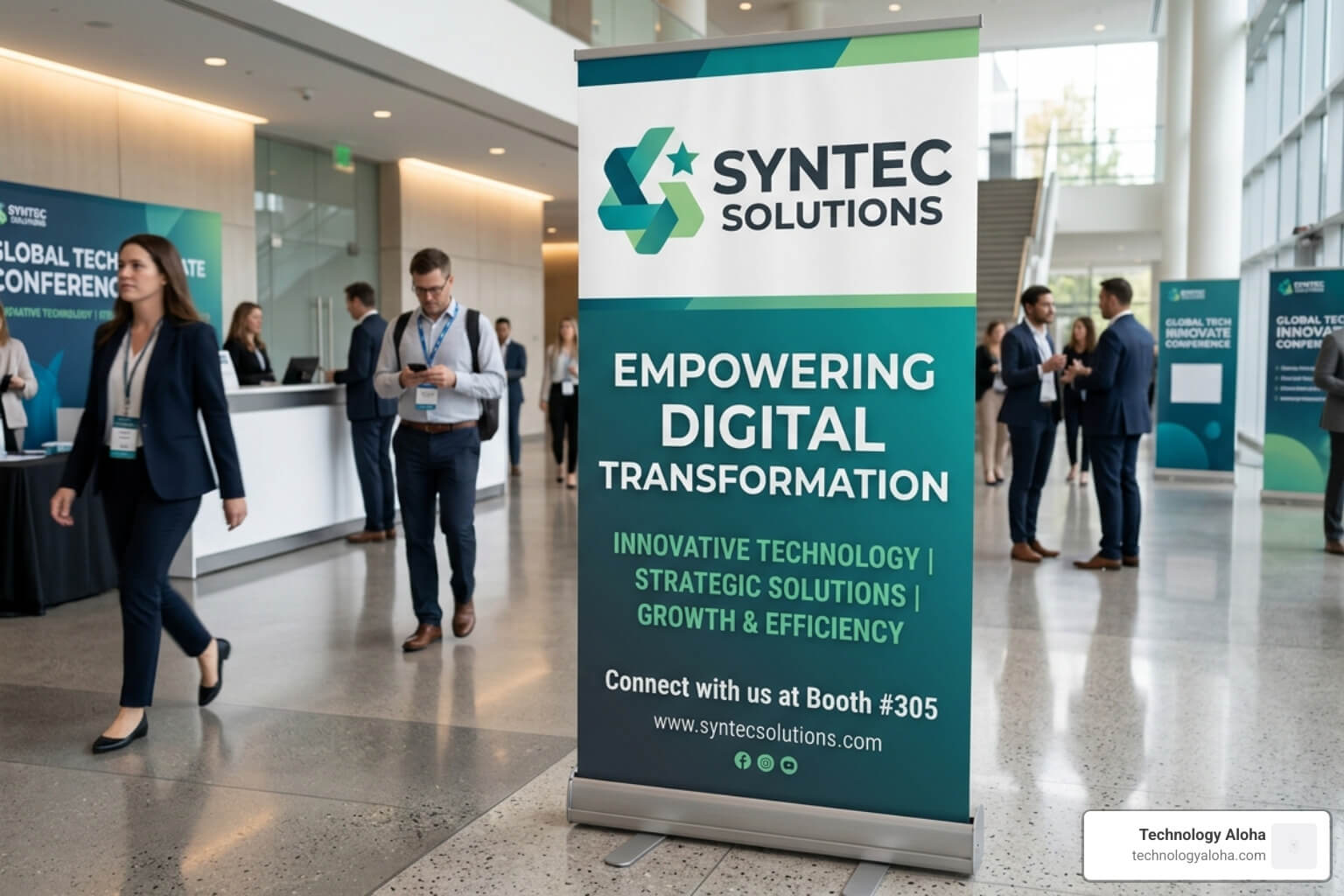
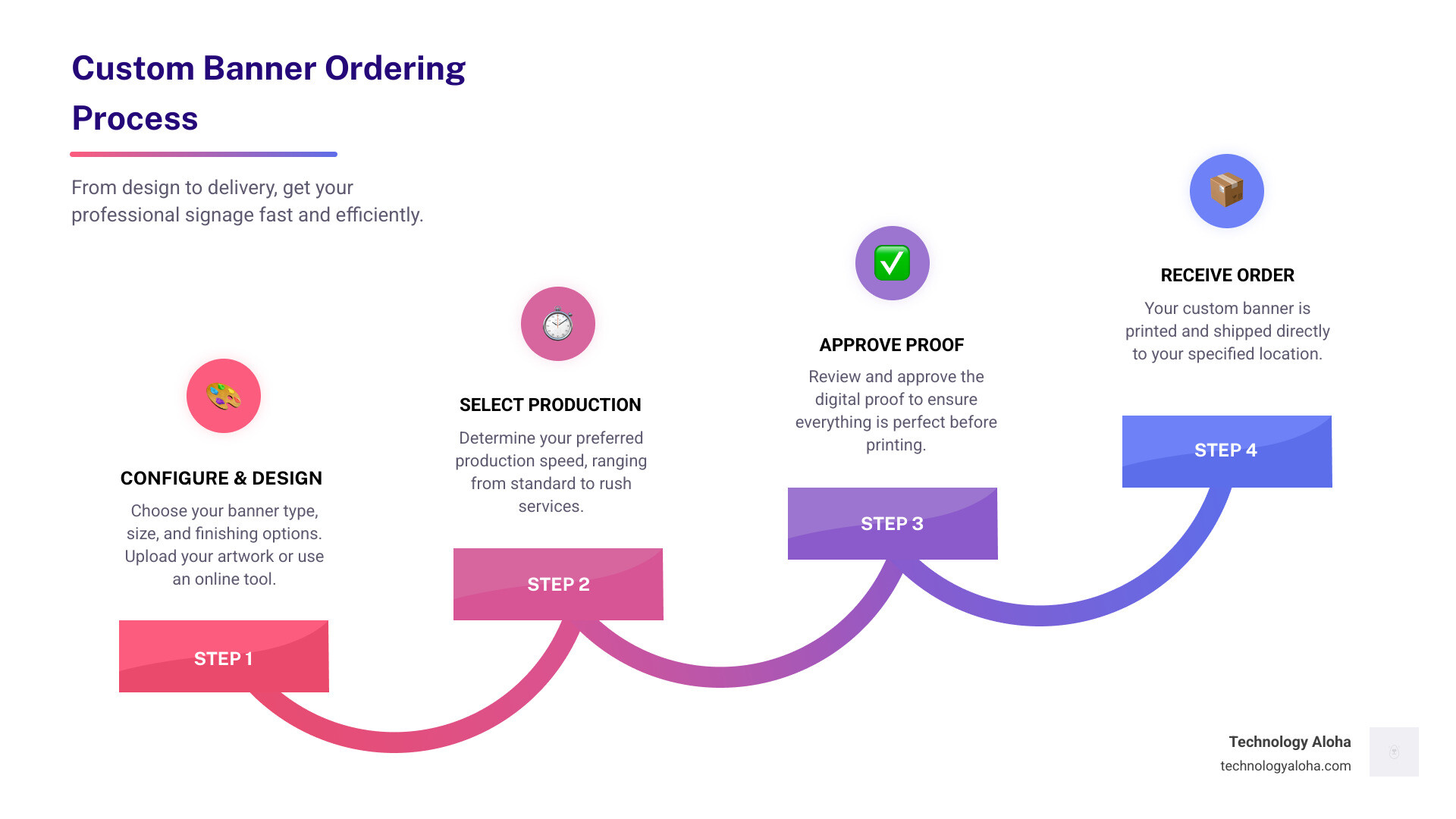
Here’s how the process works, fast:
- Choose your banner type — vinyl, mesh, or fabric, depending on indoor vs. outdoor use
- Pick your size — standard options like 2×4 ft or 4×8 ft, or enter custom dimensions
- Design it — upload your own artwork, use a template, or build from scratch with an online tool
- Select finishing options — grommets, pole pockets, or hemmed edges for hanging
- Choose production speed — standard (3–5 business days) or rush (as fast as next day)
- Approve your proof — review a digital proof before printing begins
- Receive your order — shipped directly to your location
For small business owners, a well-placed banner is one of the most cost-effective tools in your marketing stack. It works while you’re not there. It signals credibility before a customer walks through your door.
The challenge? Most people waste time, money, or both — ordering the wrong material, uploading low-resolution files, or picking a size that’s impossible to read from the street.
This guide cuts through that. Whether you’re promoting a grand opening, setting up a trade show booth, or celebrating a milestone, you’ll know exactly what to order and how to get it right the first time.
For help with the design side, Graphic Design services can take your banner from a blank canvas to a brand asset.
Related content about online banner design and printing:
- Why Creative Graphic Design Is The Secret Sauce For Your Business
- The Graphic Design And Printing Guide For Non Designers
- Why Your Logo Design And Printing Needs A Glow Up
Choosing Materials for Online Banner Design and Printing
Selecting the right material is the foundation of a successful banner. By April 2026, substrate technology has advanced to offer incredible durability, but you must match the material to the environment.
13 oz Scrim Vinyl—The Industry Standard
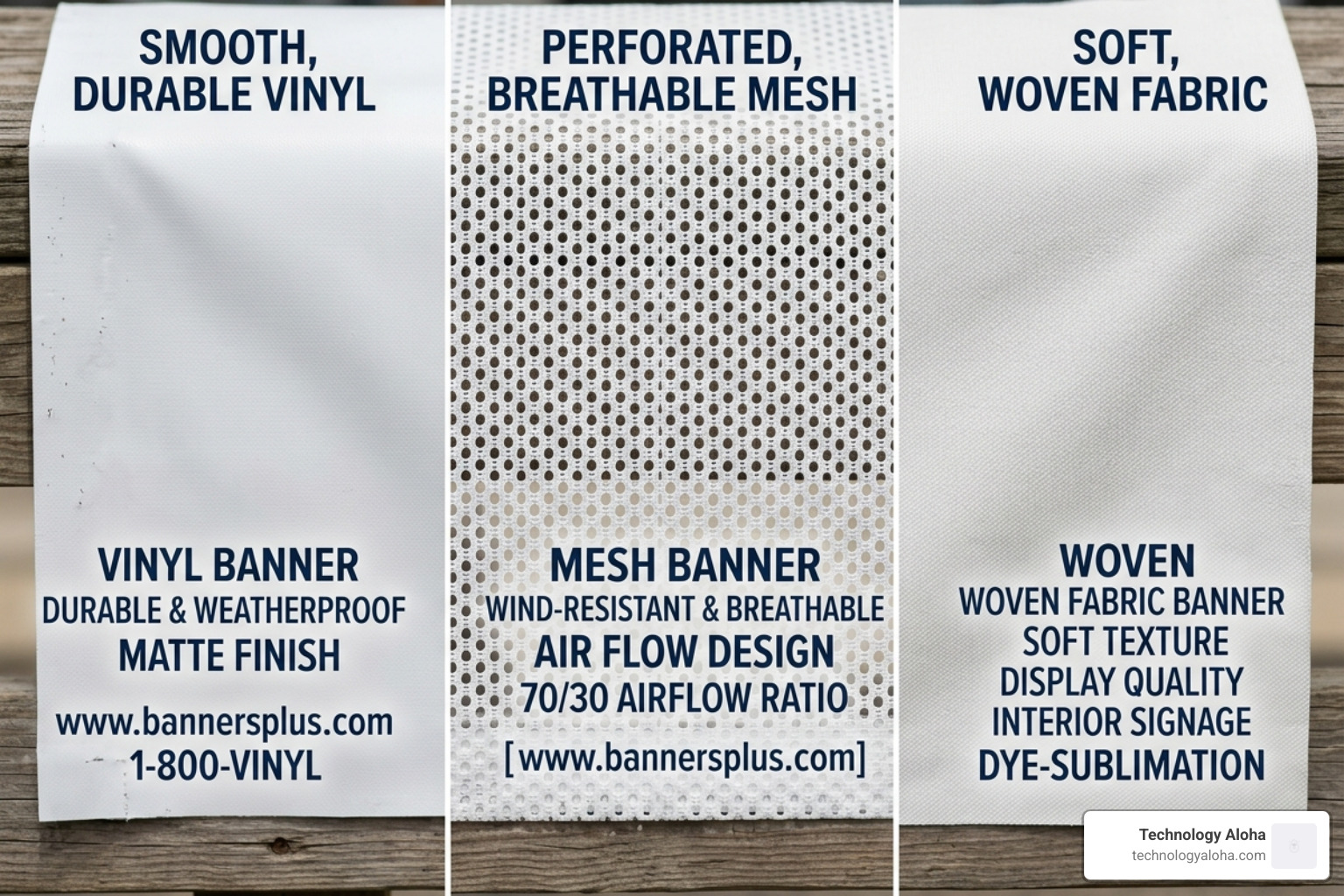
This is the “jack-of-all-trades” for online banner design and printing. Scrim vinyl features a polyvinyl chloride (PVC) mesh (scrim) embedded between two layers of vinyl, providing an excellent strength-to-weight ratio. It is waterproof, UV-resistant, and suitable for both indoor and outdoor use. Most 13 oz options have a semi-gloss finish, though the ink itself often dries to a matte finish.
18 oz Heavy-Duty Vinyl
When your banner needs to survive the elements in high-wind areas or stay up for years, 18 oz vinyl is the solution. It has a higher tensile strength (often up to 285 × 239 lbs/inch) and can withstand temperatures as low as -22°F. It is also the only material thick enough to support true double-sided printing without the image “bleeding through” from the other side.
9 oz Mesh Vinyl
If you are mounting a banner on a fence or between poles in a windy corridor, mesh is non-negotiable. Mesh banners feature thousands of tiny perforations that allow approximately 25% airflow. This prevents the “sail effect” that can rip grommets out of standard vinyl.
Polyester Fabric
For upscale indoor displays, trade shows, or photo backdrops, fabric is the premium choice. Printed using dye-sublimation, these banners are vibrant, scratch-resistant, and glare-free. They are lightweight and can often be folded and washed, making them much easier to transport than bulky vinyl.
| Material | Durability | Best Use Environment | Weight |
|---|---|---|---|
| 13 oz Vinyl | 3–5 years | General Outdoor/Indoor | Medium |
| 18 oz Vinyl | 5+ years | High-Wind/Long-Term | Heavy |
| 9 oz Mesh | 2–3 years | Fences/Scaffolding | Light |
| Fabric | Indoor | Trade Shows/Events | Very Light |
For a deeper dive into how these choices affect your final product, check out The Graphic Design And Printing Guide For Non Designers.
Technical Specifications for Sharp Results
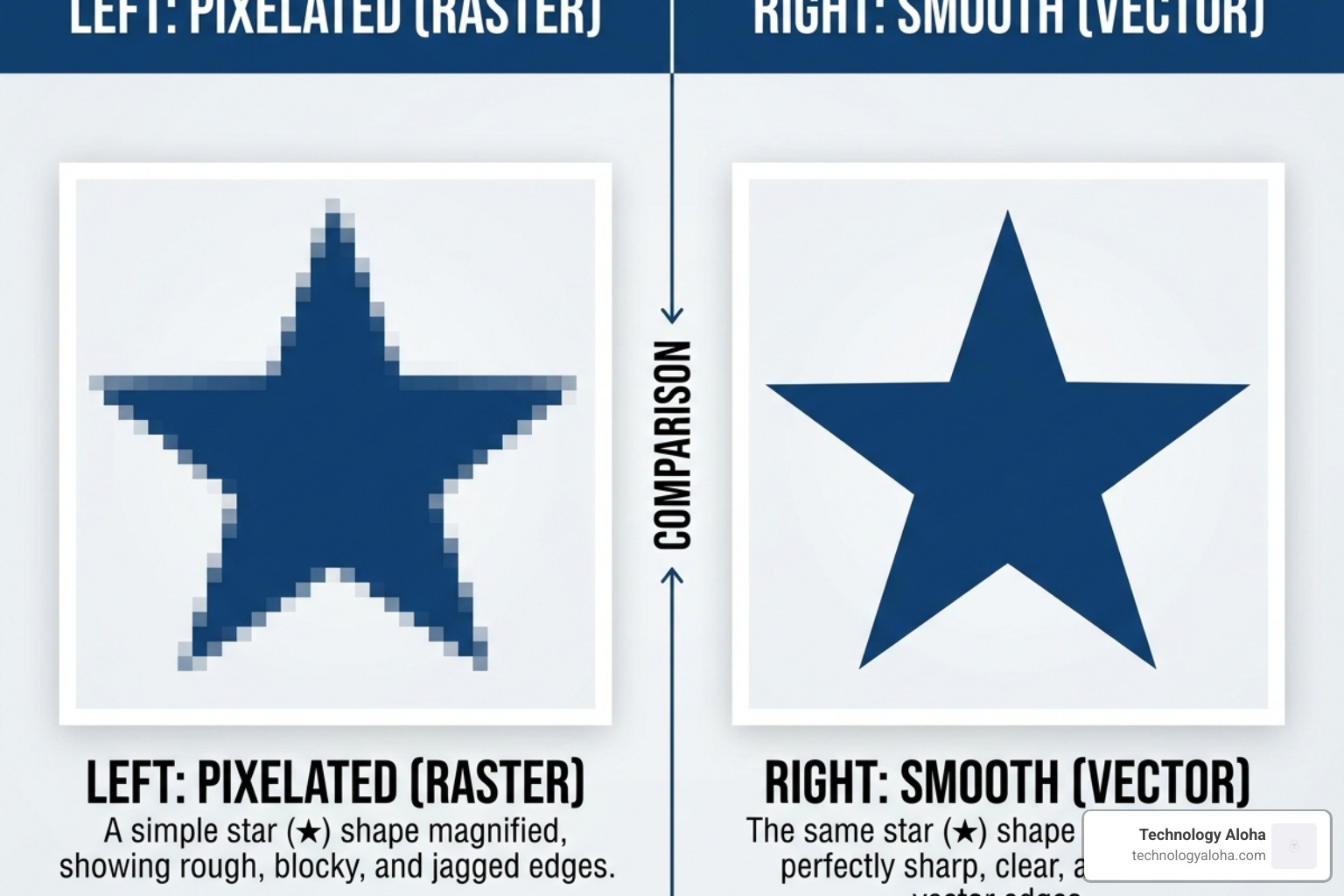
Nothing kills professional credibility faster than a blurry, pixelated banner. Banners are large-format products; the technical setup of your file is fundamentally different from a business card or website header.
Color Mode and Margins
Always design in CMYK color model. While your computer screen displays in RGB (Red, Green, Blue), commercial printers use Cyan, Magenta, Yellow, and Black. Converting a file from RGB to CMYK at the last minute can cause significant color shifts—vibrant blues might turn purple, and bright greens can become muddy.
Include a bleed margin of at least 1/8 inch (0.125″) on all sides. This ensures that if the mechanical cutter is slightly off, you won’t have a thin white line at the edge of your banner. Equally important is the safe zone. Keep all critical text and logos at least 2 inches away from the edges to ensure they aren’t obscured by hems or grommets.
For more on why these details matter, see Why Creative Graphic Design Is The Secret Sauce For Your Business.
Online banner design and printing resolution
The “viewing distance rule” dictates your resolution.
- Indoor/Close-Range: If people will be standing within 3 feet of the banner (like at a trade show), you need 300 DPI (dots per inch) at full size.
- Outdoor/Large Format: For banners viewed from 10 feet or more, 150 DPI is the industry standard.
Contrary to popular belief, you don’t need 600 DPI for a 20-foot banner. At that scale, the file size would be unmanageable, and the human eye cannot perceive the extra detail from a distance. If you’re struggling with resolution, Graphic Design professionals can help scale your assets correctly.
File formats for professional output
For the sharpest possible results, use vector graphics. Vector files (.AI, .EPS, or vector-based .PDF) use mathematical equations rather than pixels to define shapes. This means you can scale a 2-inch logo up to 20 feet without a single drop in quality.
If you must use raster images (photos), save them as high-quality TIFF or PDF files. Ensure all layers are flattened before uploading to the printer to prevent font substitutions or missing elements. To learn more about creating high-impact visuals, see Stop Being Boring With High Impact Digital Ads.
Strategic Finishing and Hardware Options
Finishing is what turns a piece of printed plastic into a functional sign. Without the right finishing, your banner won’t hang straight and won’t last.
- Heat-Welded Hems: We recommend hems on all four sides. The edges are folded over and heat-bonded, creating a double-thick perimeter that prevents the vinyl from fraying and provides a sturdy anchor for grommets.
- Grommets: These are metal rings (usually 3/8″ or 1/2″) punched into the hem. For maximum stability, grommets should be placed every 2 to 3 feet along the top and bottom.
- Pole Pockets: These are loops of material (typically 3 inches) at the top or bottom of the banner. They allow you to slide a rigid pole through the banner, ensuring it hangs perfectly flat without any sagging or “scalloping” between grommets.
- Wind Slits: While some people request half-moon cutouts to let wind through, they are often less effective than using a proper mesh material. In high-stress environments, wind slits can actually become “start points” for tears.
- Reinforced Corners: For oversized banners, adding an extra layer of vinyl to the corners provides the necessary strength to withstand the tension of ropes or bungee cords.
Designing for Impact and Readability
A banner is not a brochure. You have three seconds to grab a passerby’s attention. If your design is cluttered, they will look away before they process your offer.
Effective online banner design and printing layouts
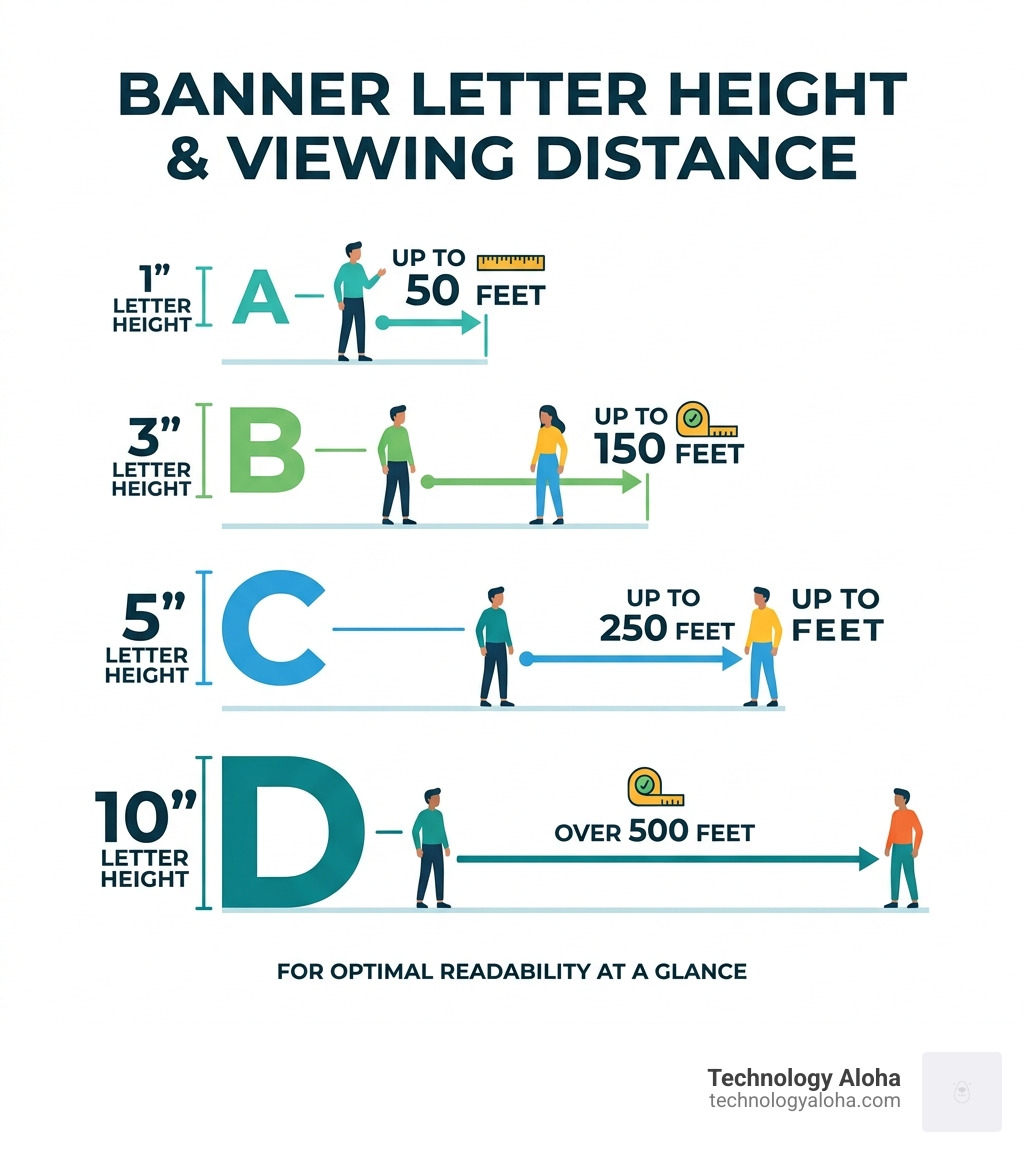
The most important rule in banner design is the 1-inch rule: For every 10 feet of viewing distance, your lettering should be at least 1 inch tall. If you want people to read your banner from 50 feet away, your text must be 5 inches tall.
- Visual Hierarchy: Your most important message (e.g., “GRAND OPENING”) should be the largest. Your secondary info (e.g., date or location) should be significantly smaller.
- Call to Action: What do you want them to do? “Visit Us,” “Call Now,” or “Shop the Sale.” Keep it to three words or fewer.
- White Space: Do not fill every square inch. Strategic white space allows the eye to focus on the message.
For tips on creating attractive layouts, see 5 Tips On Creating An Attractive Website Header Design.
Color Theory and Brand Consistency
High contrast is your best friend. Black text on a white or yellow background is the most readable combination from a distance. Avoid low-contrast pairings like red text on a blue background, which “vibrates” and is difficult to read. For a foundational understanding of these principles, consult The Non-Designer’s Design Book.
When designing for 2026, ensure your colors align with your established brand palette. For outdoor banners, always request UV-resistant inks. These inks are specially formulated to withstand the harsh sun in locations like Kahului, HI, preventing your vibrant branding from fading into a dull gray within months.
Learn more about the “secret sauce” of design at Why Creative Graphic Design Is The Secret Sauce For Your Business.
Conclusion and Frequently Asked Questions
Online banner design and printing is a powerful way to grow your business when done correctly. By choosing the right material, ensuring high-resolution artwork, and selecting the proper finishing, you create a marketing asset that lasts.
How do I clean and maintain my printed banner?
To extend the life of your vinyl or mesh banner, clean it with mild soap and water using a soft, non-abrasive cloth. Avoid harsh chemicals or power washers, as these can strip the UV coating or damage the ink. Always allow the banner to air dry completely before storing.
Pro Tip: Never fold your vinyl banners. Folding creates permanent creases that can crack the ink. Instead, roll the banner with the printed side facing out. This prevents the ink from sticking to itself and keeps the surface smooth for your next event.
What is the typical turnaround time for online printing?
In 2026, standard production is typically 2 to 3 business days after you approve your digital proof. Shipping times vary by service level:
- Economy: 5–10 business days
- Standard: 3–5 business days
- Expedited/Overnight: 1–2 business days
Production does not start until you approve the proof. Checking your email promptly can save you days of waiting.
How do I choose the right size for my event?
- 2×4 feet: Perfect for table runners, indoor directional signs, or “Now Hiring” signs in windows.
- 4×8 feet: The most popular size for outdoor promotions, grand openings, and roadside visibility.
- Custom Dimensions: For building wraps or stadium fences, banners can be printed up to 16 feet wide by 50 feet long.
At Technology Aloha, we believe in using data-driven insights to create high-conversion designs. If you’re ready to make a statement with your next project, our Graphic Design team is here to help you win.