Why Donation Forms Matter for Nonprofit Growth
Donation forms are the online checkout experience for charitable giving. A strong form lets a supporter choose an amount, share only the details needed to process the gift, pay securely, and receive confirmation without confusion.
The stakes are high: according to the M+R Benchmarks study, only 0.6%–3.3% of nonprofit website visitors complete a donation. Many people arrive ready to help, then leave because the process feels slow, unclear, or unsafe.
The quick standard for a useful donation form in 2026:
- Keep fields short and focused on payment, name, email, and ZIP code.
- Make the form easy to use on a phone, with autofill and digital-wallet payments.
- Offer clear one-time and monthly gift choices, plus preset amounts and a custom option.
- Show recognizable branding, security cues, and a plain-language privacy statement.
- Make every field, button, and error message usable by keyboard and assistive technology.
A donation page is not merely a data-collection tool. It is the final step in a donor’s decision to act. Small obstacles – an extra required field, a hard-to-tap button, or a payment choice that is missing – can turn good intent into abandonment.
This guide covers seven practical ways to make giving simpler, more trustworthy, and easier to measure over time.
Streamline Fields and Structure Giving Tiers
Streamlining Essential Fields for Higher Conversions
When a prospective supporter lands on your giving page, their motivation is at its peak. Every additional field you add acts as an obstacle between that generosity and a completed gift. In many organizations, form complexity creeps in slowly over time—marketing wants demographic data, finance wants detailed billing codes, and programs want volunteer interest checkboxes. While these requests come from good intentions, asking for too much information at checkout hurts conversion rates.
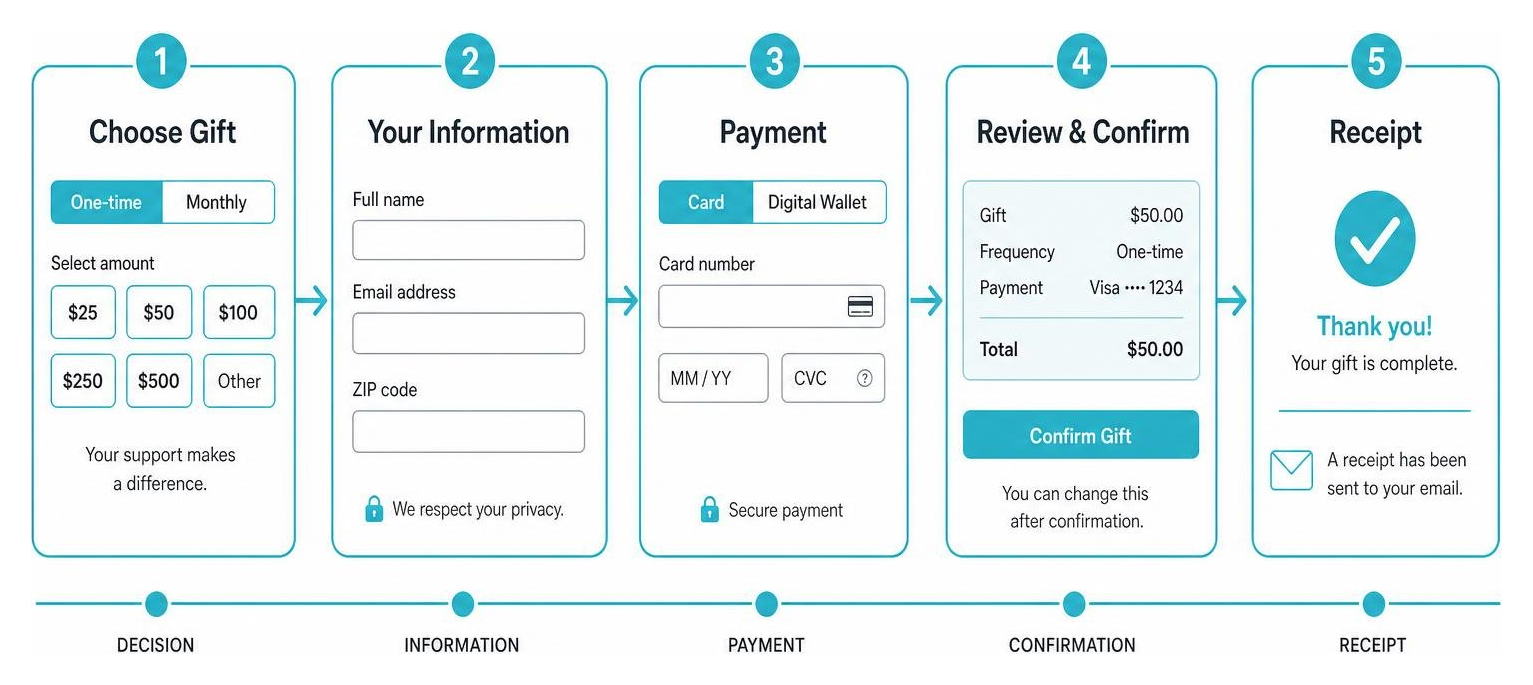
To maximize completion rates, restrict your form fields to the absolute minimum required to complete the financial transaction securely:
- Full name
- Email address (for tax receipt delivery and payment confirmation)
- Billing address or ZIP code
- Payment method details
Secondary information—such as phone numbers, detailed survey questions, or volunteer interests—should be moved to the post-donation confirmation screen or follow-up email campaigns. Supporters who have just completed a gift are highly engaged and far more likely to answer optional questions when it does not compromise their payment flow.
By using dedicated resources detailed in Nonprofit Donation Tools: Why You Need One, you can keep the primary interaction clean while capturing rich supporter data through post-gift engagement workflows.
Leveraging Preset Amounts on Giving Interfaces
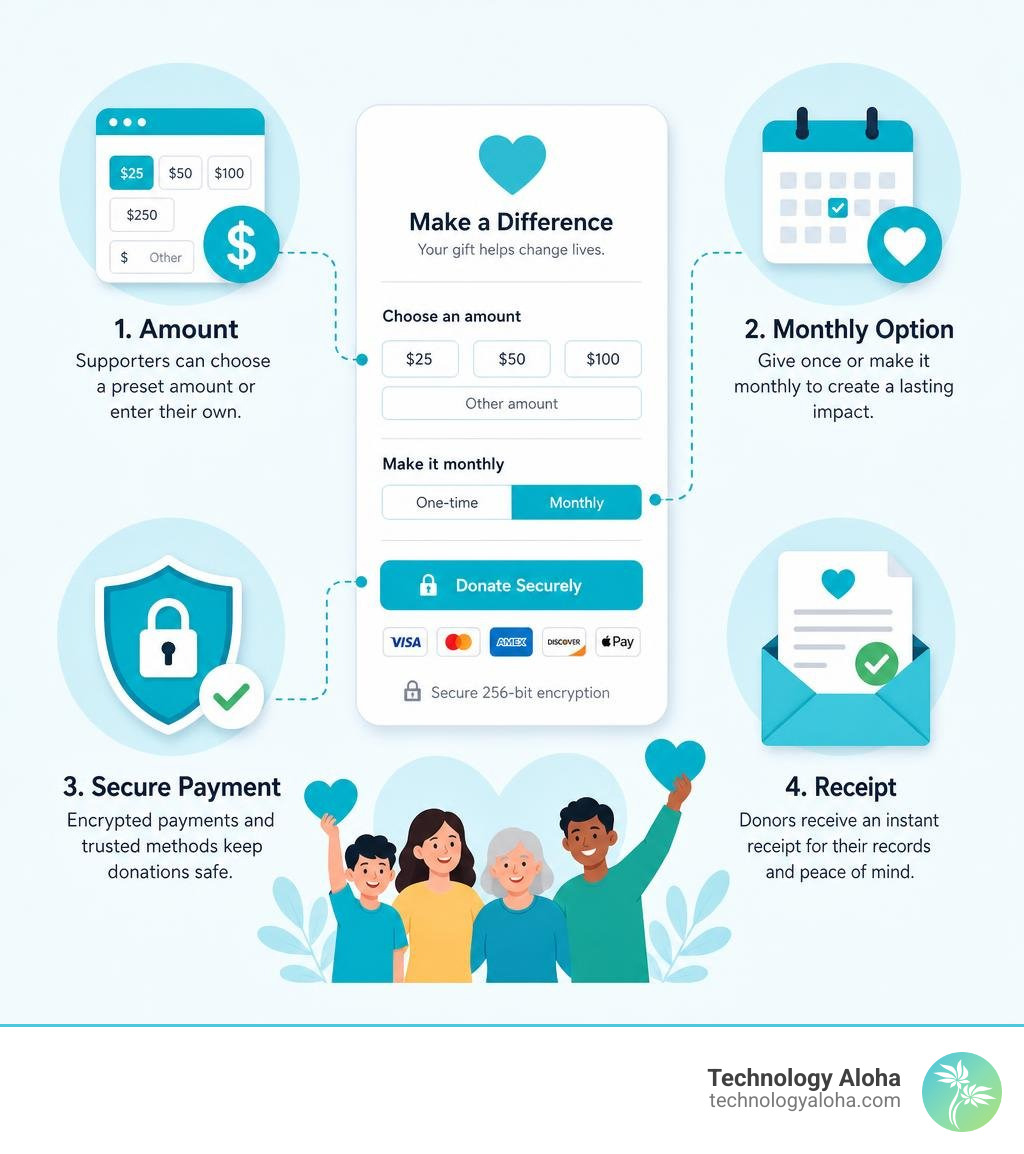
Presenting a blank text box on a donation form forces supporters to calculate what constitutes an appropriate gift. This mental effort creates friction and delays decision-making. Pre-selected giving arrays simplify the decision by providing clear anchor points that signal typical community support levels.
Donors commonly select the second-lowest preset donation amount on fundraising forms. Supporters often avoid the lowest tier to ensure their gift feels meaningful, yet hesitate at upper tiers without prior engagement. Strategic placement of pre-selected values allows you to guide average gift size upward:
- Place your second-lowest option slightly above your historical average gift size.
- Include three to four distinct array buttons (for example: $25, $50, $100, $250) alongside an open custom input field.
- Clearly highlight the custom field so major donors can contribute larger, non-standard amounts without feeling restricted.
Anchoring pricing in this manner speeds up checkout times while raising total revenue without deterring budget-conscious supporters.
Essential Methods for Optimizing Online Donation Forms
Designing Mobile-First Donation Forms
Mobile devices generate more than half of global web traffic, according to StatCounter’s platform market-share data. For community organizations, that makes mobile usability a core requirement rather than a secondary design concern. If a form is difficult to complete on a smartphone screen, supporters may not wait until they return to a computer – they may simply abandon the gift.
A mobile-first approach requires specific technical and layout decisions:
- Single-column layouts: Keep input fields in a single vertical stack so users do not need to zoom or scroll horizontally.
- Optimized touch targets: Form buttons and selection cards must measure at least 44×44 pixels to ensure easy tapping on touchscreens.
- Adaptive keypads: Program form fields to trigger the correct mobile keyboard automatically—such as displaying a numeric keypad when a user taps the credit card or ZIP code field.
- Native browser autofill: Structure HTML form inputs with standard field tags so browsers can instantly fill saved contact and billing details.
Designing mobile-friendly experiences for local initiatives requires prioritizing frictionless, thumb-friendly interactions that allow supporters to complete a contribution in under thirty seconds.
Presenting Recurring Giving Options for Maximum Adoption
Sustained monthly contributions provide the predictable operational revenue nonprofits need to maintain community services year-round. However, forcing supporters to choose between confusing subscription terms or burying monthly giving options deep within form settings drastically reduces adoption.
Present monthly giving options clearly alongside one-time choices at the top of the form using a clean tab or toggle interface. To maximize conversion, consider these proven tactics:
- Separate suggested arrays: Customizing preset amounts based on giving frequency prevents sticker shock. A donor willing to give $100 once may balk if that same $100 preset carries over to a monthly commitment. Offer lower preset arrays (such as $10, $25, and $50) when the monthly tab is selected.
- Post-donation lightboxes: Prompting one-time donors with a targeted lightbox modal immediately after they give can dramatically increase recurring adoption. Presenting a post-gift option to convert a one-time gift into a smaller monthly amount captures recurring commitments while donor momentum is highest, significantly increasing average annual donor value.
- Clear recurring terms: State explicitly when recurring charges will occur and how supporters can modify or pause their contributions, reassuring donors that they remain in control of their financial commitments.
Integrating these touchpoints into your automated outreach helps reinforce donor value over time. Learn more in How Email Marketing Can Convert One-Time Donors into Recurring Supporters to build long-term sustainability.
Build Confidence with Trust Signals, Branding, and Accessibility
Building Accessible Donation Forms for All Donors
Digital accessibility is a fundamental commitment to serving every member of your community. An inaccessible donation form excludes individuals with disability, screen reader users, and older adults using keyboard navigation or high-contrast screen settings.
Adhering to Web Content Accessibility Guidelines (WCAG) ensures your giving interface remains usable for everyone:
- Accessible form labels: Every form field requires an explicit visual and backend code label. Relying solely on placeholder text inside inputs is problematic, as placeholders disappear once a user begins typing, disorienting screen reader users.
- High color contrast: Text, buttons, and border elements must meet minimum contrast ratios (at least 4.5:1 for standard body text) against background colors. Brand primary colors like
#208a9dor deep charcoal#4d4d4dprovide strong visibility against light backgrounds. - Complete keyboard navigation: Ensure every interactive element—including preset buttons, recurring toggles, and submit actions—can be navigated and triggered using the Tab and Enter keys alone.
- Visible error messaging: When a required field is missed or a card is declined, display inline text errors above or below the field using accessible contrast, rather than relying on color changes alone.
Building fully accessible tools demonstrates operational integrity while widening your potential donor base.
Aligning Visual Branding and Security Badges
When a donor clicks a “Donate” button on your main site and is redirected to an unbranded, generic checkout page, uncertainty sets in. Lack of visual consistency makes users question whether their payment is secure or if they have landed on a fraudulent third-party site.
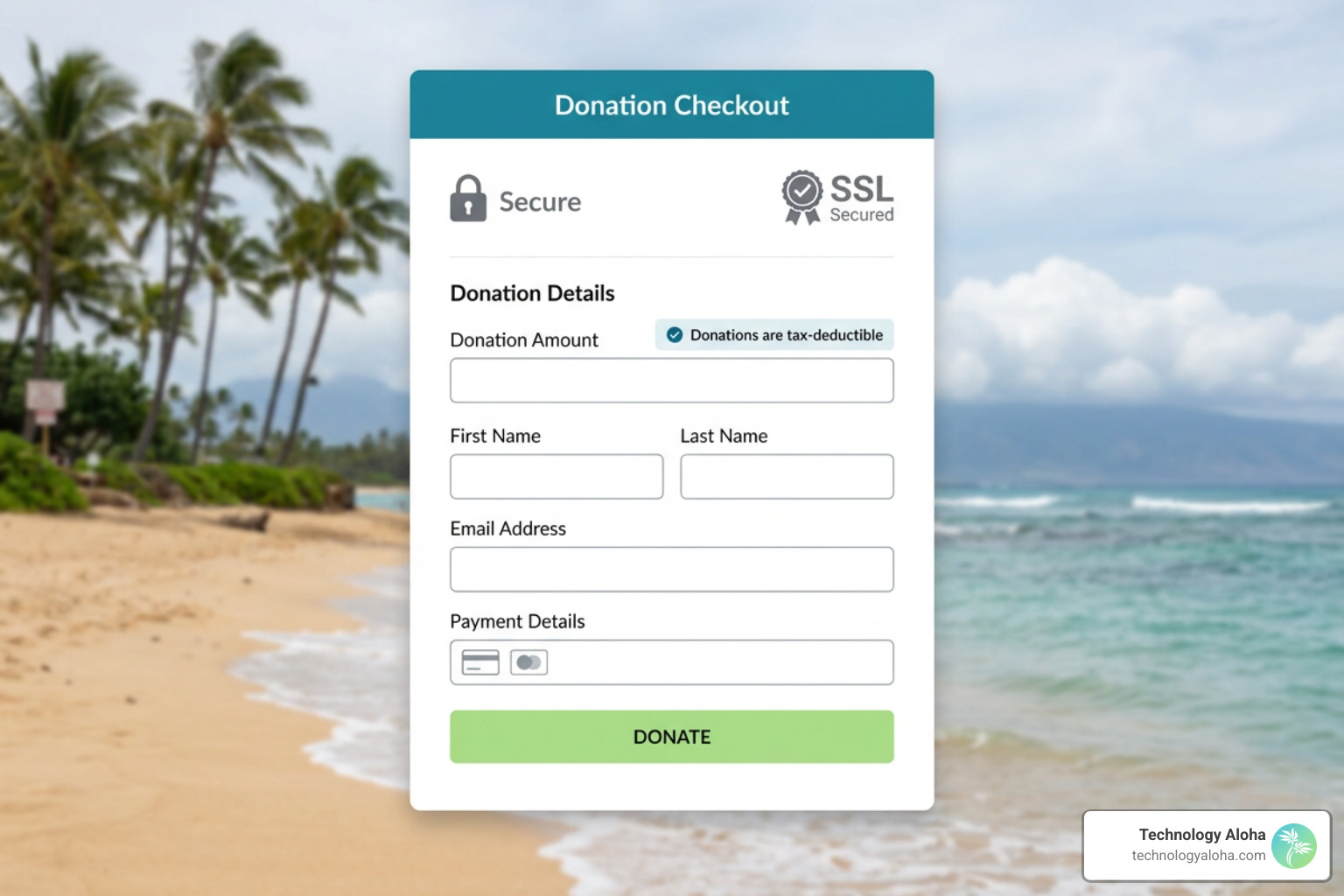
To preserve donor confidence throughout checkout:
- Maintain brand continuity: Carry your organization’s exact logo, custom typography, and color palette (such as
#208a9dand#abe080) onto the form. - Eliminate visual distractions: Remove standard header navigation links and footers from dedicated donation landing pages to keep the donor focused on completing their gift.
- Display trust indicators prominently: Include clear SSL encryption seals, recognized charity evaluator badges, and plain-language tax-deductible disclaimers near the payment button.
Implementing guidelines from Simple Secure Website Tips for Nonprofits assures donors that their personal information and financial data are fully protected.
Diversify Payment Options and Enable Fund Designations
Offering Digital Wallets and Flexible Gateways
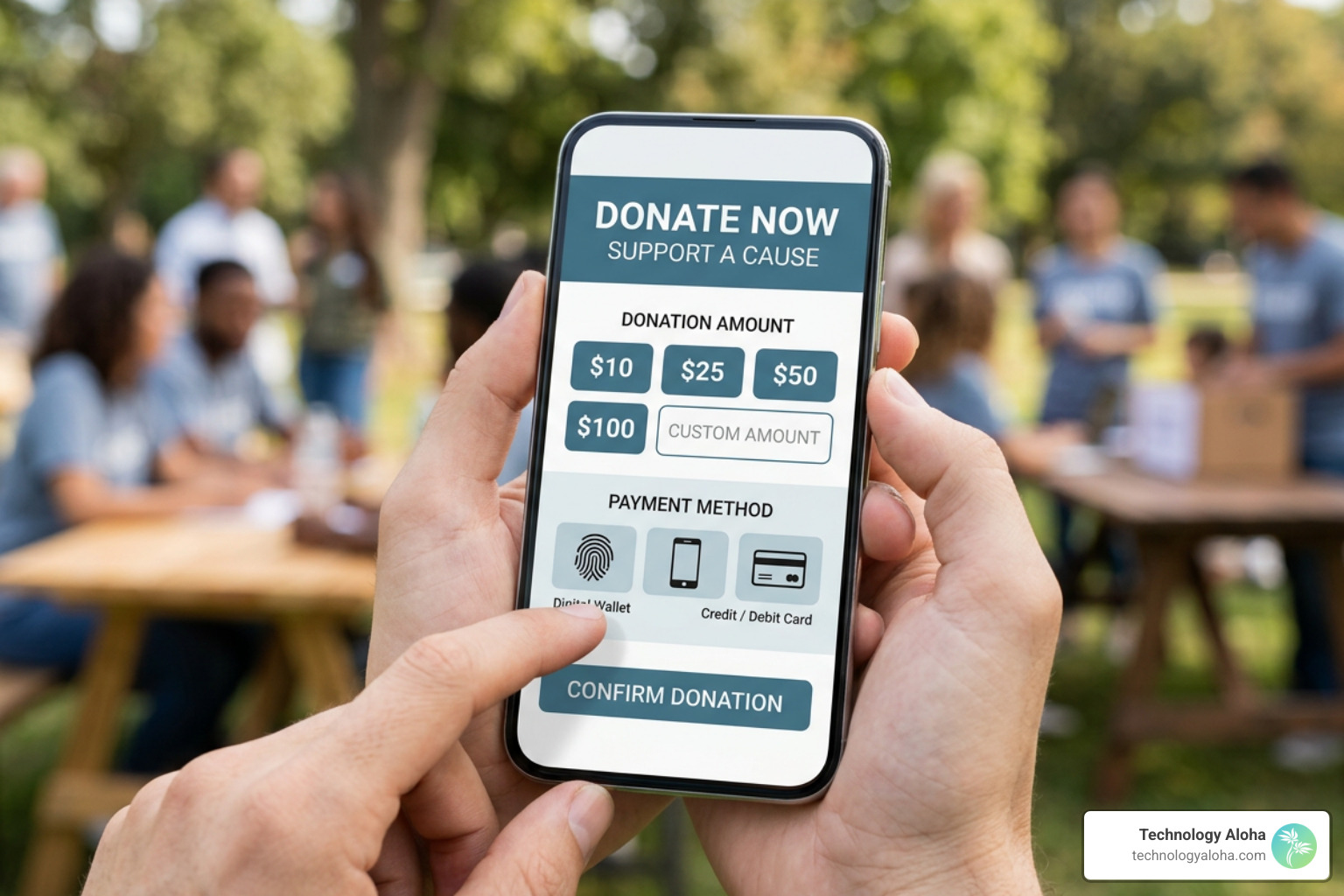
Forcing modern donors to manually type sixteen credit card numbers, expiration dates, and security codes on a mobile device creates severe payment friction. Digital wallet solutions streamline this process by leveraging biometric authentication—such as touch or facial recognition—to complete payments in seconds.
Integrating modern payment processing gateways allows organizations to offer versatile payment choices:
- Apple Pay and Google Pay for instant mobile checkout without manual data entry.
- Direct credit and debit card processing for traditional online donors.
- Automated Clearing House (ACH) direct bank transfers for larger contributions, reducing transaction fees for the organization.
Providing diverse, secure payment methods meets donors where they are, eliminating administrative barriers and ensuring more intentional contributions reach your mission.
Providing Targeted Fund Designations and Tribute Options
Donors are increasingly motivated by transparency and agency. Giving supporters the ability to direct their gifts toward specific operational areas or designate contributions in memory of loved ones deepens emotional investment and strengthens donor relationships.
Incorporating flexible giving options directly within your form enhances the donor experience:
- Designated fund routing: Use simple dropdown menus allowing donors to select specific programs—such as general community relief, youth programs, or local hunger initiatives.
- Tribute and memorial options: Include optional form fields for gifts made “In Honor Of” or “In Memory Of” a family member or colleague.
- Automated notification collection: When a tribute gift is selected, capture the recipient’s mailing address or email so your organization can automatically send an acknowledgment card notifying them of the gift.
Allowing supporters to see the direct connection between their gift and its real-world outcome addresses a primary reason individuals stop supporting organizations. Discover actionable strategies in Donor Retention: 5 Reasons Donors Stop Giving and How to Fix It.
Measure Performance with Continuous Testing and Analytics
A/B Testing Layouts and Copy Adjustments
Optimizing a donation form is an ongoing, iterative process. Small variations in layout, call-to-action wording, button placement, or color choices can lead to measurable differences in conversion rates over time.
A/B testing (split testing) involves showing two variations of a form element to different segments of website visitors to determine which performs better:
- Call-to-action button copy: Test traditional labels like “Submit Payment” against impact-driven copy like “Feed a Family Today” or “Complete My Gift.”
- Form layout structures: Compare a single-page long form against a progressive multi-step layout to evaluate overall completion rates.
- Preset array values: Test different dollar tiers to identify the exact threshold that maximizes average gift size without reducing overall form completion.
Isolate one variable per test and collect statistically relevant sample sizes before implementing changes permanently across your primary giving page.
Tracking Abandonment and Refining the Donor Journey
Analyzing where prospective supporters drop off in your giving sequence provides direct visual evidence of form friction. By configuring event tracking in Google Analytics or specialized conversion tracking tools, you can monitor drop-off rates at every stage of the checkout process.
Key metrics to monitor systematically include:
- Form start vs. completion rate: The percentage of users who interact with the first input field compared to those who reach the confirmation page.
- Field-level abandonment: Identifying specific form fields where users pause longest or leave the page entirely.
- Mobile vs. desktop drop-off: Comparing completion performance across device types to pinpoint mobile rendering issues.
Aligning your digital checkout experience with The Importance of Branding for Your Nonprofit builds a seamless donor journey from initial social media discovery all the way through payment confirmation.
Frequently Asked Questions
What causes donors to abandon a gift before finishing?
Donors typically abandon online giving forms due to excessive fields, poor mobile optimization, forced account creation, unexpected fees, or lack of clear security signals. Streamlining fields to essential contact details and providing recognizable digital wallet options prevents high drop-off rates.
What are the most effective preset donation amounts to offer?
The most effective preset arrays offer three to four options tailored around your organization’s historical average gift size. Because donors most frequently select the second-lowest amount offered, setting that second option slightly above your median gift helps raise total revenue while remaining accessible. Always provide an open custom amount field for larger contributions.
How can nonprofits increase monthly recurring gift signups?
Organizations can increase monthly giving by making recurring toggles prominent at the top of the form, adjusting preset arrays lower for recurring options, and deploying post-donation lightbox prompts. Offering lower initial monthly commitments makes recurring giving feel accessible to every budget.
Why is Optimizing Donation Forms Crucial for Nonprofit Success?
Optimizing your organization’s donation forms is one of the most effective, high-return strategies for increasing online revenue and expanding donor retention. By eliminating unnecessary form fields, prioritizing mobile responsiveness, providing clear recurring giving options, and displaying transparent security cues, you remove friction and empower supporters to act instantly on their generosity.
Every improvement made to your giving experience transforms passive site visitors into committed long-term partners, ensuring your mission receives steady, reliable support over time.