Why Flyer Design and Printing Still Drives Real Marketing Results
Flyer design and printing remains one of the most cost-effective ways to get your brand in front of the right people — fast.
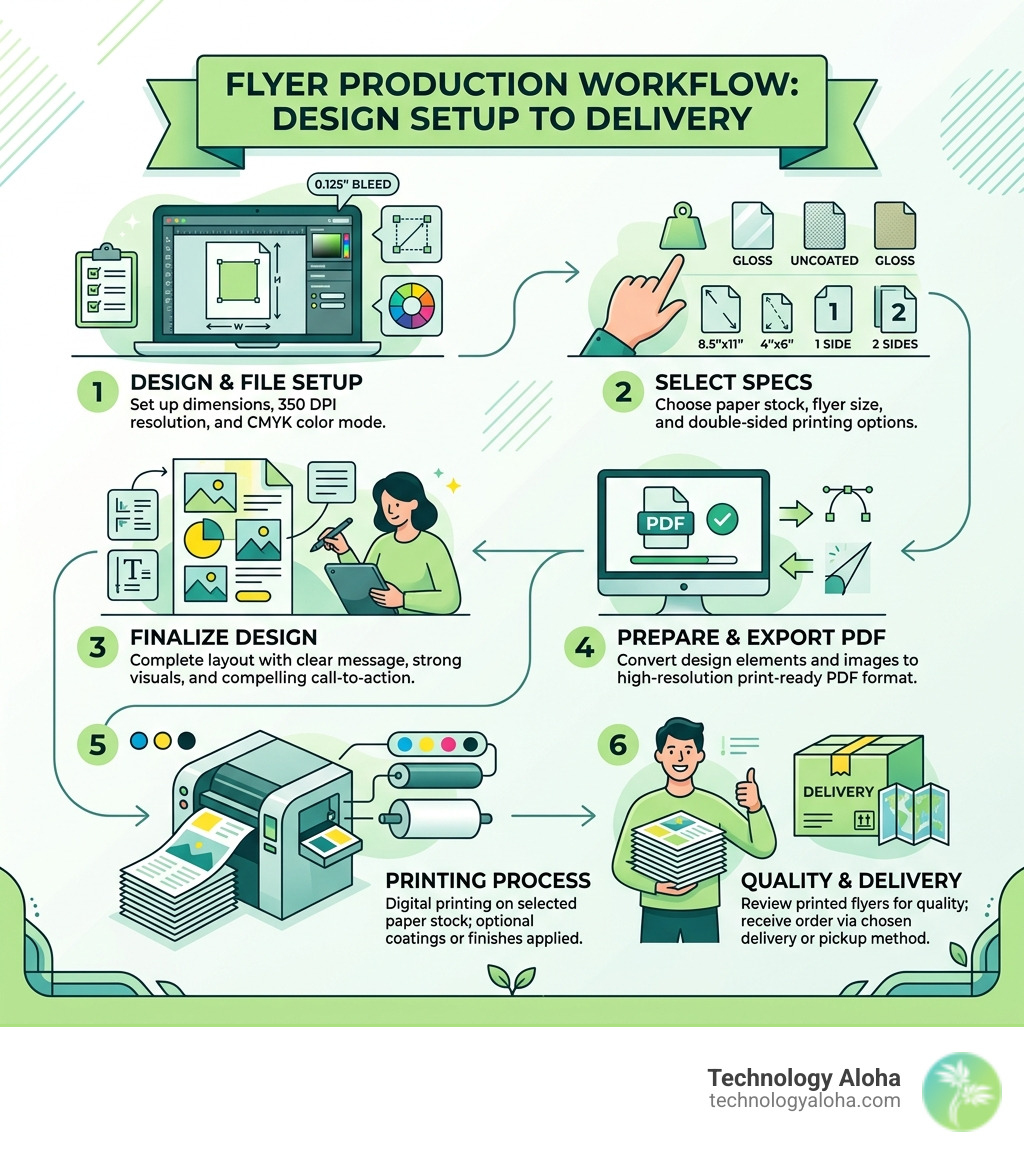
Here’s a quick-start answer for what you need to know:
How to design and print a professional flyer:
- Set up your file correctly — 350 DPI resolution, CMYK color mode, 0.125″ bleed on all sides
- Choose the right size — 8.5″ x 11″ for bulletin boards, 4″ x 6″ for handouts and mailers
- Pick your paper stock — gloss for vibrant color, matte for a professional feel, uncoated if people need to write on it
- Decide on sides — double-sided printing gives more room for your message
- Export as PDF — it’s the most reliable format for professional print shops
- Order in bulk — larger quantities drop the cost per flyer significantly
- Choose your turnaround — same-day pickup is available at many local print hubs; standard delivery runs 3–8 business days
Flyers work because they are tangible. You put one in your pocket; your brand travels with you. A social media post cannot do that. Data from the Data & Marketing Association shows physical handouts achieve higher response rates than digital-only campaigns.
For small businesses competing in crowded markets, a well-designed flyer can announce a product launch, fill seats at an event, or drive foot traffic — all without a big ad budget. Professional printing services offer same-day in-store pickup, while specialized online providers offer dozens of size options and specialty paper stocks to match nearly any use case.
But here’s the problem most small business owners run into: the design and file setup is where things go wrong. A low-resolution image, missing bleed, or the wrong color mode can turn a great concept into a blurry, border-riddled disappointment.
This guide covers everything — from file specs and paper choices to design strategy and sustainability options — so your flyers actually work.
Easy flyer design and printing glossary:
- Why Creative Graphic Design Is The Secret Sauce For Your Business
- The Graphic Design and Printing Guide for Non-Designers
- The Ultimate Guide to Motion Graphics for Social Media
Mastering the Technical Side of Flyer Design and Printing
To achieve a professional look in April 2026, you must look beyond the screen. What looks sharp on a monitor can appear pixelated or dull on paper if the technical foundation is weak. High-quality flyer design and printing starts with three pillars: resolution, color mode, and bleed.
First, your file resolution must be at least 350 DPI (dots per inch). While 72 DPI is fine for a website, print requires a much higher density of information to ensure lines are crisp and images are clear. Second, always design in CMYK color mode. Computer screens use RGB (Red, Green, Blue), but commercial printers use Cyan, Magenta, Yellow, and Black. If you design in RGB, your bright neon blues might turn into a muddy navy once printed.
Finally, the “bleed” is the extra 0.125″ of design that extends past the final trim size. This ensures that if the paper shifts slightly during cutting, you aren’t left with an ugly white sliver at the edge. For more complex projects, our Graphic Design services can help navigate these technical hurdles to ensure your brand remains consistent.
| Feature | Requirement | Why It Matters |
|---|---|---|
| Resolution | 350 DPI | Prevents pixelation and blurry text |
| Color Mode | CMYK | Ensures color accuracy from screen to paper |
| Bleed | 0.125″ | Prevents white edges after trimming |
| Format | Preserves fonts, layers, and high-res images |
Standard Sizes for Flyer Design and Printing
Choosing the right size depends entirely on how you plan to distribute your message. In flyer design and printing, size dictates the “dwell time” a customer spends with your content.
- 8.5″ x 11″ (Letter Size): This is the gold standard for bulletin boards, community centers, and informational handouts. It provides ample space for detailed event schedules or price lists.
- 4″ x 6″ or 5″ x 7″ (Club Flyers): These are compact and perfect for handing out at events or slipping into mailboxes. They feel more like a postcard and are often kept longer by the recipient.
- 11″ x 17″ (Tabloid): Technically a small poster, this size is ideal for window displays where you need to catch someone’s eye from across the street.
- A4 and A5: While less common in the US, these international standards are often used by global brands for a sleek, modern aesthetic.
Essential File Preparation for Professional Results
Before you hit “upload,” you need to finalize your document to avoid common printing errors. Flattening your layers is a vital step; it reduces file size (often to under the 75MB limit required by many printers) and prevents elements from shifting.
You should also prioritize vector graphics for logos and icons. Unlike raster images, vectors can be scaled to any size without losing quality. If you are including photos of your products, make sure they are high-resolution. You can learn how to Create Impressive Online Store Photos to ensure your flyer looks as professional as your digital presence. Lastly, always embed your fonts or convert them to outlines so the printer doesn’t replace your beautiful typography with a default font like Arial.
Choosing the Right Paper Stocks and Finishes
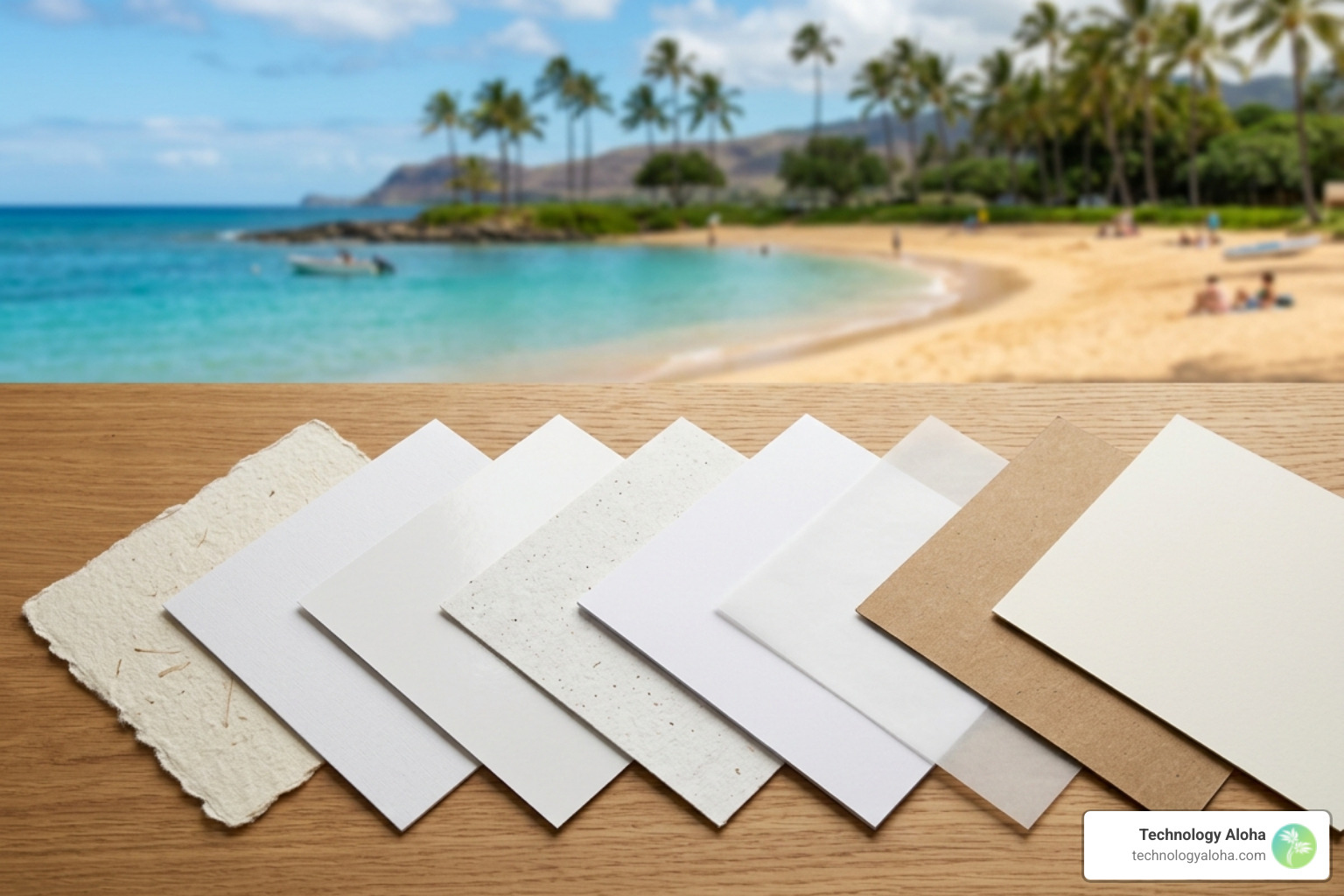
The “feel” of your flyer tells a story about your brand before the customer even reads a word. Thick cardstock screams “luxury and stability,” while thin, glossy paper suggests “fast-moving deals and excitement.” Understanding the difference between “book” (thin) and “cover” (thick) stocks is essential.
- 100 lb. Gloss Book: This is a lightweight, standard flyer paper. It’s twice as thick as regular copy paper and offers a vibrant shine that makes colors pop.
- 14 pt. or 16 pt. Cardstock: This is a heavy-duty option. It’s durable, resists creasing, and is often used for high-end business promotions or “keep-hold-of-me” advertisements.
- Matte Finish: This provides a professional, non-glare look. It is easier to read under bright lights and feels more artisanal.
- Uncoated Stock: If you need your customers to fill out a form or sign a raffle ticket, uncoated is the way to go.
Understanding Why Creative Graphic Design Is The Secret Sauce For Your Business helps you align these physical choices with your overall brand strategy.
Impact of Finishes on Writability and Durability
Finishes aren’t just about looks; they provide protection. An Aqueous coating is often applied to orders of 250 or more to provide a subtle shine and scuff resistance. However, if you want maximum “wow” factor, High Gloss UV coating provides a mirror-like finish that protects against sunlight and moisture.
The trade-off is writability. You cannot write on UV-coated flyers with a standard ballpoint pen. If your flyer includes a “Save the Date” area where people might jot down notes, stick to uncoated or matte stocks. For glossy surfaces, a permanent marker is usually required to prevent smearing.
Strategic Design for Maximum Conversion
A flyer that looks pretty but doesn’t sell is just expensive wallpaper. To drive results, you must master visual hierarchy. Your headline should be the largest element, followed by a compelling image, and finally the details. For a deeper dive into effective layout principles, refer to The Non-Designer’s Design Book.
Limit your typography to no more than two fonts. Using too many typefaces makes the design look cluttered and amateur. In 2026, QR code integration is no longer optional; it is the bridge between your physical flyer and your digital storefront. Ensure your QR code is at least 1″ in size and has enough contrast to be scanned easily.
Every flyer needs a clear Call-to-Action (CTA). Whether it’s “Visit our Kahului location,” “Scan to Register,” or “Call for a Quote,” make it bold and impossible to miss.
Cost Factors in Professional Flyer Design and Printing
Efficiency in flyer design and printing often comes down to quantity. Most professional printers use offset printing for large runs (usually 500+), which significantly lowers the cost per unit. For example, 1,000 flyers might cost only a fraction more than 250.
Single-sided printing is the most budget-friendly, but double-sided printing (often called 4/4 in the industry) offers double the real estate for a marginal price increase. If you are a small business in Hawaii, consider shipping logistics. Ordering in bulk can help offset the costs of getting materials to the islands, and many services now offer express 1-to-3 day shipping to ensure you meet your event deadlines.
Sustainability and Modern Turnaround Times
In April 2026, sustainability is a core requirement for many consumers. When selecting a printing partner, look for FSC® certification, which ensures the paper comes from responsibly managed forests. Many premium stocks now contain at least 70% recycled materials.
Modern technology has also slashed production times. You can often get same-day printing with in-store pickup at local hubs in Kahului or Honolulu. For larger, more complex orders, the goal is typically a 72-hour completion window. Using soy-based inks and recyclable packaging are other ways we can reduce the environmental footprint of our marketing materials.
Frequently Asked Questions about Flyer Production
What is the best resolution for flyer printing?
The industry standard is 350 DPI. While 300 DPI is acceptable, 350 ensures that even fine print and intricate logos remain sharp during the high-speed printing process. Never use 72 DPI images pulled from a website; they will appear “blocky” and unprofessional.
Can I write on glossy flyer paper?
Technically, yes, but not with a standard pen. Standard ink will bead up and smear on a UV or Aqueous gloss coating. If you must use glossy paper and need to write on it, use a permanent marker. Otherwise, choose an uncoated or “matte” stock which is specifically designed to absorb ink.
How do bleed settings prevent white borders?
Bleed is an extra 0.125″ of your background design that extends beyond the “trim line.” When the printer cuts a stack of 5,000 flyers, the blade might shift by a fraction of a millimeter. If your design stops exactly at the edge, that shift creates a white line. Bleed provides a “safety net” so the color always goes to the very edge.
Conclusion
Effective flyer design and printing is a blend of technical precision and creative strategy. By focusing on high-resolution files, choosing the right paper weight, and ensuring a clear call-to-action, you create a marketing tool that actually moves the needle for your business.
At Technology Aloha, we believe in data-driven design that blends cohesive branding with high-conversion layouts. Whether you are promoting a new service in Kahului or announcing a statewide event, our team is here to ensure your print materials work as hard as you do. Ready to take your brand to the next level? Explore our Graphic Design services today.