Your Google PageSpeed Insights Score Is Not What You Think It Is
Your Google PageSpeed Insights score is a number between 0 and 100 that measures your web page’s performance — but it is not a direct Google ranking factor, and chasing a perfect 100 can actually hurt your site.
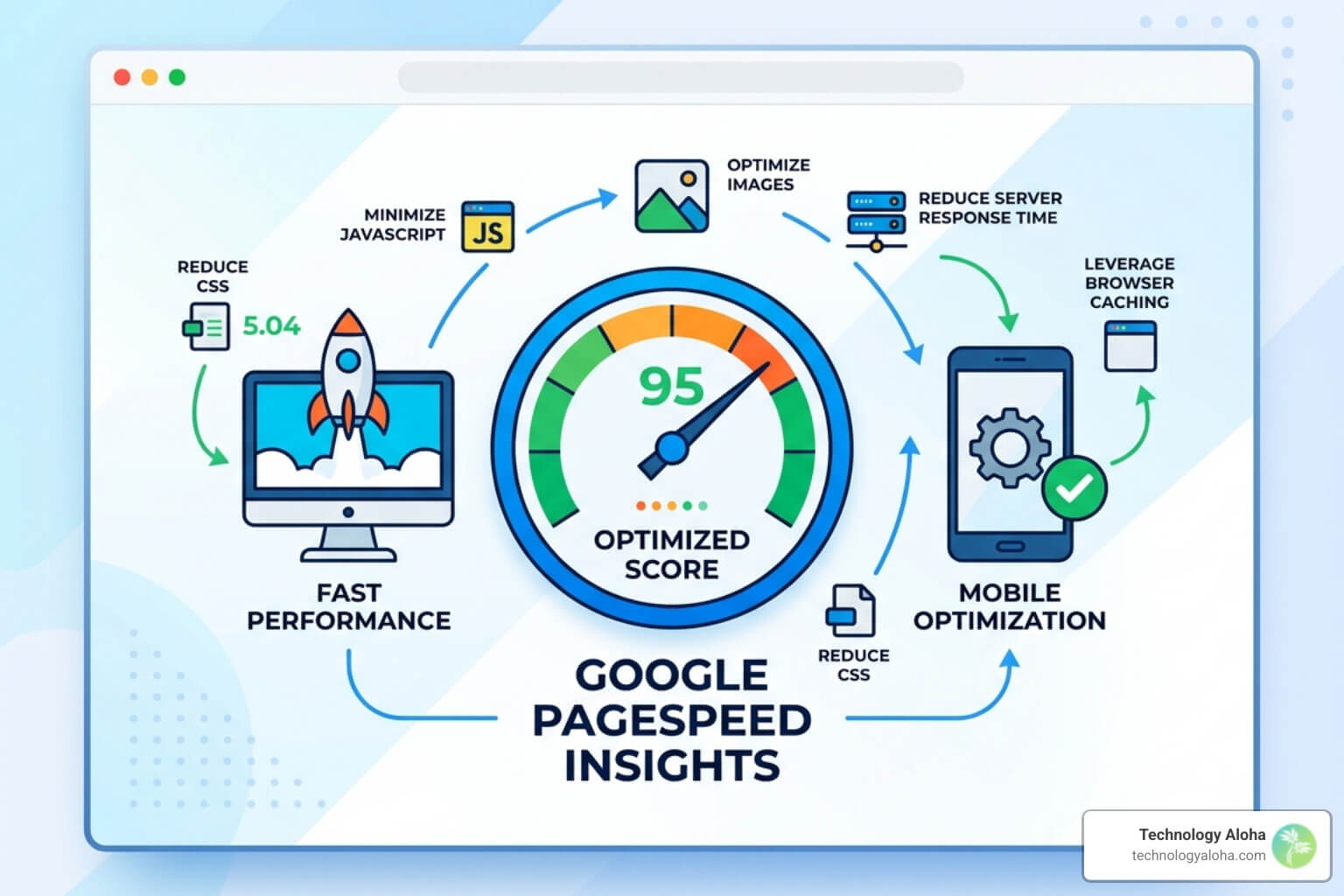
Here’s what the scores mean at a glance:
| Score | Rating | What It Means |
|---|---|---|
| 90–100 | Good | Strong performance |
| 50–89 | Needs Improvement | Room to grow |
| 0–49 | Poor | Significant issues |
Most small business owners treat their PageSpeed Insights score like a report card. Green means pass. Red means panic. But that mental model is wrong — and it costs people real money.
Here’s the uncomfortable truth: the score you see may not reflect what your actual visitors experience. It’s generated in a controlled lab environment, simulating a mid-range Android phone on a throttled mobile connection. Your real users? They’re on a wide range of devices, networks, and locations.
A one-second delay in page load time can reduce conversions by 7%. Walmart found that shaving one second off load time increased conversions by up to 2%. So yes — speed matters enormously. But the PageSpeed Insights score is a diagnostic tool, not a performance verdict.
What actually affects your Google search rankings are **Core Web Vitals — three specific real-world metrics measuring loading, interactivity, and visual stability. Your lab score and your Core Web Vitals can tell very different stories.
This guide breaks down exactly what the score measures, why it fluctuates, what actually moves the needle for SEO, and how to fix the right things — not just chase a number.
Basic google pagespeed insights score terms:
- Website Speed Optimization
- The Ultimate Checklist To Speed Up Page Load Time Wordpress
- Stop The Lag With These Wordpress Speed Optimization Tips
Lab Data vs. Field Data: Why the Numbers Don’t Match
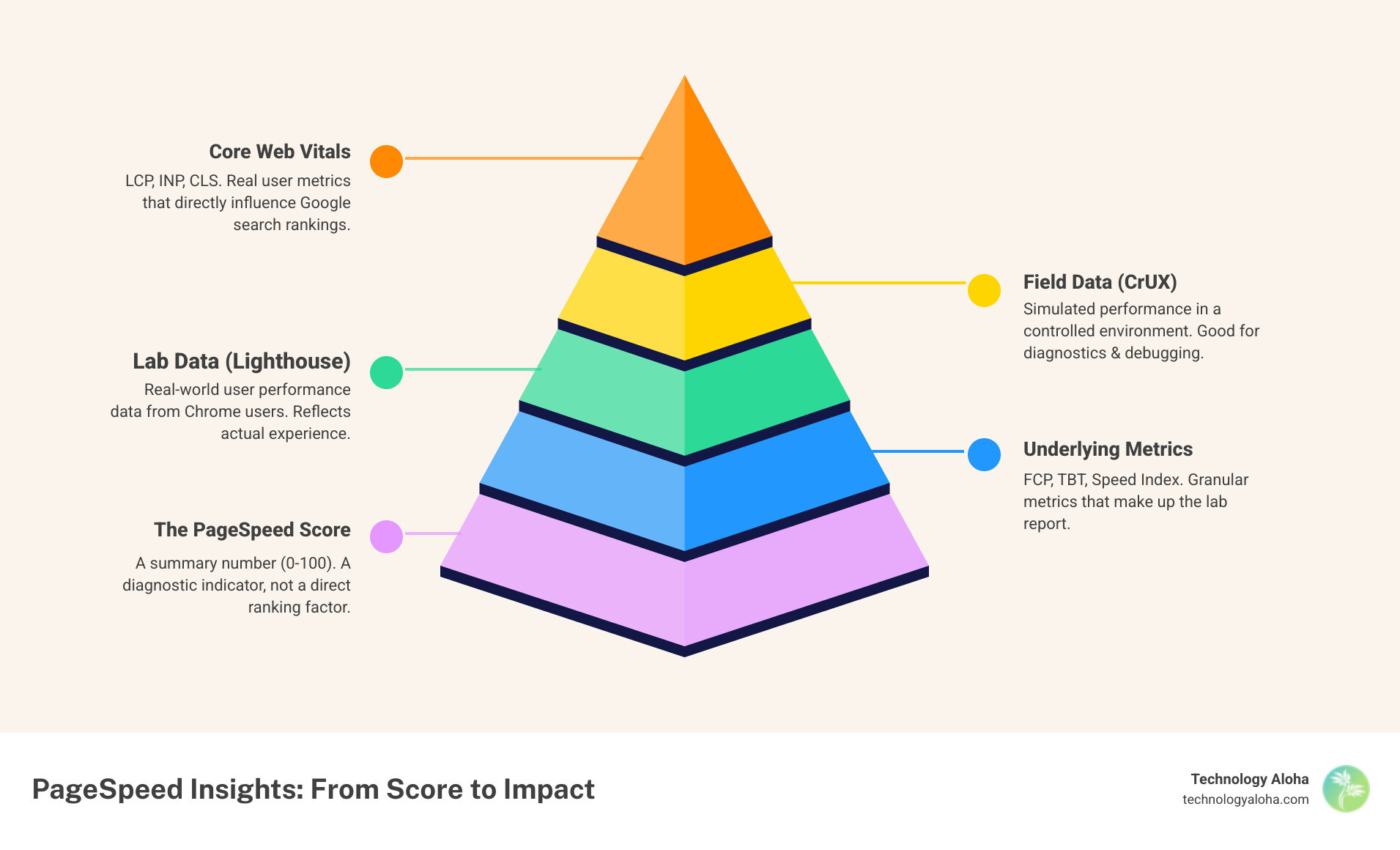
When you run a report on PageSpeed Insights, you are greeted by two distinct sets of data: Lab Data and Field Data. Understanding the difference between them is the first step toward realizing why your google pagespeed insights score might feel like a lie.
Lab Data is powered by Lighthouse. It is a simulated “test drive” of your website. Google uses a controlled environment—specifically a mid-tier Moto G4 device on a 4G connection for mobile—to see how your page loads. Because the conditions are fixed, Lab Data is excellent for debugging. If you change a line of code and the score moves, you know your change caused it. However, Lab Data is a “passive scan.” It doesn’t click buttons or scroll through your content like a human would.
Field Data, on the other hand, comes from the Chrome User Experience Report (CrUX). This is real-world data collected from actual users who have visited your site over the last 28 days. It reflects the “internet weather” those users faced: slow cafe Wi-Fi, old iPhones, or high-end desktop setups.
Google uses the 75th percentile for these metrics. This means they look at the experience of the majority of your users to ensure that even those on slightly slower connections are getting a good experience. This is why PageSpeed Insights, now powered by Lighthouse, often shows a “Pass” for Core Web Vitals even if the performance score is in the yellow or red. The lab simulation might be struggling, but your real-world users are doing just fine.
Why Your google pagespeed insights score Fluctuates
It is a common source of frustration: you run a test at 9:00 AM and get an 85. You run it again at 9:05 AM—without touching a single file—and get a 78. Why?
The answer lies in “internet weather” and resource contention. Even in a simulated lab environment, several variables are at play:
- Network Throttling: Google simulates a slow connection, but the actual path the data takes from your server to Google’s testing server (located in places like Oregon, South Carolina, or the Netherlands) can vary in speed.
- Server Load: If your hosting server is busy processing requests for other sites at the exact moment of the test, your Time to First Byte (TTFB) will increase, dragging down the whole score.
- Hardware Variability: The physical machine running the Lighthouse test might have a momentary spike in CPU usage, slowing down the execution of your site’s JavaScript.
As noted in the official documentation About PageSpeed Insights | Google for Developers, these fluctuations are normal. You should look for trends over time rather than obsessing over a single point-in-time result.
Core Web Vitals: The Real Ranking Factors
If the google pagespeed insights score is just a diagnostic number, what does Google actually care about for SEO? The answer is Core Web Vitals (CWV). These are the metrics that live in the “Field Data” section and directly influence your search engine rankings.
There are three primary Core Web Vitals to watch in 2026:
- Largest Contentful Paint (LCP): This measures loading performance. It tracks how long it takes for the largest image or text block to become visible. You want this to be 2.5 seconds or less.
- Interaction to Next Paint (INP): This measures interactivity. It replaced First Input Delay (FID) to provide a more comprehensive look at how responsive your page is to user clicks and taps. A “good” score is 200 milliseconds or less.
- Cumulative Layout Shift (CLS): This measures visual stability. Have you ever tried to click a link, only for an image to load at the last second and move the link down, causing you to click an ad instead? That is a layout shift. You want a score of 0.1 or less.
Focusing on these three metrics is one of the most effective 23 Techniques For Website Performance Optimization. Unlike the lab score, CWV represents the actual frustration—or lack thereof—experienced by your customers.
The Anatomy of a google pagespeed insights score
To understand how to improve your score, you need to know how it is calculated. The 0–100 score is a weighted average of several Lighthouse metrics. As of the current version in April 2026, the weights are roughly:
- Total Blocking Time (TBT): 30% – This measures how long JavaScript execution prevents the user from interacting with the page. This is usually where WordPress sites struggle the most.
- Largest Contentful Paint (LCP): 25% – Since this is also a Core Web Vital, it carries heavy weight.
- Cumulative Layout Shift (CLS): 25% – Visual stability is a top priority for Google.
- First Contentful Paint (FCP): 10% – How long until the very first bit of content appears.
- Speed Index (SI): 10% – How quickly the contents of a page are visibly populated.
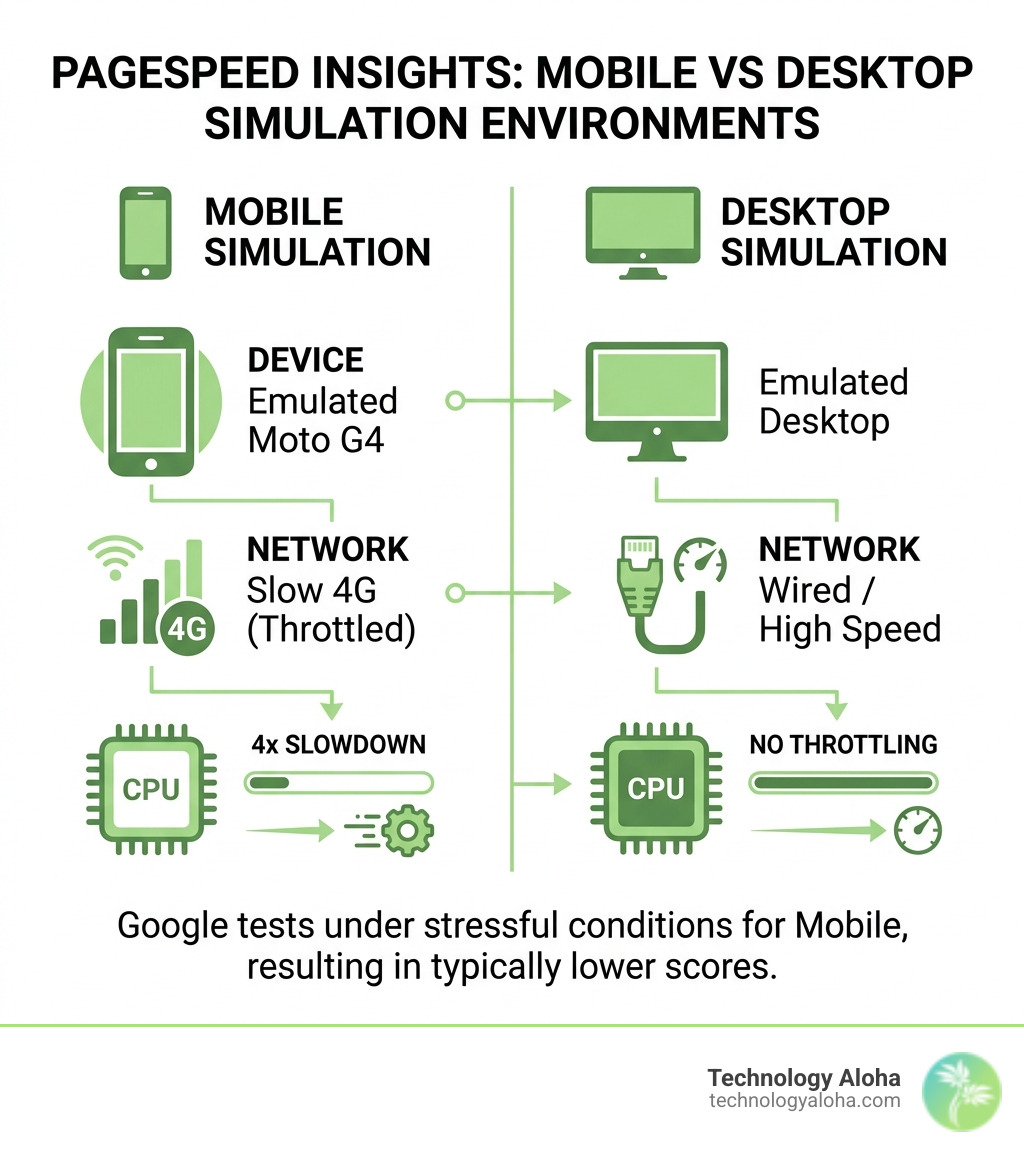
The simulation conditions also differ wildly between mobile and desktop:
| Condition | Mobile Simulation | Desktop Simulation |
|---|---|---|
| Device | Emulated Moto G4 | Emulated Desktop |
| Network | Slow 4G (Throttled) | Wired / High Speed |
| CPU | 4x Slowdown | No Throttling |
This is why your mobile google pagespeed insights score is almost always lower than your desktop score. Google is intentionally testing your site under “stressful” conditions to ensure it works for everyone.
Strategic Ways to Improve Your google pagespeed insights score
Improving your score isn’t about “tricking” Google; it’s about making your site genuinely better for users. Here are the high-impact areas where we focus our efforts:
1. Image Optimization: Large, uncompressed images are the #1 cause of poor LCP scores. You should always serve images in next-gen formats like WebP or AVIF. Additionally, ensure your images are properly sized—don’t upload a 4000px wide photo if it’s only being displayed at 800px. Using tools to Make the Web Faster | Google for Developers can help automate this.
2. Eliminate Render-Blocking Resources: When a browser loads your site, it stops everything to download and parse CSS and JavaScript files. If these files are large or numerous, the page stays blank. You can “defer” non-essential JavaScript so the page can load the visual elements first. This is a key part of Stop The Lag With These Wordpress Speed Optimization Tips.
3. Minification and Compression: Minifying your code means removing unnecessary spaces, comments, and characters from your CSS and JS files. While it might only save a few kilobytes, those savings add up across dozens of files, especially on slow mobile connections.
Common Pitfalls in Website Performance
Sometimes, in an effort to make a site “better,” owners actually make it slower. Here are the most common traps:
- Third-Party Scripts: Every “helpful” widget you add—chat bots, Facebook Pixels, Hotjar heatmaps, and ad scripts—adds a massive load to your TBT. These scripts often load from external servers that you don’t control, meaning they can slow down your site significantly.
- Plugin Bloat: In the WordPress world, there is a plugin for everything. But having 40+ active plugins means your server has to do a lot of extra work before it can even start sending data to the user.
- Unoptimized Hosting: You can spend weeks optimizing code, but if your site is on a “budget” shared server with thousands of other websites, your TTFB will always be poor. Upgrading to managed hosting is often the fastest way to see a jump in performance.
For a deeper dive, check out The Ultimate Checklist To Speed Up Page Load Time Wordpress.
Frequently Asked Questions about PageSpeed Insights
Is a 100/100 score necessary for SEO?
No. While a 100/100 score is a great achievement, it is not a requirement for high rankings. Google’s primary concern is whether you pass the Core Web Vitals assessment. Many high-ranking, high-conversion websites sit in the 80s or 90s because they prioritize user-facing features (like high-quality images or helpful scripts) over a perfect technical score.
Why is my mobile score lower than my desktop score?
As shown in our comparison table earlier, the mobile test uses a throttled processor and a slower network connection. Most modern desktops can “brute force” their way through unoptimized code, but a mid-range mobile phone cannot. Since more than half of all web traffic comes from mobile devices, Google prioritizes these “worst-case scenario” results.
How often should I test my website speed?
We recommend running a check at least once a month, or whenever you make significant changes to your site (like adding a new plugin or a high-resolution hero image). However, don’t just look at the PSI tool—keep an eye on your Google Search Console “Experience” report, as this shows you the real-world Core Web Vitals data Google is actually using for your rankings.
Conclusion
At the end of the day, your google pagespeed insights score is a tool, not a trophy. It provides a roadmap for improvement, but the ultimate goal is always the user experience. A fast site builds trust, keeps visitors engaged, and—most importantly—drives conversions.
At Technology Aloha, we don’t just chase green circles. We use data-driven insights to blend cohesive branding with high-conversion designs. We understand that for businesses in Hawaii and beyond, your website is often your first impression. Making sure that impression is fast and stable is what we do best.
If you are tired of staring at a red score and aren’t sure where to start, we can help. From technical audits to comprehensive Website Speed Optimization, we ensure your site isn’t just fast on paper, but fast for your actual customers. Let’s move beyond the “lies” of the lab score and build a high-performance digital presence that grows your business.