Your WordPress Site Is Slow — Here’s What to Do About It
WordPress speed optimization is the process of reducing your site’s load time through better hosting, caching, image compression, code cleanup, and database maintenance. Here’s what actually moves the needle:

Quick answers for fast results:
- Upgrade your hosting — Shared hosting is the most common culprit. Move to managed WordPress hosting with NVMe SSDs.
- Enable caching — Page caching alone can make your site 2x–5x faster overnight.
- Compress your images — Unoptimized images are the single biggest source of page bloat. Use WebP or AVIF formats.
- Update PHP — PHP 8.3 handles two to three times more requests per second than older versions.
- Clean your database — Revisions, transients, and orphaned data slow down every query.
- Use a CDN — A content delivery network serves your files from servers closer to each visitor.
- Minify and defer code — Remove unused CSS, defer non-critical JavaScript, and inline critical styles.
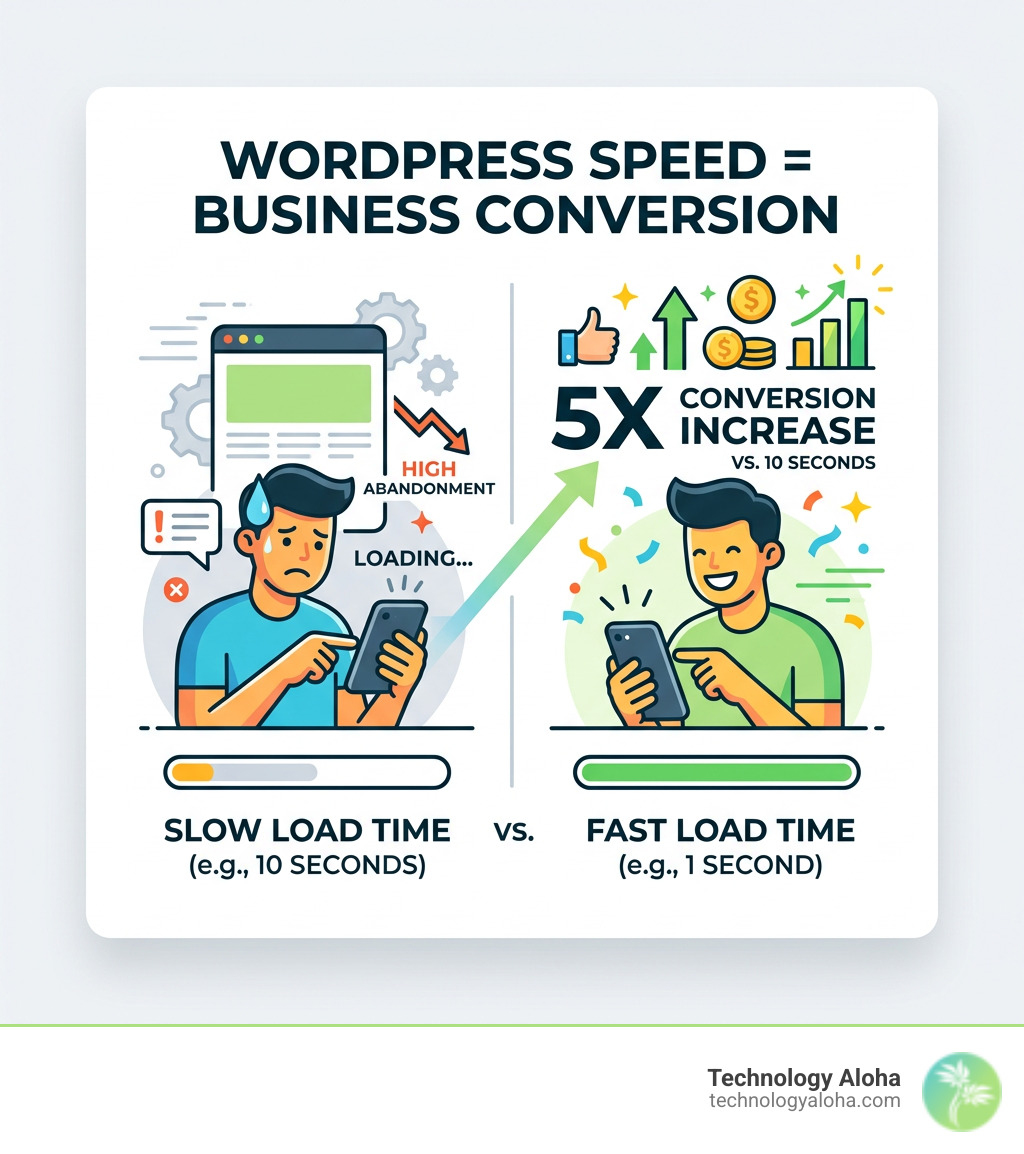
Here’s the business case in one sentence: 57% of visitors abandon a site that takes more than 3 seconds to load — and sites that load in 1 second convert five times more than those that take 10.
That’s not a minor inconvenience. That’s revenue walking out the door.
For small business owners, a slow WordPress site doesn’t just frustrate visitors — it undermines every dollar you spend on marketing, SEO, and content. You can have the best offer in your market and still lose to a competitor with a faster site, simply because Google ranks them higher and visitors trust them more.
The good news: most WordPress speed problems are fixable without rebuilding your site from scratch. This guide walks you through every layer — from server infrastructure to image formats to database hygiene — so you know exactly what to fix and why it matters.
The Infrastructure of a High-Performance Site
Think of your website like a car. You can have the most aerodynamic body (your theme), but if the engine (your hosting) is a lawnmower motor, you aren’t winning any races. The foundation of wordpress speed optimization begins at the server level.
Many small businesses start on shared hosting because it is inexpensive. However, shared hosting is essentially 500 websites fighting over one computer’s resources. When a “noisy neighbor” site gets a traffic spike, your site drags. To achieve professional results in 2026, we recommend Managed WordPress Hosting. These environments are specifically tuned for the WordPress file structure and often utilize NVMe SSDs (Non-Volatile Memory Express), which read and write data significantly faster than traditional solid-state drives.
A critical metric to watch is Time to First Byte (TTFB). This measures the delay between a browser requesting a page and receiving the first byte of data from the server. For a high-performance site, we aim for a TTFB under 200ms. If your hosting is slow, no amount of plugin tweaking will fix your core speed issues. Furthermore, ensuring your server runs PHP 8.3 is non-negotiable. Newer PHP versions can handle two to three times as many requests per second as their predecessors, providing an instant performance boost just by toggling a setting in your hosting dashboard.
According to research from Portent, sites that load in 1 second convert 5x more than those that take 10 seconds. In digital marketing, speed is literally money.
| Hosting Type | Performance Level | Ideal For | TTFB Expectation |
|---|---|---|---|
| Shared | Low | Personal blogs, tiny hobby sites | 600ms – 1.2s |
| VPS | Medium | Growing businesses, tech-savvy users | 300ms – 600ms |
| Managed | High | Professional businesses, eCommerce | <200ms |
Measuring Success with WordPress Speed Optimization Tools
Before you start changing settings, you need a baseline. We use Core Web Vitals to measure real-world user experience. These metrics are part of Google’s ranking algorithm, meaning they directly impact your SEO.
- Largest Contentful Paint (LCP): Measures how long it takes for the largest piece of content (usually a hero image or heading) to appear. Aim for under 2.5 seconds.
- Cumulative Layout Shift (CLS): Measures visual stability. Have you ever tried to click a button only for the page to jump, causing you to click an ad instead? That’s a high CLS. Aim for a score of 0.1 or less.
- Interaction to Next Paint (INP): This replaced First Input Delay (FID) as a core metric. It measures how responsive your page is to user actions like clicks or keypresses. Aim for under 200ms.
Tools like Google PageSpeed Insights and GTmetrix are excellent for identifying these bottlenecks. However, don’t obsess over a perfect 100/100 score if your actual load time is under two seconds. Real-world speed for your visitors in Hawaii or elsewhere is more important than a synthetic “A” grade.
The Core Pillars of WordPress Speed Optimization
Once your hosting is solid, the next step is implementing a multi-layered caching strategy. WordPress is a “dynamic” system. Every time someone visits your site, WordPress has to fetch data from a database, process it through PHP, and turn it into HTML. This takes time and CPU power.
Caching stops this repetitive work.
- Page Caching: This stores a static HTML version of your page. Instead of “baking the cake” for every visitor, the server hands them a pre-made slice.
- Browser Caching: This tells the visitor’s browser to store files like your logo or CSS locally. When they click to the next page, their computer doesn’t have to download those files again.
- Object Caching: This is an advanced method using tools like Redis or Memcached. It stores the results of expensive database queries in the server’s memory, which is vital for dynamic sites like online stores.
Beyond caching, a Content Delivery Network (CDN) is essential for global performance. A CDN is a network of servers called Points of Presence (PoPs) distributed around the world. If your business is based in Kahului but a visitor is in New York, the CDN serves your images and files from a New York server rather than sending them all the way across the Pacific. This drastically reduces latency.
Implementing Advanced Caching Strategies
For those looking to push performance further, edge caching is the gold standard. This moves the page cache from your web server to the CDN’s edge servers. This means the request never even has to reach your origin server, resulting in near-instant load times.
We also focus on Cache-Control headers and “stale-while-revalidate” logic. This allows the server to show a slightly older version of a page to a visitor while it updates the cache in the background, ensuring no one ever waits on a slow “cache miss” load. If you find these technical details overwhelming, you might consider professional website speed optimization services to handle the heavy lifting.
Streamlining Media and Code for 2026 Standards
Images are usually the heaviest part of a website. According to the HTTP Archive, the median webpage now exceeds 2MB, and unoptimized images are the primary culprit.
To fix this, we follow a strict media protocol:
- Use Next-Gen Formats: WebP images are 25–35% smaller than JPEGs, and AVIF can be up to 60% smaller.
- Compression: Use “lossy” compression at a level of 75–85%. This reduces file size significantly without the human eye noticing a drop in quality.
- Lazy Loading: This tells the browser only to load images as the user scrolls down to them. There is no point in loading an image in the footer if the user never leaves the hero section.
- Proper Sizing: Never upload a 4000px wide photo from your camera if it will only be displayed at 800px wide on your site.
On the code side, we use minification to strip out unnecessary characters (like spaces and comments) from CSS and JavaScript files. We also utilize Brotli compression, which is more efficient than the older Gzip standard. One of the most impactful tweaks is “deferring” non-critical JavaScript. This ensures that scripts for things like your Facebook pixel or chat widget don’t stop the rest of the page from loading. Finally, we “inline” critical CSS—placing the styling needed for the top of the page directly in the HTML so the user sees a styled page immediately.
Essential Image Optimization Steps:
- Resize images to their display dimensions before uploading.
- Convert all files to WebP or AVIF format.
- Run files through a compression tool like Smush or Imagify.
- Enable native lazy loading for all below-the-fold media.
- Set explicit width and height attributes to prevent layout shifts.
Database Hygiene and Asset Management
Your WordPress database is where every post, comment, and setting lives. Over time, it gets cluttered with “junk” data. This includes thousands of post revisions, expired transients (temporary data), and orphaned metadata from plugins you deleted years ago.
A bloated database makes every query slower. A well-optimized database can reduce query execution time by up to 50%, which translates to faster page loads. One often overlooked area is the wp_options table. If your “autoloaded” data exceeds 800KB, your site will feel sluggish. This is often caused by poorly coded plugins that store large amounts of data in the options table.
We often suggest a “less is more” approach. In his book Digital Minimalism, Cal Newport discusses choosing focused tools in a noisy world. The same applies to your WordPress site: every plugin you add is a potential performance tax.
Long-term WordPress Speed Optimization Maintenance
Performance isn’t a “one-and-done” task; it’s a habit. We recommend quarterly plugin audits. Ask yourself: “Is this plugin still providing more value than the speed it costs us?” If not, delete it.
Advanced users can use WP-CLI (WordPress Command Line Interface) to automate database cleaning and optimization tasks. We also suggest setting a “performance budget.” For example, you might decide that no page on your site should ever exceed 1.5MB in total size. If a new design exceeds that, you must optimize until it fits the budget. Consistent Website Speed Optimization ensures your site stays fast as you add new content.
Frequently Asked Questions about WordPress Performance
Does the number of plugins affect site speed?
It is not necessarily about the quantity of plugins, but the quality. One poorly coded plugin can do more damage than twenty lightweight, well-coded ones. However, every active plugin adds some level of execution time and potential resource consumption. We always recommend keeping your plugin list lean and only using reputable, frequently updated software.
What is the difference between deactivating and uninstalling a plugin?
Deactivating a plugin stops its code from running on the front end, which can provide a small speed boost. However, the plugin’s data usually remains in your database. Uninstalling (deleting) the plugin is better for performance because it removes the files from your server. For a truly clean site, you may still need to use a database cleanup tool to remove “orphaned” data that some plugins leave behind after deletion.
How does a CDN improve global load times?
A CDN reduces the geographical distance between your data and your visitors. If your server is in Hawaii and your visitor is in London, the data has to travel halfway around the world, which causes latency. By using edge servers, the CDN serves static assets (images, CSS, JS) from a location much closer to the visitor, significantly reducing the time it takes for the page to render.
What are the key takeaways for WordPress speed optimization from Technology Aloha?
The key takeaways for WordPress speed optimization from Technology Aloha emphasize that speed is fundamental for user experience and conversions. This is achieved by combining high-performance hosting, aggressive caching, and smart asset management to eliminate lag and transform your website into a high-conversion engine. If you're ready to stop losing visitors to a loading spinner, Technology Aloha offers professional Website Speed Optimization services to ensure your digital presence is built for growth.
If you’re ready to stop losing visitors to a loading spinner, we’re here to help. From data-driven insights to strategic branding, we ensure your digital presence is built for growth. Let’s get your site up to speed with professional Website Speed Optimization today.