Core Architecture of a High-Impact Website Redesign Case Study
A comprehensive website redesign case study demonstrates how to systematically evaluate legacy technical debt, restructure information architecture, modernize performance, and increase conversion rates using empirical user data. Rather than treating a website overhaul as a cosmetic exercise, a high-impact website redesign process addresses underlying bottlenecks across server infrastructure, database queries, and user navigation journeys. Organizations achieve sustainable growth by diagnosing why existing pages fail to retain visitors, establishing measurable performance benchmarks, and aligning digital templates with distinct audience needs.

Strategic alignment demands that leadership teams, developers, and designers agree on what success looks like before touching a single line of code. In mission-driven organizations and high-trust service sectors, the website functions as the front line of operational delivery. If a visitor cannot immediately determine what an organization does or how to access essential resources, the digital architecture has broken down. Understanding Why Your Website Isn’t Converting and How to Fix It requires peeling back the layers of design to examine core audience motivations and user intent.
Identifying Legacy Friction and Technical Debt
Technical debt accumulates quietly over years of routine operational patches, plugin additions, and quick content fixes. Legacy systems often rely on bloated CMS platforms, unmaintained templates, and sprawling codebases that severely hinder page speed and user experience. Over time, these uncoordinated modifications fragment the database schema and introduce cascading CSS conflicts that make ongoing maintenance costly and inefficient.
When analyzing a legacy web platform, technical friction typically surfaces in three areas:
- Failing Core Web Vitals: Bloated scripts and unoptimized assets push load times well past acceptable thresholds, causing high bounce rates and algorithmic search penalties.
- Content Sprawl: Organizations frequently create redundant pages over time, scattering critical service details across fragmented subdirectories and creating competing keyword cannibalization issues.
- Conversion Barriers: Multi-field forms, buried intake buttons, and poorly placed donation forms introduce cognitive strain that causes visitors to abandon essential tasks.
Addressing these foundational bottlenecks requires a structured framework, which we detail in our Conversion-Focused Web Design Ultimate Guide.
Conducting User Research and Competitive Benchmarks
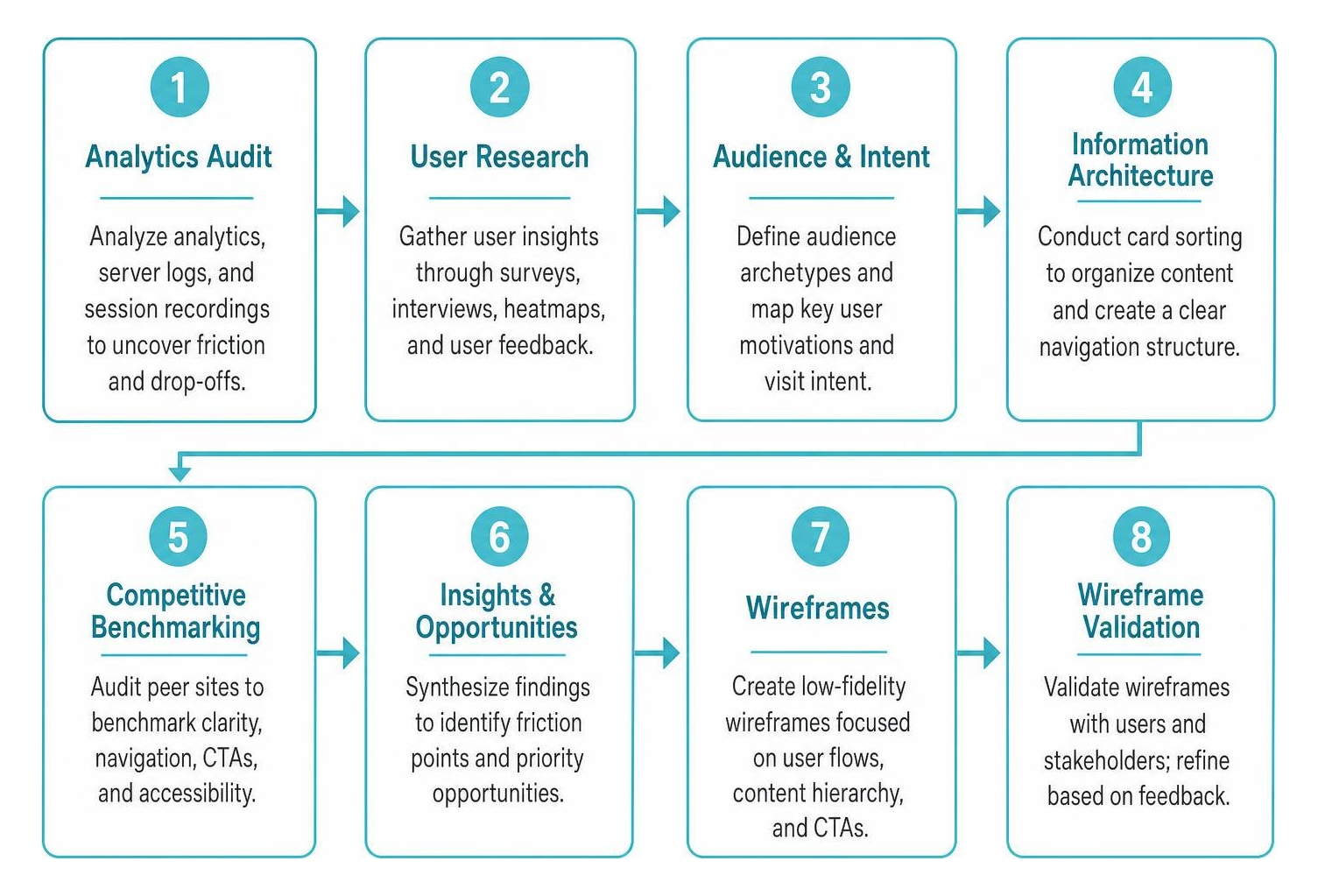
Subjective aesthetic opinions cannot replace empirical user discovery. A comprehensive discovery phase gathers direct user feedback through surveys, card-sorting exercises, heatmaps, and structured interviews. These qualitative and quantitative inputs identify precise points of confusion in navigation hierarchies and content presentation.
For example, digital teams evaluating complex architectures often turn to public institutional redesigns, such as the McGill University IT Services Redesign Case Study, to observe how large-scale content consolidation simplifies user pathways. Discovery research must uncover the underlying “why” behind user visits:
- Audience Archetypes: Identifying distinct user groups—such as donors, community members seeking assistance, and corporate partners—ensures navigation caters to different user journeys without friction.
- Card Sorting: Open and closed card sorting tests categorize complex service lists using intuitive language rather than internal company jargon or departmental silos.
- Competitive Audits: Benchmarking peer platforms establishes clear baselines for call-to-action prominence, accessibility compliance, and visual clarity across responsive screen sizes.
Strategic Phases of the End-to-End Redesign Process
Executing a comprehensive website overhaul requires structured workflows that eliminate silos between copywriting, UI design, and technical engineering. A phased approach maintains development velocity while mitigating operational risk across each deployment stage.
Pre-Project Research and Information Architecture in a Website Redesign Case Study
A thorough information architecture (IA) overhaul starts with a full content audit. Before mapping new pages, teams must catalog every live URL, evaluating organic traffic, backlink equity, and conversion relevance. This inventory supports safer migration planning because Google recommends preserving search signals through careful URL mapping, redirects, canonical handling, and sitemap updates during site moves, as outlined in its site move documentation. Only by knowing what content currently exists can you determine what to keep, combine, or prune. Auditing historical engagement data reveals which content assets drive real value versus obsolete pages that drain crawl budget.
Most project effort should be weighted toward pre-project research, content modeling, and stakeholder mapping before visual design begins. Applying insights from How to Build Pages That Convert Using Real Data ensures that every navigation branch and template directly serves a measurable conversion objective and guides visitors seamlessly toward key actions.
Visual Hierarchy, Prototyping, and Design System Integration
Once information architecture is established, interface design translates structural wireframes into high-fidelity interactive prototypes. Utilizing scalable design systems ensures cohesive typography, spacing tokens, and color contrast ratios across all templates. Prototyping in low-fidelity before introducing branding assets allows teams to test usability and visual flow without aesthetic bias.
Design systems establish predictable UI patterns:
- Visual Scanning: Pages follow natural F-pattern and Z-pattern reading habits, placing high-value propositions and primary CTAs directly in scan paths.
- Button Hierarchies: A defined button system for primary, secondary, tertiary, and text-link actions guides decision-making without visual confusion.
- Sustainable Digital Design: Modern modular frameworks, aligned with principles found in the University of Hawaii Sustainable Design Case Study, prioritize lightweight layouts that load efficiently and minimize computing overhead across global networks.
Technical Performance and Mobile-First Optimization

Mobile-first planning is essential because mobile devices account for a large share of global web usage, as shown in current desktop, mobile, and tablet market-share data from StatCounter. Designing mobile-first ensures touch targets, navigation menus, and critical conversion funnels operate smoothly on small viewports before expanding layouts for desktop screens. Google also uses the mobile version of a page for indexing and ranking, according to its mobile-first indexing guidance.
Achieving strong page experience requires an uncompromising engineering approach. Google defines good Core Web Vitals thresholds as Largest Contentful Paint at or below 2.5 seconds, Interaction to Next Paint at or below 200 milliseconds, and Cumulative Layout Shift at or below 0.1 in its Core Web Vitals documentation:
- Asset Optimization: Next-gen image formatting, SVG vector graphics, and CSS-based UI elements replace heavy graphic assets and uncompressed raster images.
- Code Minification: Eliminating unused JavaScript, deferring render-blocking styles, and removing bloated third-party plugins stabilizes Google Lighthouse scores.
- Infrastructure Upgrades: Modern hosting configurations, edge-caching networks, and streamlined databases accelerate server response times and handle traffic spikes reliably.
Our framework in The Ultimate Blueprint for High-Performance Website Builds highlights how clean code directly drives long-term search engine visibility and seamless user interactions.
Key Performance Indicators and Real-World Results
The true test of an architectural redesign lies in post-launch analytics. Evaluating site health at scheduled post-launch intervals provides objective validation of user engagement, technical performance, and conversion stability.
Quantitative Metrics Analyzed in a Website Redesign Case Study
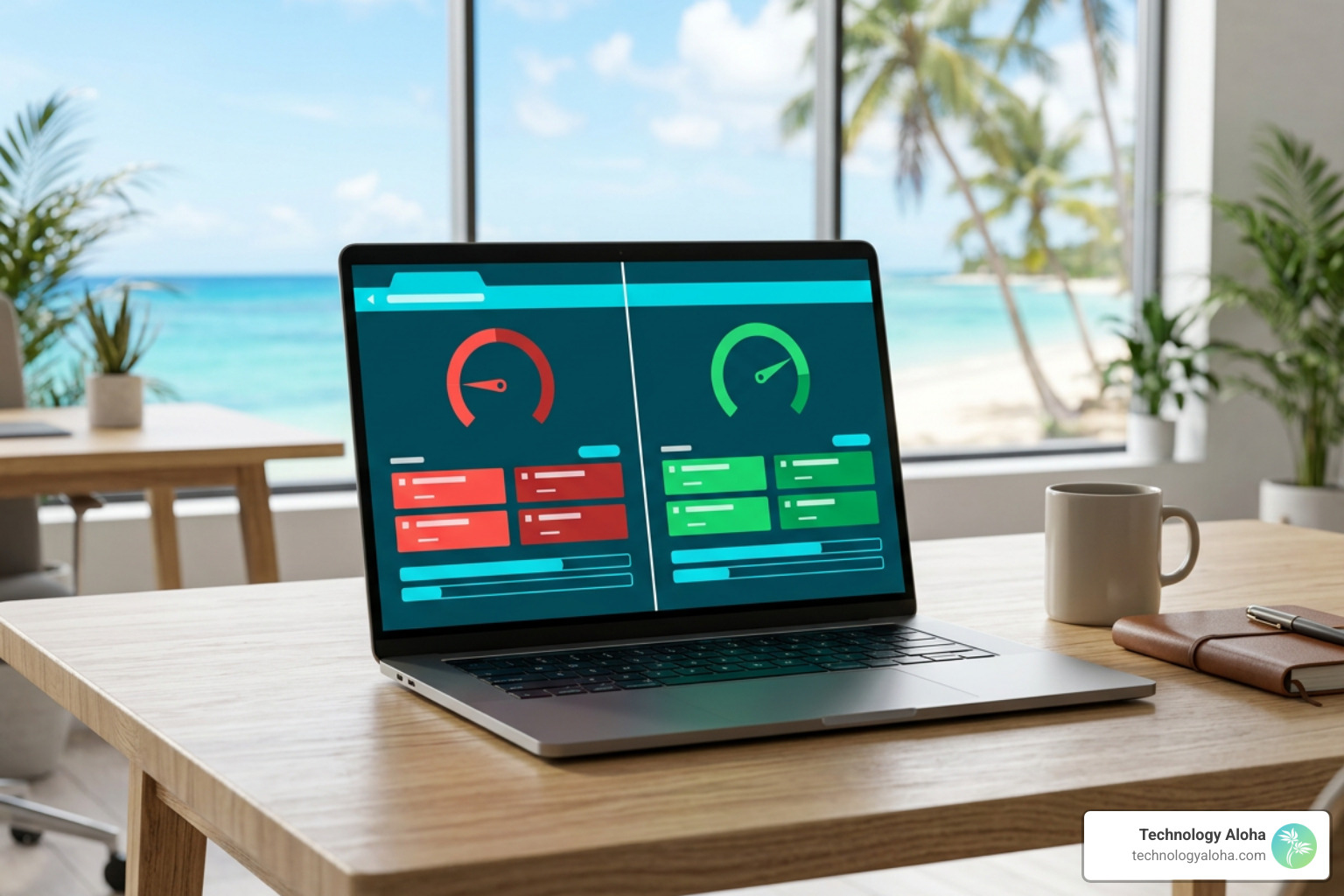
A well-executed redesign should be measured against documented tool standards, not subjective preferences. Google Lighthouse classifies performance scores from 90 to 100 as good in its Lighthouse performance scoring documentation, while Google Analytics 4 defines engagement metrics such as engaged sessions and engagement rate in its GA4 engagement-rate documentation. Comparing legacy platform data against post-launch benchmarks quantifies the tangible return on technical investment.
| Performance Metric | Legacy Platform Baseline | Post-Redesign Result | Net Change |
|---|---|---|---|
| Homepage Lighthouse Score | Documented with a pre-launch Lighthouse export | Validated against the 90–100 good-score range in Lighthouse scoring | Improvement shown by before-and-after exports |
| FAQ Mobile Performance Score | Documented with a mobile Lighthouse export | Validated against mobile performance scoring in Lighthouse | Improvement shown by before-and-after exports |
| Average Engagement Time | Pulled from the pre-launch GA4 reporting period | Compared against the post-launch GA4 reporting period using Google’s engagement definitions | Increase or decrease calculated from GA4 |
| Sitewide Engagement Rate | Pulled from the pre-launch GA4 reporting period | Compared against the post-launch GA4 reporting period using Google’s engagement-rate definition | Lift or decline calculated from GA4 |
| Core Web Vitals Stability | Measured against LCP, INP, and CLS thresholds | Validated against Core Web Vitals thresholds | Pass or fail based on field and lab data |
| Project Delivery Velocity | Compared against the approved project plan | Confirmed through sprint milestones, staging QA, and launch sign-off | Variance calculated from the project schedule |
Balancing User Engagement with Conversion Rate Retention
Dramatically increasing user engagement time is only valuable if it preserves or enhances core conversion paths. When visitors read deeper into content without encountering broken links or confusing checkout steps, engagement and conversion operate in harmony.
Essential pre-launch quality assurance checkpoints include:
- Comprehensive 301 Redirect Mapping: Preserving backlink equity and eliminating avoidable crawl errors by mapping legacy URLs to their new locations, consistent with Google’s URL-change site move guidance.
- Form Friction Reduction: Trimming non-essential form fields and simplifying validation rules to lower cognitive effort and elevate completion rates.
- Analytics and Pixel Validation: Verifying Google Analytics 4 custom events, conversion endpoints, and ad tracking tags prior to domain switchover.
- Accessibility and Cross-Browser Testing: Validating WCAG 2.1 AA compliance across mobile browsers, desktop platforms, and screen readers to support universal accessibility, using the WCAG 2.1 standard.
Following a rigorous launch workflow, such as the one outlined in Nail Your Launch with This Conversion Checklist, reduces platform downtime risk and helps prevent campaign disruption during DNS cutover.
Frequently Asked Questions About Redesigning a Website
How long does an end-to-end website redesign typically take?
A comprehensive website redesign typically spans 8 to 14 weeks depending on scope, content volume, and integration complexity. Running discovery, copywriting, design systems, and technical development in phased, parallel sprints prevents cross-departmental bottlenecks and shortens launch timelines without sacrificing quality.
How do you protect search rankings during a site migration?
Search engine equity is protected by completing an exhaustive URL inventory, implementing exact one-to-one 301 redirects, preserving existing high-performing metadata, structuring XML sitemaps, and testing canonical tags in staging before pointing live DNS records.
What is the most common reason a website redesign fails to increase conversions?
Website redesigns fail to increase conversions when teams prioritize subjective visual trends over user research and clear messaging. Designing layouts without resolving form friction, confusing navigation labels, or slow mobile performance creates an attractive site that continues to frustrate prospective users.
What are the key takeaways from a successful website redesign?
A successful website redesign is an operational investment that establishes durable digital infrastructure for an organization. By grounding structural decisions in empirical user research, modernizing performance architecture, and simplifying core conversion pathways, digital teams turn their platforms into reliable engines for community engagement, resource delivery, and institutional impact.
Building a sustainable, high-performing website requires continuous iteration rather than a one-time release. Prioritizing clean code, accessibility, and intuitive information architecture ensures that a digital platform remains resilient, adaptable, and fully aligned with evolving user expectations.