How to Find On-Site Support Options Fast by Using Site Tools
On-site support refers to a trained technician physically visiting a business location to diagnose, repair, or install technology that cannot be resolved remotely. This type of physical IT support is essential because remote assistance cannot address hardware failures, faulty cabling, or complex equipment installations. For businesses, neglecting on-site support can lead to significant network downtime, directly impacting revenue and productivity, as some problems simply demand a physical presence.
What “Support on Site” Actually Means — and Why It Matters for Your Business
Support on site is exactly what it sounds like: a trained technician comes to your physical location to diagnose, repair, or install technology that can’t be fixed remotely.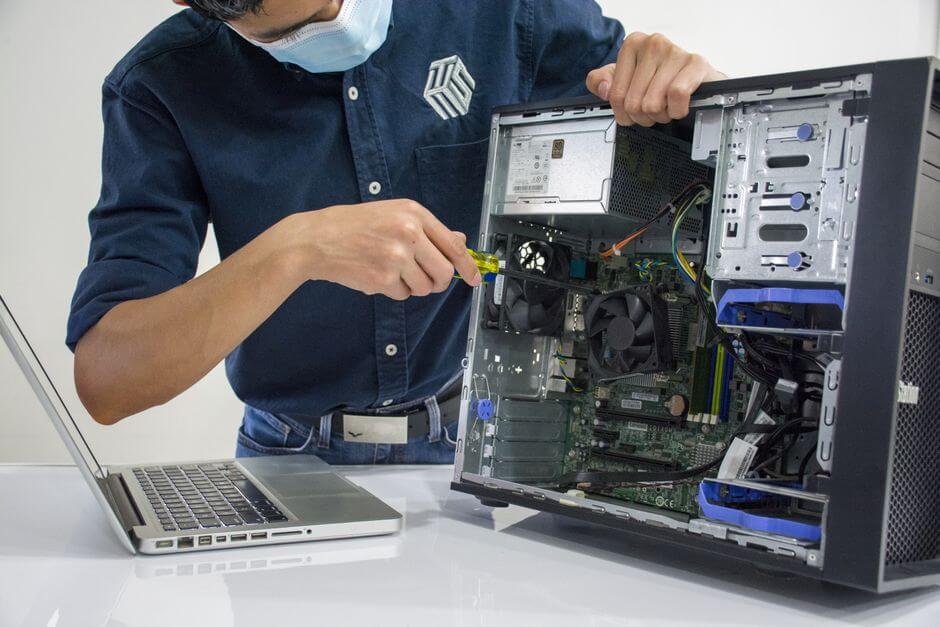
Here’s the short version if you’re in a hurry:
- What it is — A technician visits your business in person to handle hardware, cabling, network setup, or security systems
- What it covers — Server installations, broken hardware, IMAC services (Install, Move, Add, Change), physical security audits, and site surveys
- When you need it — When remote troubleshooting hits a wall: a device won’t power on, a cable is faulty, or equipment needs physical replacement
- Who provides it — Either an internal IT team or an outsourced provider dispatched to your location
- Why it matters — Downtime costs money; some problems simply cannot be solved over a screen
Remote support has come a long way. But it has a hard limit — it can’t touch physical things.
A technician on a video call can’t replace a failed hard drive. They can’t re-run a cable through a wall. They can’t install a server rack or physically inspect a network closet for a fault.
That’s the gap on-site support fills. And for small businesses running lean, that gap can mean the difference between an hour of downtime and a full day lost.
The stakes are real. Network downtime leads directly to lost revenue and reduced productivity. Some problems demand a physical presence — full stop.
This guide walks you through how to find on-site support options fast, what tools to use, and how to make sure you’re never caught waiting when something breaks.
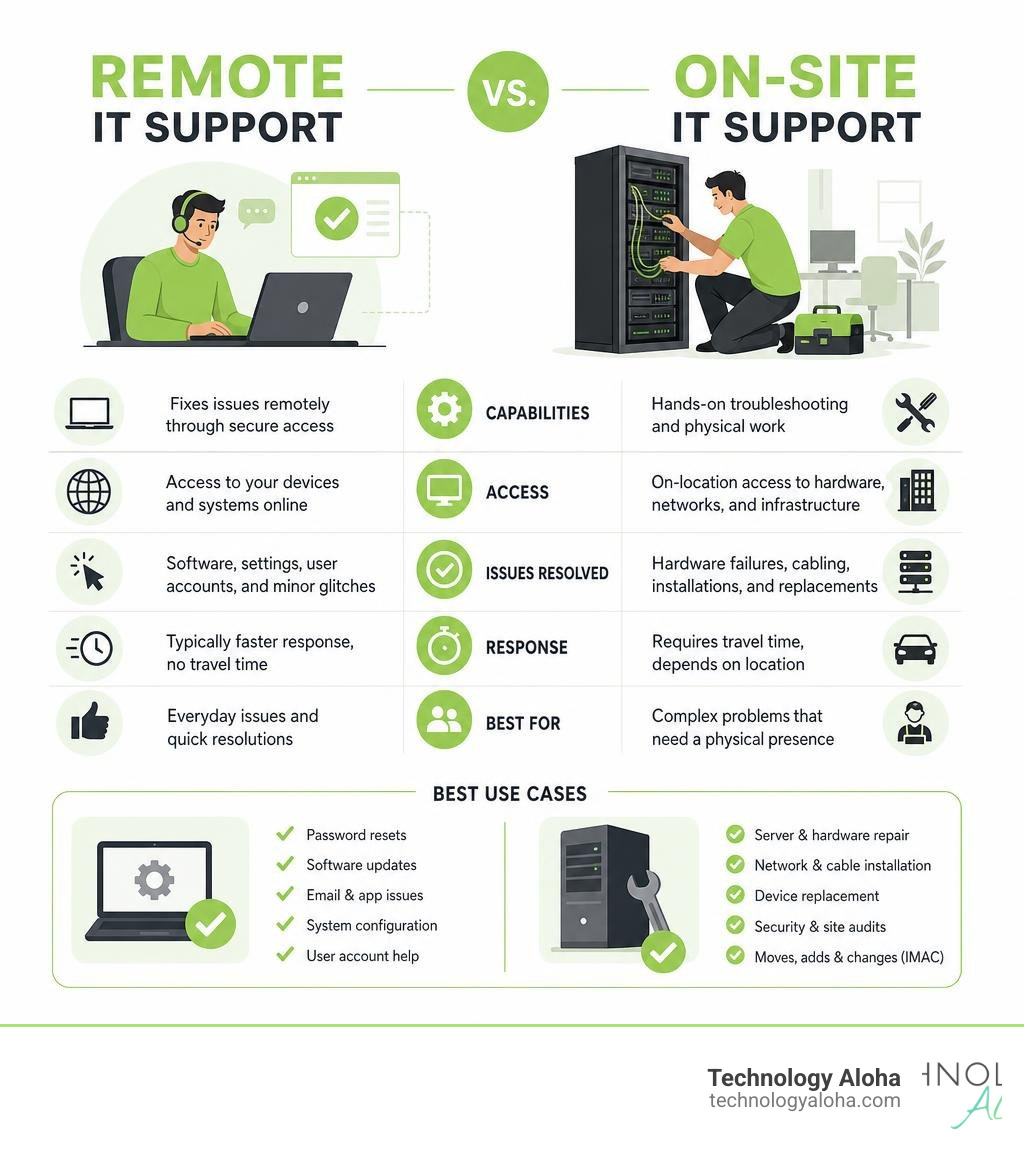
Defining On-Site IT Support vs. Remote Assistance
To build a resilient technology strategy, you must understand where remote assistance ends and physical support begins.
Remote IT support relies on software tools to access your systems over the internet. It is highly efficient for software updates, password resets, configuration tweaks, and email troubleshooting. Because there is no travel time, remote support often boasts rapid initial response times.
However, remote technicians are functionally blind and paralyzed when the physical layer of your technology stack fails. They cannot plug in a disconnected router, replace a blown power supply, or diagnose a severed Ethernet cable.
This is where support on site becomes necessary. On-site support involves sending a qualified technician directly to your physical business location. They perform hands-on hardware diagnostics, run network cabling, set up physical server racks, and handle complex equipment deployments.
While remote support keeps your software running, physical support keeps your infrastructure alive. Neglecting either side of this coin compromises your operational stability. For a deeper look at keeping your digital infrastructure healthy, read our guide on Professional Website Maintenance: Why You Need It.
Why Businesses Still Need Physical Support on Site
Even in our highly cloud-reliant landscape in June 2026, physical hardware remains the foundation of every digital operation. When that foundation cracks, remote workarounds fail.
Having reliable support on site directly impacts your bottom line by securing business continuity and minimizing downtime. Consider the cost of a network outage: credit card terminals go offline, staff sit idle, and customers walk out the door. If you rely solely on remote help desks, a physical cabling failure could leave you stranded for days while you scramble to find a local technician.
Physical support also ensures proper hardware management and security compliance. A technician on-site can perform physical security audits, verify that backup drives are physically secure, and handle the secure disposal of retired hard drives.

Remote vs. On-Site Support Capabilities
| Capability | Remote Support | On-Site Support |
|---|---|---|
| Software Patching | Yes | Yes |
| Password Resets | Yes | Yes |
| Hardware Diagnostics | Limited (Logical only) | Complete (Physical & Logical) |
| Cabling & Infrastructure | No | Yes |
| IMAC Services | No | Yes |
| Physical Security Audits | No | Yes |
When Remote Help Fails: Issues Requiring Support on Site
There are moments when even the most sophisticated remote diagnostic tools are useless. You need a physical technician when dealing with:
- Complete Hardware Failures: If a server motherboard dies or a firewall refuses to power on, no remote login can save it. A technician must physically swap the components.
- Physical Infrastructure & Cabling: Network drops, structural cabling, and physical rack installations require hands-on labor.
- IMAC Services (Installation, Move, Add, Change): When expanding your office or moving locations, physical equipment must be uninstalled, transported, mounted, and reconfigured.
- Physical Site Surveys: Before deploying a new Wi-Fi network or security camera system, an on-site technician must map out physical obstacles, interference sources, and mounting points.
When your physical systems fail, having a trusted partner ready to step in is invaluable. Learn more about establishing a reliable support system by reading Why Your Website Needs a Forever Friend for Support.
High-Stakes Industries That Benefit Most
Certain industries cannot afford to wait out a technical issue. In quick-serve restaurants and retail operations, a broken point-of-sale (POS) system or a dead receipt printer halts transactions immediately.
Healthcare facilities rely on connected medical equipment and secure local networks where system downtime can directly impact patient care. Similarly, financial institutions—such as local credit unions—demand absolute network uptime and strict physical security compliance to protect sensitive financial data. Whether managing local branches or coordinating community programs, secure and operational local systems are non-negotiable.
For organizations operating in Hawaii, local geography adds a layer of complexity. If you are running a business or supporting local community initiatives, you need fast, local technical resolution. When looking for reliable local help, check out The Best Local Pros for Hawaii Website Maintenance to find experts who understand the unique demands of our island communities.
Internal Teams vs. Outsourced Providers: Navigating the Trade-Offs
When structuring your physical IT support, you face a classic operational dilemma: do you hire an internal IT team or outsource to a managed service provider?
Maintaining an internal team gives you dedicated, immediate access to technicians who know your company’s specific quirks. However, the hidden costs of an internal team are substantial. Beyond salaries, you must account for benefits, ongoing training, physical workspace, and management overhead. Furthermore, internal teams struggle with scalability. If you experience a sudden surge in technical issues or plan a multi-site hardware upgrade, your small internal team will quickly become a bottleneck.
Outsourced on-site support solves these resource constraints through staff augmentation and contingent field services. With an outsourced provider, you only pay for the services you need, when you need them.
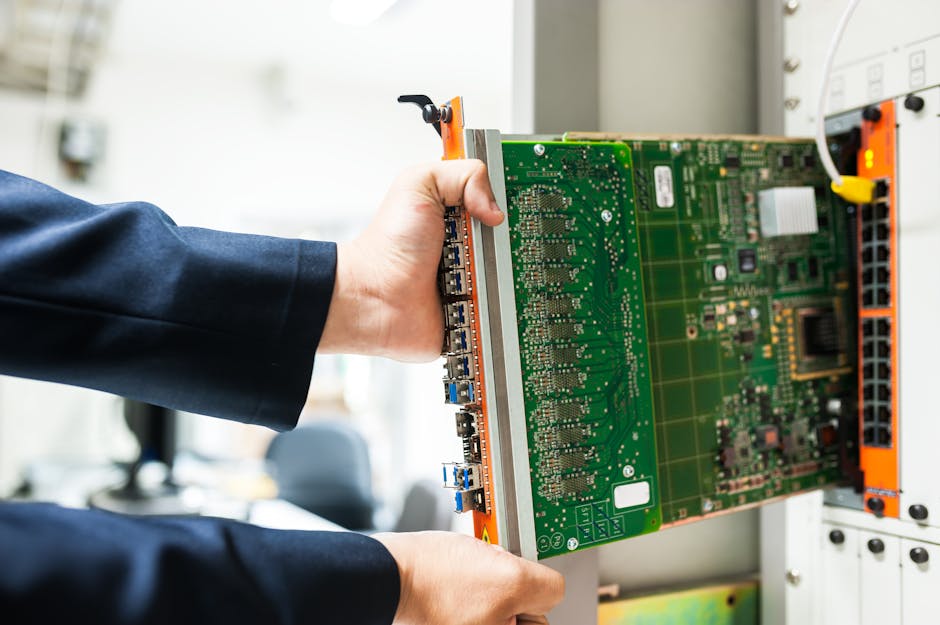
If you operate multiple sites, a mature outsourced provider can coordinate local dispatches simultaneously across different locations, bypass local talent shortages, and handle project management overhead on your behalf.
Integrating Physical Support with Modern Digital Site Tools
Modern IT support is not a choice between physical and remote models. The most resilient businesses use a hybrid support model that seamlessly blends physical dispatch with digital site tools.
Digital site tools—such as automated remote monitoring and management (RMM) systems—act as the early warning system for your physical infrastructure. These tools run continuous diagnostics, flagging a failing hard drive or an overheating server before it crashes your business.
When a physical issue is detected, the digital tool automatically generates a helpdesk ticket, supplying the dispatched on-site technician with the exact diagnostics they need before they even arrive at your door. This hybrid approach ensures that when a technician does step foot on your site, they are not wasting time guessing what went wrong—they are already executing the solution.
Keeping your digital and physical tools aligned requires consistent oversight. To understand how to keep your systems running smoothly, explore our comprehensive guide on Website Maintenance Services.
Leveraging AI and Chatbots for Hybrid Support on Site
The integration of artificial intelligence has transformed how businesses handle support triage. Advanced digital helpdesks and AI tools can resolve up to 80% of common digital queries automatically, freeing up human resources to focus on complex physical issues.
For instance, platforms like SiteSupport.ai allow businesses to deploy intelligent assistants that learn their entire site content instantly to assist users. Tools utilizing the Onsite Support documentation enable seamless live chat setups on platforms like Shopify and WordPress.
These digital interfaces do more than just answer questions; they act as the initial intake layer. For e-commerce operations, platforms like the Onsite Support AI-Powered Ecommerce Helpdesk pull real-time order data and apply business policies directly within the workspace. If the AI detects a complex technical issue during a chat, it routes the ticket to the correct human team with full context.
Whether you are using specialized mobile tools like the AI Support Chat Documentation for WooCommerce or exploring the broader capabilities of the Onsite Support platform, these digital tools streamline the path from initial problem detection to physical resolution.
By leveraging Onsite AI, businesses can automate routine logical troubleshooting, ensuring that expensive on-site dispatches are reserved strictly for physical hardware and infrastructure needs. For more insights on choosing the right support structure, see Why Your Website Needs a Forever Friend for Support.
Choosing the Right Partner for Your Business
When selecting an on-site IT support provider, you cannot afford to guess. You need a partner that guarantees technical competence and clear operational standards.
First, look at technical certifications. Your provider’s technicians should hold industry-standard credentials, such as CompTIA A+ (for hardware and troubleshooting), Network+ (for networking fundamentals), and specialized certifications like CCNA or AWS where applicable. These certifications prove that the technician entering your server room has verified, foundational knowledge.
Second, demand clear Service Level Agreements (SLAs). An SLA is a binding commitment that defines how quickly the provider must respond to your issues. For critical network-down situations, you should expect an emergency response window of two to four hours.
Finally, evaluate their scalability. Your IT partner should be able to support your business as it grows, whether that means deploying extra hands for a sudden office move or scaling down support during your slow season.
Frequently Asked Questions About On-Site IT Support
What is the average response time for on-site IT support?
Response times vary based on your Service Level Agreement (SLA). For non-urgent issues, standard on-site response times typically range from 12 to 24 business hours. However, for critical “business-down” emergencies—such as a primary server failure or a complete network outage—most reputable providers commit to a local dispatch window of 2 to 4 hours.
How does on-site support improve data security and compliance?
On-site technicians ensure a secure physical chain of custody for your data. When replacing a failed hard drive, an on-site professional can physically destroy or securely store the old drive, preventing sensitive data from leaving your facility. Additionally, physical technicians can perform hands-on compliance audits, verifying that your network hardware, servers, and backup systems are physically locked and protected against unauthorized local access.
Can on-site IT support be scaled for multi-location businesses?
Yes. Experienced IT providers use hybrid labor models, combining a centralized management team with a network of certified local technicians. This allows them to coordinate standardized equipment deployments, upgrades, and emergency dispatches across multiple physical locations simultaneously, ensuring consistent service quality without requiring you to manage multiple local vendors.
Conclusion
In our business environment, you cannot afford to let physical technology failures stall your operations. While remote assistance and digital AI tools are excellent for handling software configurations and routine customer queries, they cannot replace the necessity of hands-on, professional support on site when your physical infrastructure fails.
At Technology Aloha, we believe that your technology should serve your business growth, not slow it down. We combine strategic positioning, data-driven insights, and cohesive branding to deliver high-conversion designs and robust digital strategies.
If you want to ensure your business remains resilient, secure, and ready for growth, explore our professional Support Services today. Let us handle the technical details so you can focus on what you do best—running your business.